
You can run regression test from command line. This is needed, if you want to e.g. integrate the regression tests into a continuous integration server.
Call the Regression Test Command Line Tool like:
java -jar RegTestRunner.jar -project <path to the Builder project folder>
[-suite <name of the test suite to be executed>]
[-logfile <filename including path>]
[<target Bridge>]
e.g. java -jar RegTestRunner.jar -project "C:\xUML Documentation\Advanced Modeling\PState" -suite "Build" -logfile C:\Temp\testlog.xml.
Click here to download the example file: Builder project Advanced Modeling/PState
<your example path>\Advanced Modeling\PState\uml\pstatePurchaseOrder.xml
Parameters
Regression Test Parameters
To select the tests to perform, you can specify the following parameters:
|
Parameter |
Mandatory |
Description |
Example |
|---|---|---|---|
|
-project |
|
Specify the path to the Builder project that contains the regression tests. |
|
|
-suite |
|
Specify the test suite you want to run. The test suite must exist within the project given with |
|
|
-file |
|
deprecated |
|
|
-list |
|
Lists all available test suites in the project specified by |
|
|
-logfile |
|
Optionally specify a filename (including extension of your choice) and a path. The RegTestRunner will generate a file with the given name to the given path. If you specify a filename only, the logfile will be generated to the location of the test suite. This logfile is not to be confused with the logfile that is created if you have added a logfile option in the Regression Test Tool (see Logging Test Runs). For more information on the contents of the logfile, see Format of the Test Logfile further below. |
|
Setting a Request Timeout
Regression test actions that perform a network request have a timeout. You can change the timeout defaults via Java system properties:
|
Action |
Default Timeout |
Java System Property |
Value |
|---|---|---|---|
|
Establish connection |
1 minute |
|
Specify a value in milliseconds. A value of -1 means: no timeout. |
|
Wait for response |
10 minutes |
|
Specify a value in milliseconds. A value of -1 means: no timeout. |
The following test actions do support timeouts:
Set the changed timeouts via the Regression Test Command Line Tool call like
java -Dsun.net.client.defaultReadTimeout=5000 -jar RegTestRunner.jar ...
The command above starts tests with a timeout of 5000 ms for waiting for a response of network requests.
To set the same timeouts for the Analyzer refer to Setting a Request Timeout.
Examples
To try out the Regression Test Command Line Tool, you can use the PState Builder project that is delivered with the Builder examples.
Click here to download the example file: Builder project Advanced Modeling/PState
<your example path>\Advanced Modeling\PState\uml\pstatePurchaseOrder.xml
Analyzer
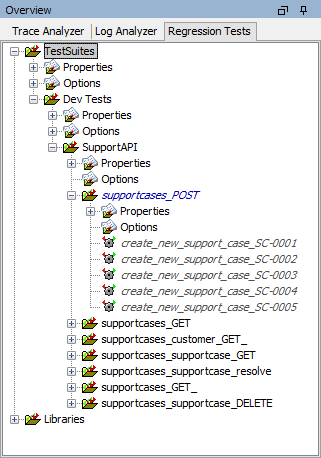
Regression Test Command Line Tool
C:\_analyzer\RESTAPI_SupportManager_Example>java -jar RegTestRunner.jar -project RESTAPI_SupportManager_Example -list
/Dev Tests
/Dev Tests/SupportAPI
/Dev Tests/SupportAPI/supportcases_POST
/Dev Tests/SupportAPI/supportcases_POST/create_new_support_case_SC-0001
/Dev Tests/SupportAPI/supportcases_POST/create_new_support_case_SC-0002
/Dev Tests/SupportAPI/supportcases_POST/create_new_support_case_SC-0003
/Dev Tests/SupportAPI/supportcases_POST/create_new_support_case_SC-0004
/Dev Tests/SupportAPI/supportcases_POST/create_new_support_case_SC-0006
/Dev Tests/SupportAPI/supportcases_GET
[...]
Analyzer
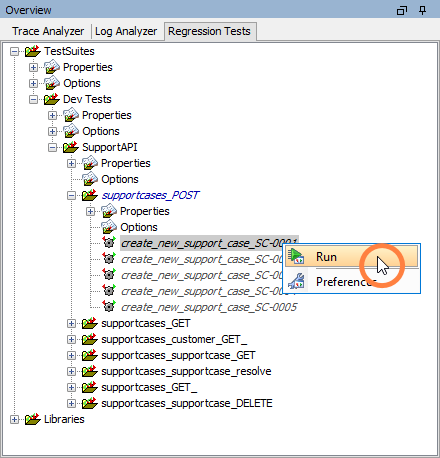
Regression Test Command Line Tool
C:\_analyzer\RESTAPI_SupportManager_Example>java -jar RegTestRunner.jar -project RESTAPI_SupportManager_Example -suite "SupportAPI/supportcases_POST/create_new_support_case_SC-0001"
Running Test '<TestcaseTest>SupportAPI/supportcases_POST/create_new_support_case_SC-0001'.
Finished: 19.094 seconds

<testsuites>
   <testsuite name="SupportAPI/supportcases_POST" tests="5">
      <testcase errors="0" name="create_new_support_case_SC-0001" time="19.091"/>
   </testsuite>
</testsuites
>
Analyzer
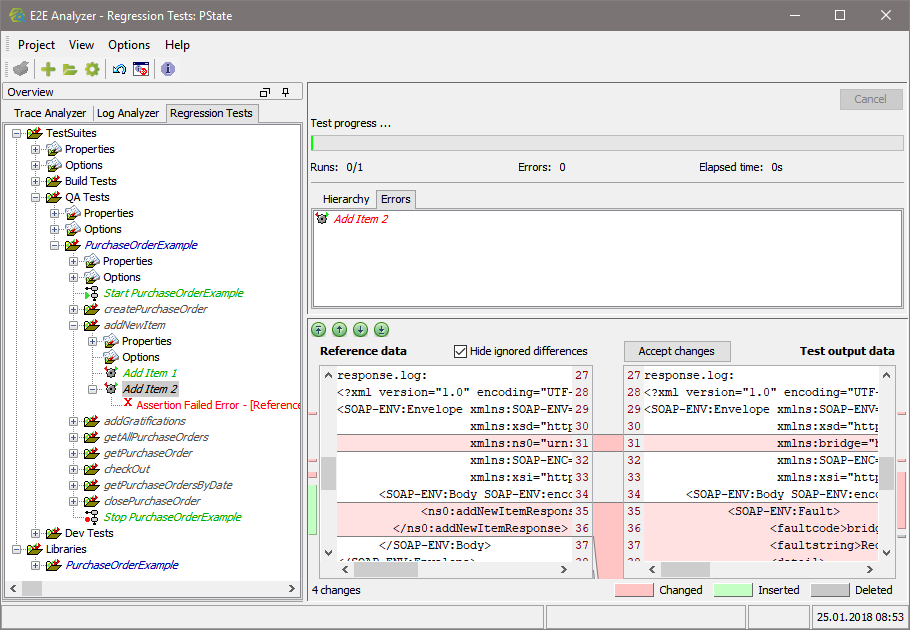
Regression Test Command Line Tool
C:\_analyzer\RESTAPI_SupportManager_Example>java -jar RegTestRunner.jar -project RESTAPI_SupportManager_Example -suite "SupportAPI/supportcases_POST"
Running Test '<TestcaseTest>create_new_support_case_SC-0001'.
Running Test '<TestcaseTest>create_new_support_case_SC-0002'.
Running Test '<TestcaseTest>create_new_support_case_SC-0003'.
Running Test '<TestcaseTest>create_new_support_case_SC-0004'.
Running Test '<TestcaseTest>create_new_support_case_SC-0004'.
Finished: 8.261 seconds
<testsuites>
   <testsuite name="TestSuites.SupportAPI.supportcases_POST" tests="15">
      <testcase errors="0" name="create_new_support_case_SC-0001" time="1.198"/>
      <testcase errors="0" name="create_new_support_case_SC-0002" time="4.123"/>
	  <testcase errors="0" name="create_new_support_case_SC-0003" time="3.785"/>
	  <testcase errors="0" name="create_new_support_case_SC-0004" time="5.694"/>
	  <testcase errors="1" name="create_new_support_case_SC-0004" time="3.142"/>
	     <error message="Assertion Failed Error - [...]
   </testsuite>
   [...]
</testsuites>
Format of the Test Logfile
The logfile generated by the -logfile parameter is formatted in a JUnit compatible XML format that is used by continuous integration servers:
<testsuites>
   <testsuite name="TestSuites" tests="10"/>
   <testsuite name="TestSuites.Dev Tests" tests="10"/>
      <testsuite name="TestSuites.Dev Tests.PurchaseOrderExample" tests="10">
         <testcase errors="0" name="Create Purchase Order 1" time="0.854"/>
         <testcase errors="1" name="Create Purchase Order 2" time="0.01">
            <error message="Assertion Failed Error - [...]"/>
         </testcase>
         [...]
   </testsuite>
</testsuites>
The XML structure of the logfile reflects the test case structure in the Regression Test Tool and gives some additional information on the test execution:
|
XML Element |
XML Attribute |
Description |
|---|---|---|
|
testsuites |
- |
Root element. |
|
testsuite |
name |
Name of the test suite including test suite path in a test suite hierarchy. |
|
tests |
Number of tests in the test suite. |
|
|
testcase |
name |
Name of the test case. |
|
errors |
Number of errors during test execution. |
|
|
time |
Elapsed test time in seconds. |
|
|
error |
message |
Text of the test error message. |