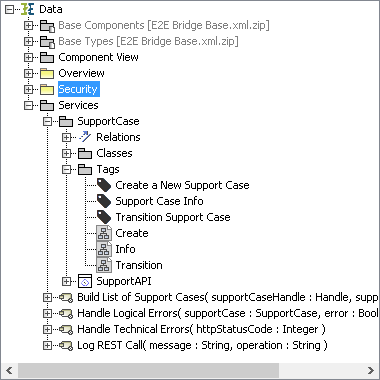
REST services can be tested with a REST Test Tool (see Testing REST Services), and if you are using API Management, your client's developers can access APIs via a Developer Portal (see ).
Especially in these cases it is important to provide an elaborated REST service documentation.
When compiling a REST service, an OpenAPI descriptor file is created that contains the service description. This file reflects the REST interface structure as implemented by you (see Defining a REST Service Interface).
The generated OpenAPI file also contains textual documentation. Tools supporting OpenAPI descriptor files (yaml format) can make the documentation visible:
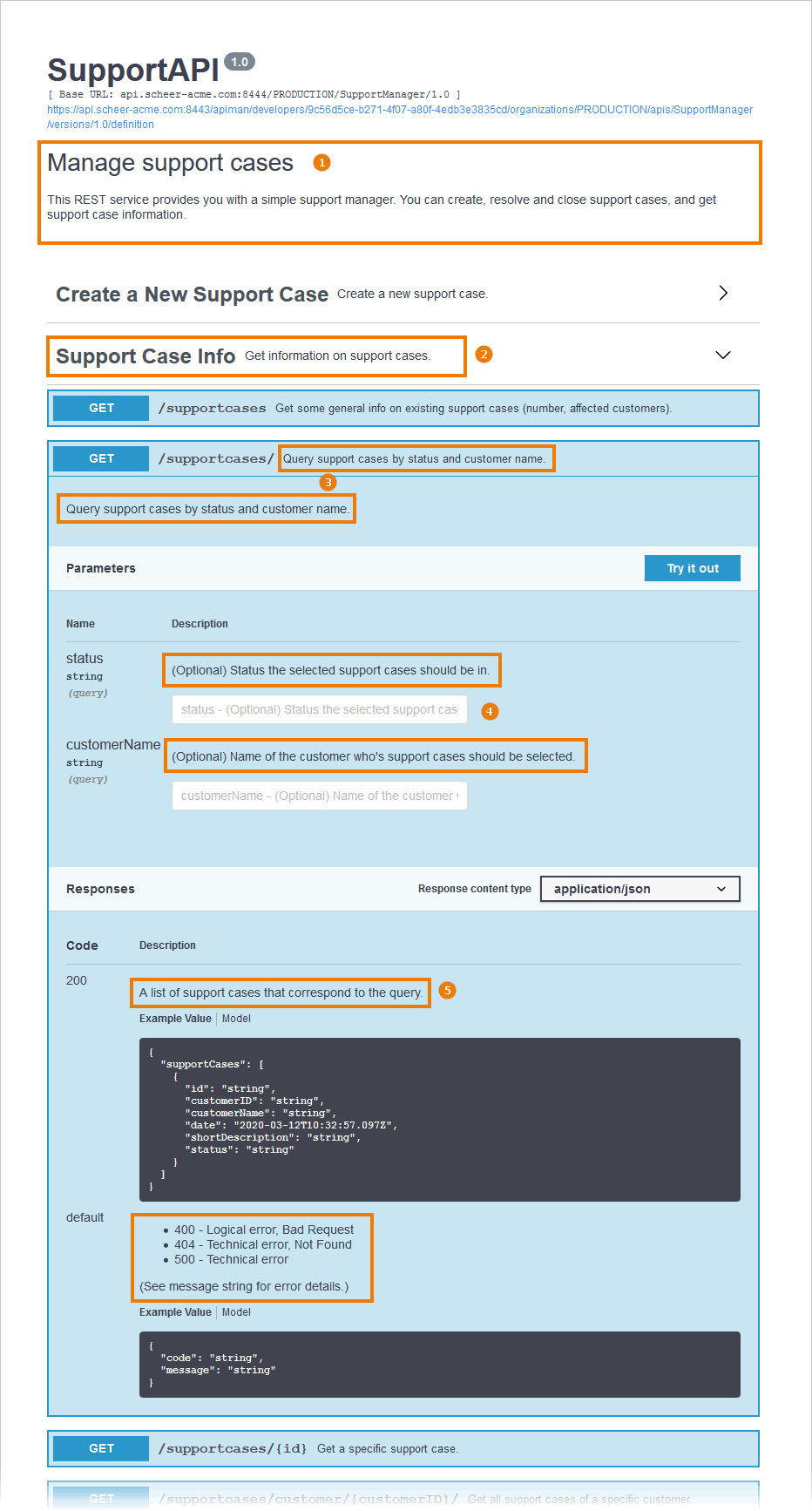
The documentation from the model elements will be added to the description and summary tag of the service descriptor. We recommend to populate the following documentation in your REST service:
|
Element |
Description |
OpenAPI File |
xUML REST Service |
|
|---|---|---|---|---|
|
1 |
API Description |
Describe your API in general. |
|
<<E2ERESTPortType>> |
|
2 |
Operation Group |
Group operations with tags. |
|
<<RESTOperationTag>> |
|
3 |
Operation Description |
Provide a short description for each operation. |
|
<<REST>> |
|
4 |
Parameter Description |
Provide a short description for each parameter. |
|
<<RESTParameter>> |
|
5 |
Response Description |
Provide a short description for each response. |
|
<<RESTError>> |
Documenting REST Elements
You can add documentation to all REST elements listed in the table above:
-
the REST port type
-
REST operations
-
REST parameters
-
REST error classes
Documentation can be added in the specification dialog of each element:
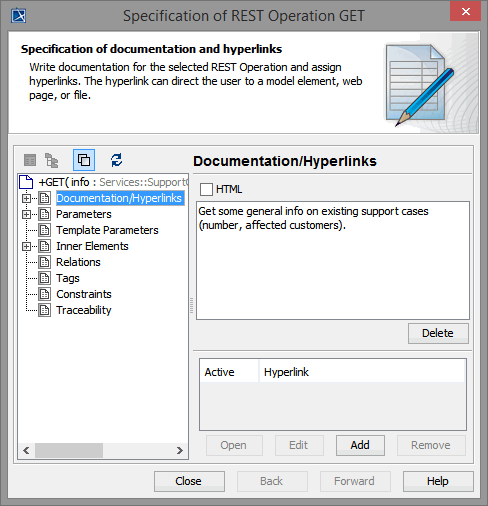
While writing the documentation, you can use plain text or Git flavored markdown.
Do not use HTML mode in MagicDraw while adding documentation.
REST Response Definitions
Bridge 7.1.0 The xUML REST implementation provides error information via the HTTP body by an error class or a Blob (see REST Service Error Handling). All (default and specific) error classes (<<RESTError>>) are reflected in the OpenAPI file of the service as responses.
swagger: '2.0'
[...]
/supportcases/{id}:
delete:
description: Close a specific support case.
parameters:
- in: path
name: id
required: true
type: string
responses:
'200':
description: A success message.
schema:
$ref: '#/definitions/ResolveMessage'
'401':
description: |-
- 401 - Unauthorized
- 404 - Technical error, Not Found
(See message string and additionalInfo for error details.)
schema:
$ref: '#/definitions/RESTErrorPlus'
default:
description: |-
- 400 - Logical error, Bad Request
- 404 - Technical error, Not Found
- 500 - Technical error
(See message string for error details.)
schema:
$ref: '#/definitions/RESTError'
summary: Close a specific support case.
tags:
- Transition Support Case
[...]
You can add documentation to the error and response classes to provide some documentation on the responses to the OpenAPI file. In the example OpenAPI file above you can find three responses for operation delete.
|
Status Code |
Description |
Response Class |
Documentation |
|---|---|---|---|
|
200 |
normal response |
ResolveMessage |
<<RESTParameter>> (message) |
|
401 |
specific error response for authorization errors |
RESTErrorPlus |
<<RESTError>> |
|
default |
default error response |
RESTError |
<<RESTError>> |
The E2E OpenAPI Importer will import these definitions to the calling xUML service as defined in the OpenAPI file.
Response definitions using patterns (like e.g. 40? or 4??) can not be generated to the OpenAPI file, so it is not recommended to use them. A response definition having pattern ??? will be generated as default response of the operation.
Grouping REST Operations
You can use <<RESTOperationTag>> to group your operations. The REST Test Tool will then display the operations in groups by tag. Operations without a tag assigned will appear under a group "default".
Figure: REST Operation Groups
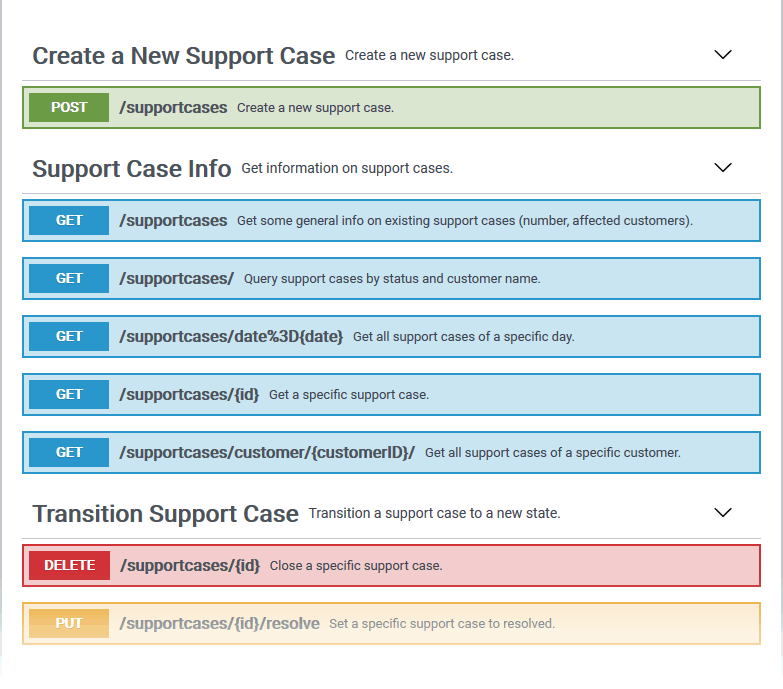
To tag a REST operation, create a new <<RESTOperationTag>> and draw a class diagram to connect it to operations via a <<use>> dependency.
Figure: Tagging REST Operations
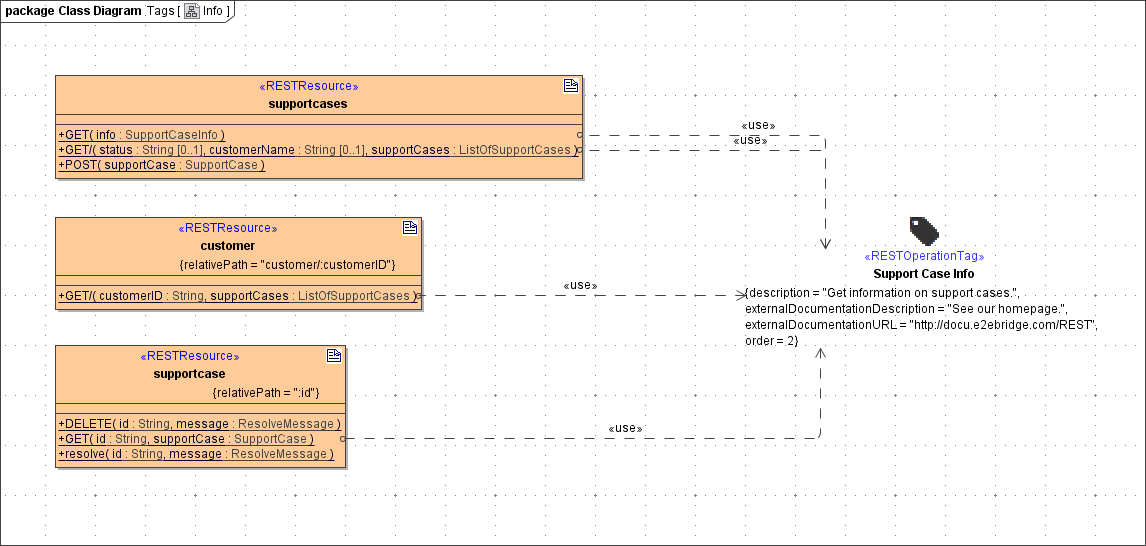
Artifact <<RESTOperationTag>> has the following tagged values:
| Tagged Value | Description |
|
Allowed Values |
|---|---|---|---|
| Name
(name) |
Defines the name of the tag. This name will be displayed in the Bridge REST Test Tool as a group heading. | any string | |
| Description
(description) |
You can add a short description of the tag that will be displayed in the Bridge REST Test Tool together with the heading. | any string | |
| External Documentation Description
(externalDocumentationDescription) |
You can add a short description of the documentation. | These field values will be generated to the OpenAPI descriptor, but are not displayed on the Test UI at the moment. | any string |
| External Documentation URL
(externalDocumentationURL) |
Defines a documentation URL for this tag group. | a valid URL | |
| Order
(order) |
Defines the order in which the tag groups will be displayed on the screen. Tag groups with empty order will be displayed last. | any number | |
For a better overview, we recommend to put all tag definitions in a separate package and to create a separate class diagram for each tag: