
Converting a Test Suite to a Library
A test suite can be converted into a library, so that the same test suite can be used in multiple tests. The library includes all tests and options.
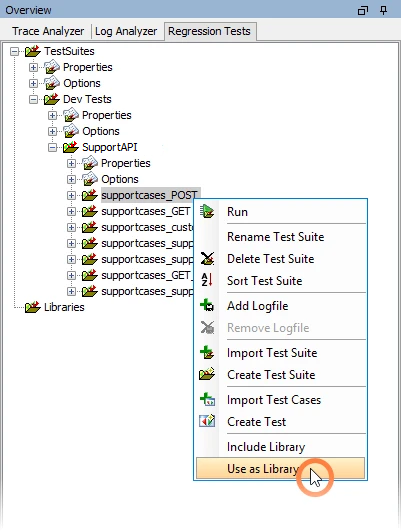
Select a test suite and select Use as Library from the context menu:
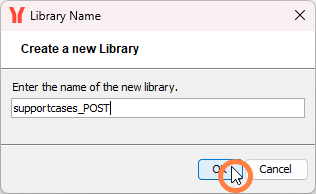
Click OK to create the library:
Known Issue
Do not enter a new name here. This will break the library and the test cases.
The test suite has been added as a test library in the Regression Test Tool. The original test suite has been replaced with a library usage.
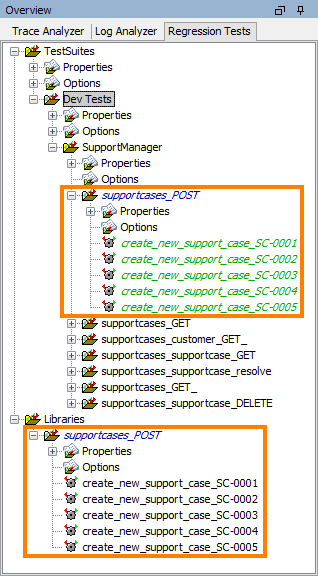
The original test suite cannot be changed anymore. All changes have to be done in the library.
Using the Library in Multiple Test Suites
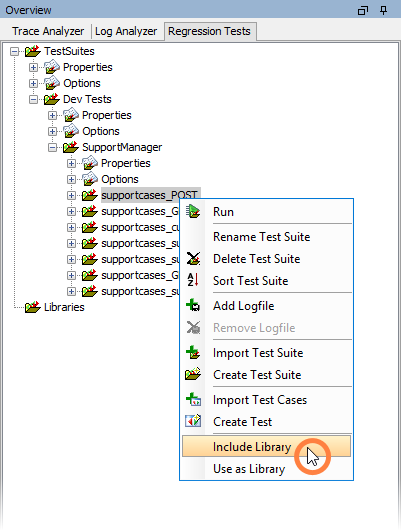
You now can add the library tests to other test suites by selecting Include Library from the context menu:
Overwriting Options in the Library
As with normal test cases, you can also overwrite test case options of libraries as described on Adding Options to a Test Suite pp.
Adding an Additional Test to the Library
You can extend libraries with additional tests as described on Creating Additional Tests pp.
Related Content
Related Pages: