
The Element Platform Service
|
Element |

|
|
Function |
The element Platform Service is only found within the Integration element and is used in an EPC to exchange and edit data from a foreign system via REST protocol and a Scheer PAS Bridge xUML service. |
|
Connection |
Predecessor: None
|
|
Example |
Within an integration, material data is extracted out of SAP and converted into the required data format, all with the help of the Platform Service Stock Avail. The same happens via the Platform Service Get Customer with customer data. Thereafter all data is saved in the container and remains available for further processing in BPaaS. 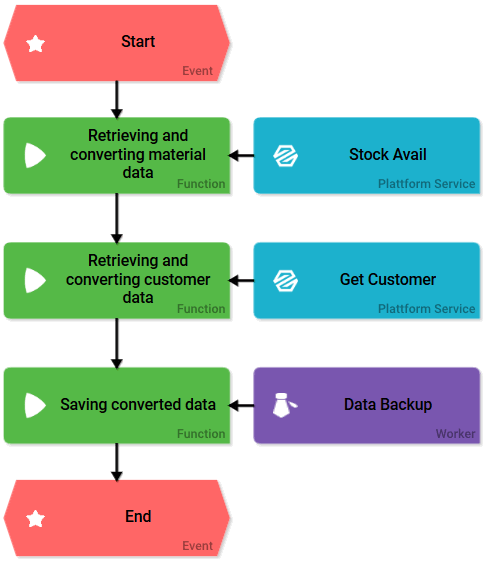
|
Configuration Options
Edit the element via the Edit Sidebar.

|
Name Name of the element within modeling. |

|
ID The read-only field contains the model ID of the element. Designers can use the ID for example in the search to link the element in other models. |

|
Description A commentary field for the modeler. Its content is invisible to users and its sole purpose is internal documentation. |

|
Hashtags Possibility to insert your own key terms . The leading hashtag sign # (hash) will be inserted automatically. Use the spacebar to insert multiple hashtags: 
One hashtag may be issued for multiple elements: 
|

|
xUML Services Here you choose the required xUML service of Scheer PAS Bridge. The drop-down menu contains all xUML services with REST interface available in your Bridge. Example: 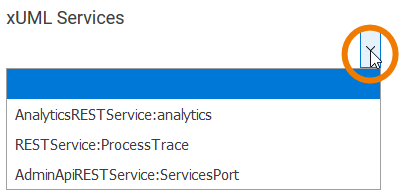
|

|
Operation Insert the operation's REST path here. Your entry must begin with "/": Example: 
When entering the operation consider the documentation of the corresponding xUML service. |

|
HTTP Method Choose a matching HTTP method for your REST action from the drop-down menu. The following methods are available: 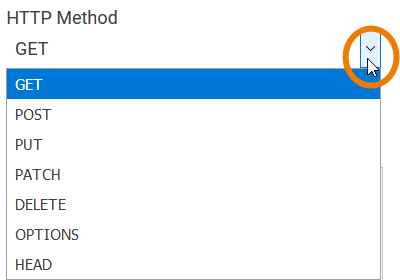
When entering the method always consider the documentation of the corresponding xUML service and operation. |

|
MIME-Type Choose the matching MIME type of your REST interface here. The following types are available: 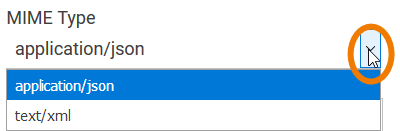
When entering the MIME type always consider the documentation of the corresponding xUML service and operation. |

|
Parameter List Contains a list of parameters to be transferred. Example: A character string, an e-mail address and the age are to be transferred. 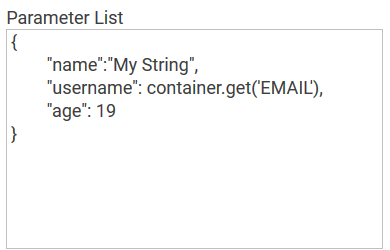
When entering the parameters always consider the documentation of the corresponding xUML service and operation. |

|
Field Name in Container Assign a name under which the server answer is saved in the container. If the Field Name in Container remains empty, integration.result will be used. Without further modeling the data is volatile, meaning it has been deposited in the container, but not saved. For further information see Saving and Deleting Instances. |