
By adding a logfile you can log test runs at the test suite level the logfile was added to. The logfile contains one line per test case run for successful runs, and error messages for the erroneous ones.
[...]
Test resolve_support_case_no_number' started at Mar 19 2026, 11:58:27.
Test resolve_support_case_no_number' finished at Mar 19 2026, 11:58:27.
Test resolve_support_case_wrong_number' started at Mar 19 2026, 11:58:27.
Test resolve_support_case_wrong_number' finished at Mar 19 2026, 11:58:28.
Test list_all_support_cases' started at Mar 19 2026, 11:58:28.
list_all_support_cases: [Reference = C:\_analyzer\RESTAPI_SupportManager_Example\regressiontest\reference\Dev Tests\SupportMan\supportcas_1\SupportCase.SupportAPI.supportcases_GET_\list_all_support_cases\response.log]

[different] Expected attribute value 'ns1:SupportCase[5]' but was 'ns1:SupportCase[6]' - comparing <supportCases SOAP-ENC:arrayType="ns1:SupportCase[5]"...> at /Envelope[1]/Body[1]/supportcases_GET_Response[1]/supportCases[1]/supportCases[1]/@arrayType to <supportCases SOAP-ENC:arrayType="ns1:SupportCase[6]"...> at /Envelope[1]/Body[1]/supportcases_GET_Response[1]/supportCases[1]/supportCases[1]/@arrayType
[...]
The logfile is a normal text file and can be treated with any editor, e.g. for searching purposes. Each test suite run will add information to the logfile until it is cleared or removed.
Add Logging
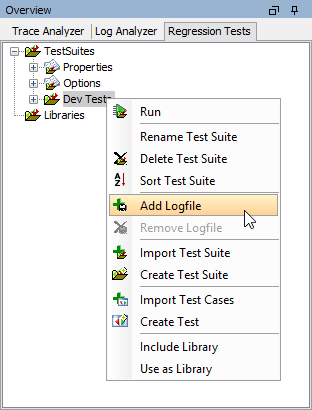
Select Add Logfile on the test suite you want to add a logfile to:
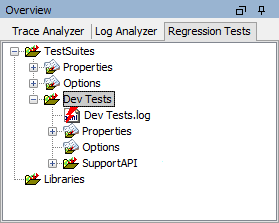
A logfile item <name of the test suite>.log is added to the test suite:
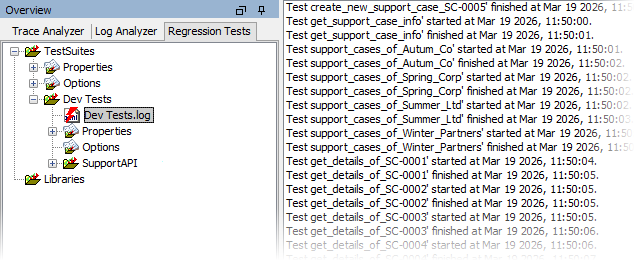
This logfile resides in folder regressiontest/log and will be created as soon as the test suite is run. After running the test suite containing the logfile, the logged data is displayed in the content pane:
Clear the Logfile
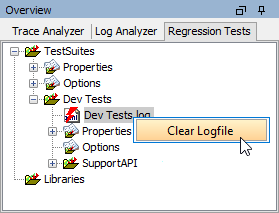
Every test suite run adds to the logfile. Select Clear Logfile on the logfile to clear the logfile contents:
Remove the Logging
Select Remove Logfile from the context menu of the test suite to stop logging test runs on this test suite:
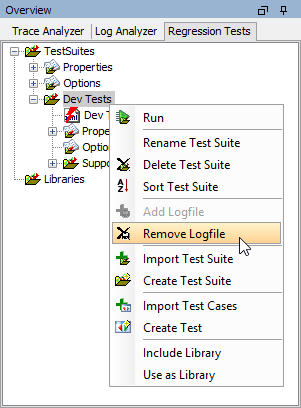
In this case, he logfile and its content will not be lost. If logging on the same test suite is activated again, the contents of the logfile will be visible again.