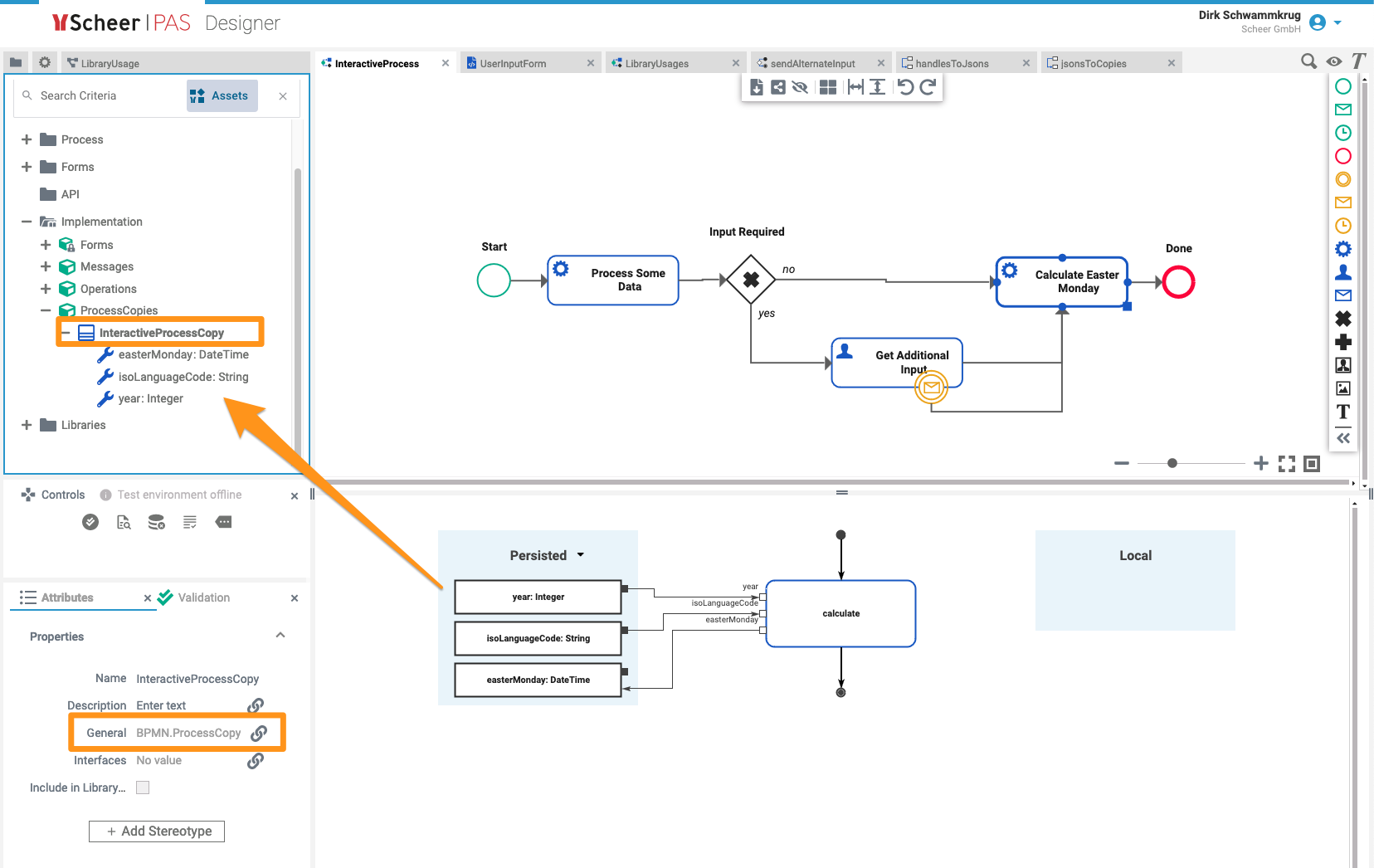
This page illustrates typical use cases of the library by a simple example process to work on:
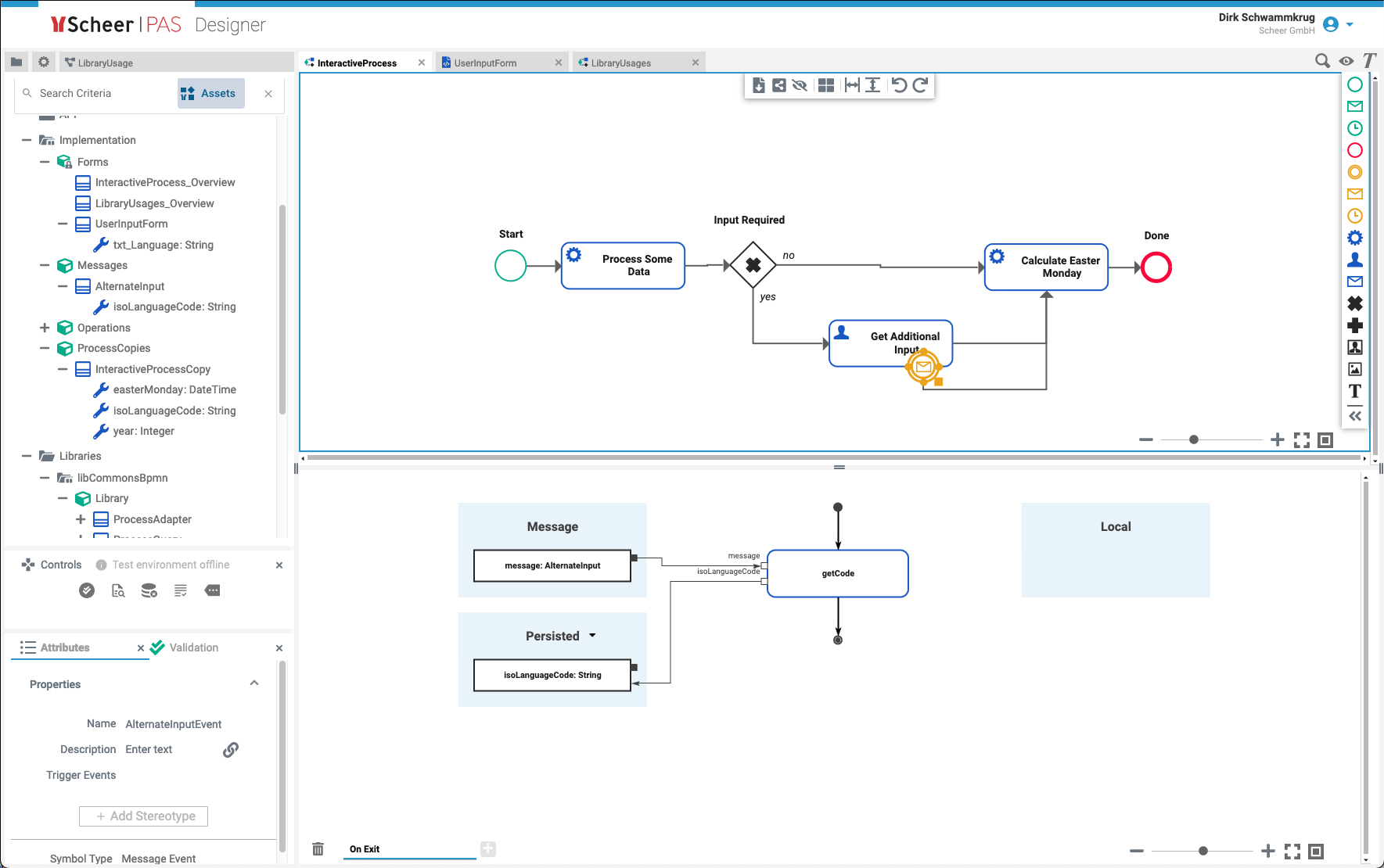
Please note the message event AlternateInputEvent on the user task and the dedicated message type, AlternateInput. This allows the process to be continued without an actual user submitting the assigned form, but send relevant input from somewhere else as well.
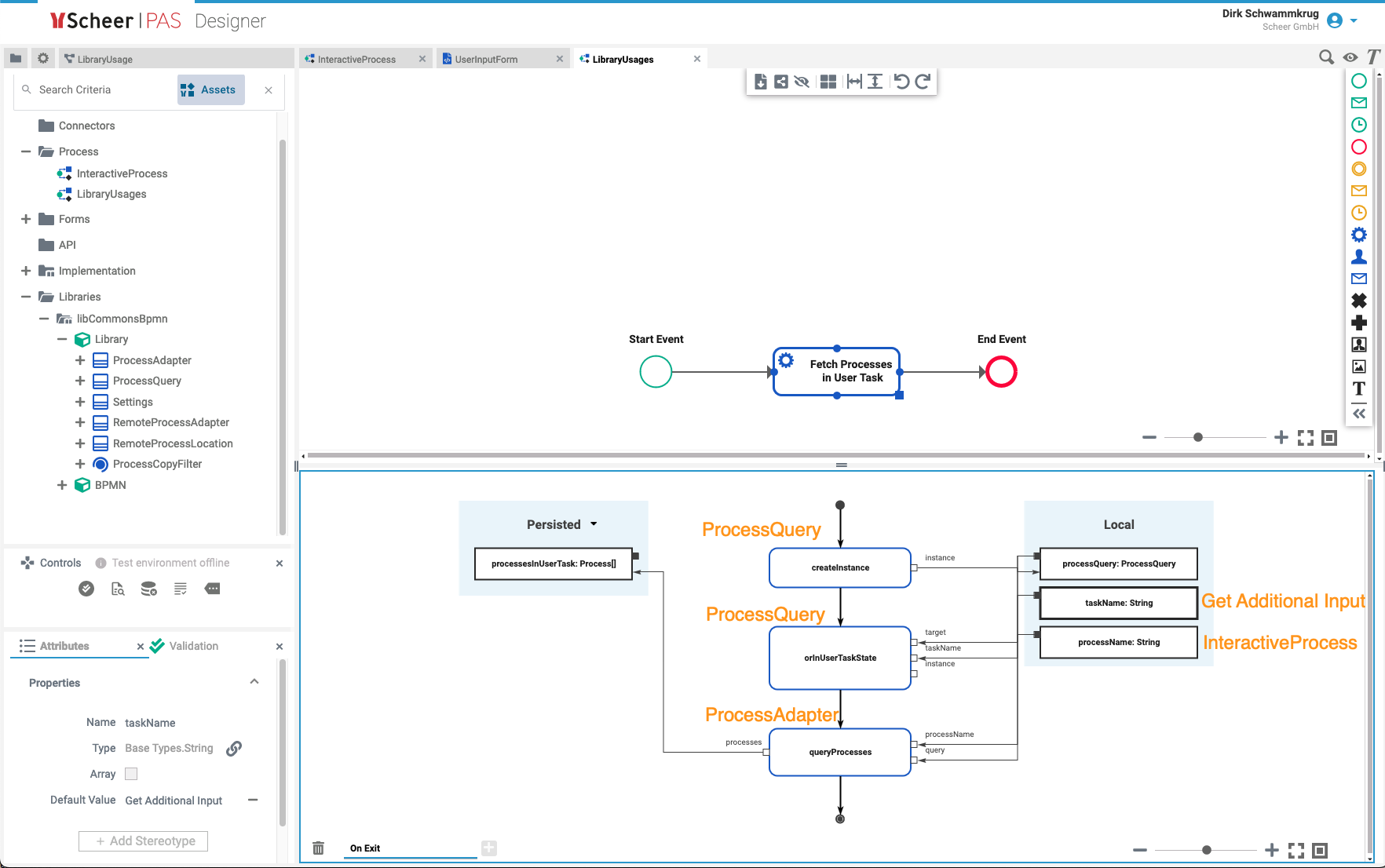
This already allows you to query for all instances of this process that are currently awaiting user input:
Given a process retrieved this way, you can now send a message to it:
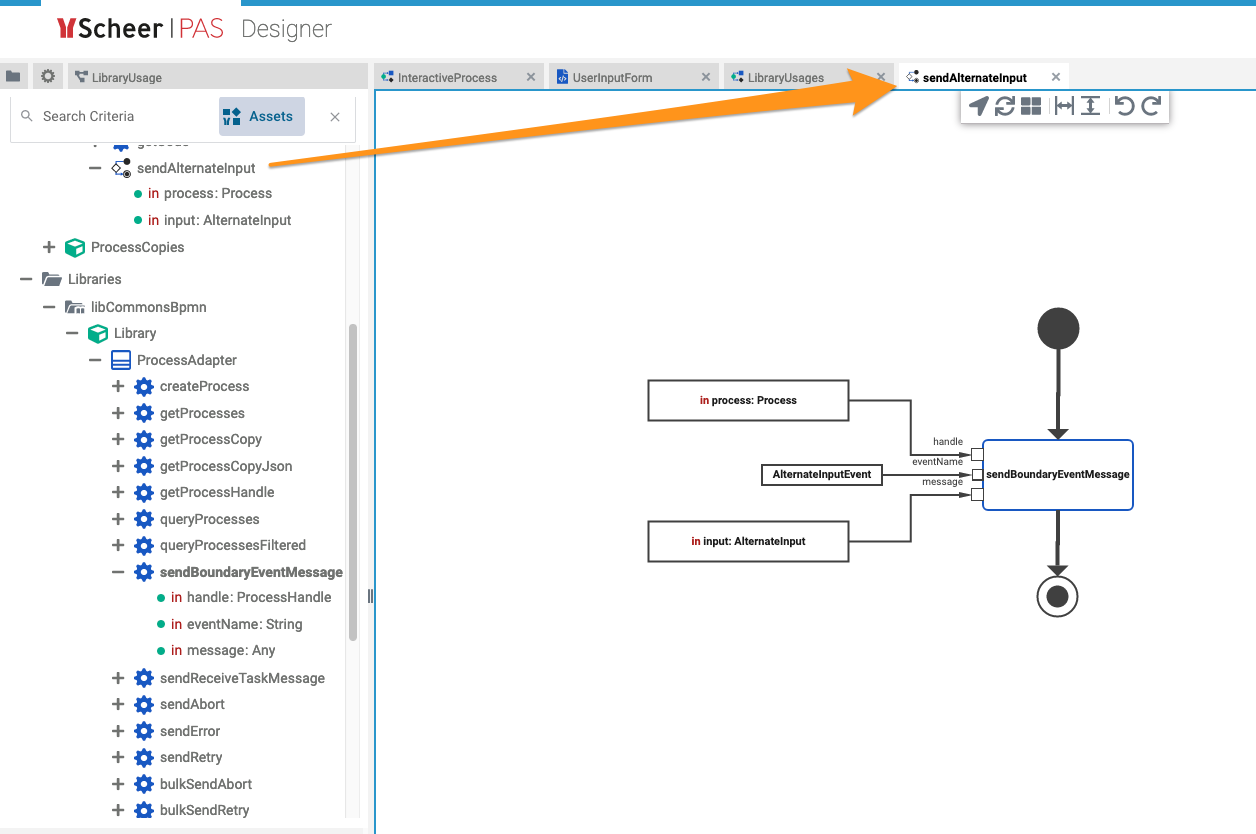
All library operations that send messages expect an input of type Any, as it is not defined in advance what type is going to be send. So it’s your responsibility to feed it a message of the expected type. The library will convert it to JSON internally and send it to the REST port. (This means that you won’t get an error when using the wrong message type, just that on the receiving end it might appear as an empty message, because whatever arrives there will be parsed back from JSON to a (different) model class, thereby ignoring all non-matching attributes.)
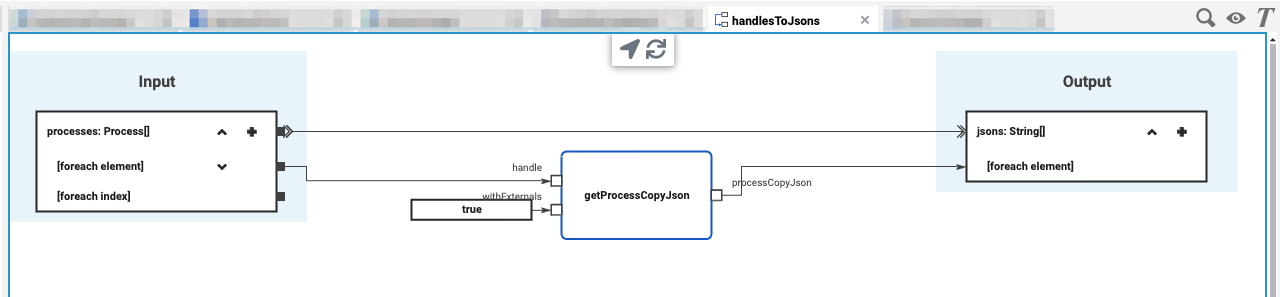
Finally, if you want to get all running processes with their data (for e.g. populating an alternative instance list), you can do this by first getting all process instances and then use these to retrieve process copies. For this you need a structure representing our process, which can be derived from the library class ProcessCopy and that redefines all attributes that you use in any Persisted box within that process (you don’t have to define all attributes, but at least the ones you want to retrieve):
Now you can proceed to fetch all instances of our InteractiveProcess, get their JSON representations (which, by the way, is exactly what you can retrieve by hand for any persistent state instance using our admin UI when asking for Raw Data for Support), and deserialize these into that structure:
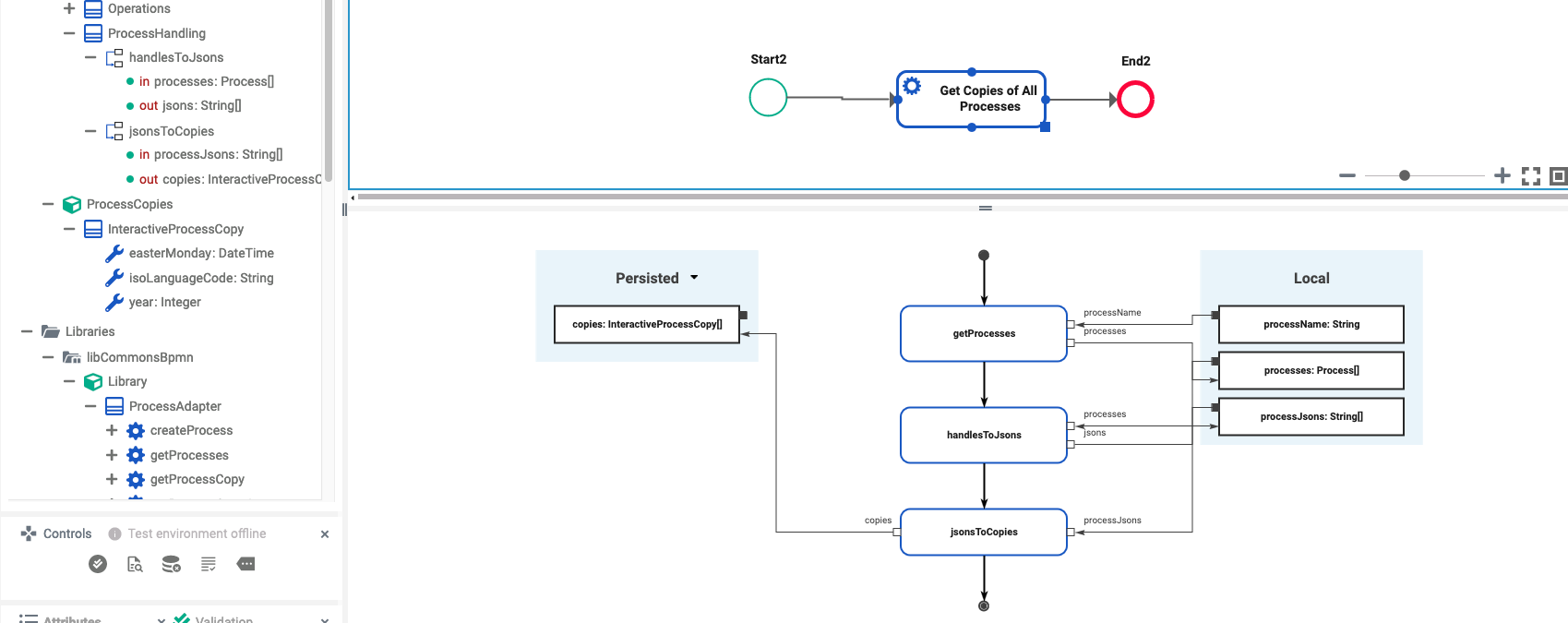
with the following implementation of the two mapping operations: