
The Element Organization Model
|
Element |

|
|
Function |
After opening the element Organization Model you can model an organization chart on the work surface of the Process Editor. |
|
Connection |
Elements, that are saved to the work area of the Project Editor cannot be linked via connections. |
|
Example |
In the project ACME Procurement the Organisation Model ACME Organization Chart has been created alongside the EPC Procurement Process and the affiliated app projects Procurement and Catalog. Via the element Organization Model you may access the modeled organzation chart. 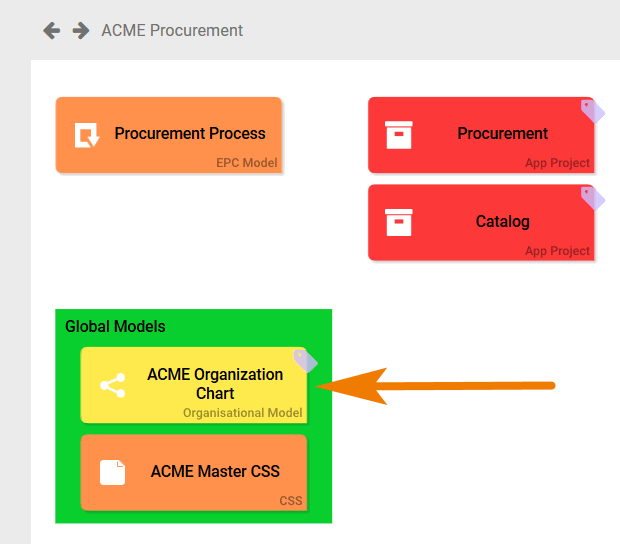
|
Configuration Options
Edit the element via the Edit Sidebar.

|
Name Name of the element within modeling. |

|
ID The read-only field contains the model ID of the element. Designers can use the ID for example in the search to link the element in other models. |

|
Description A commentary field for the modeler. Its content is invisible to users and its sole purpose is internal documentation. |

|
Hashtags Possibility to insert your own key terms . The leading hashtag sign # (hash) will be inserted automatically. Use the spacebar to insert multiple hashtags: 
One hashtag may be issued for multiple elements: 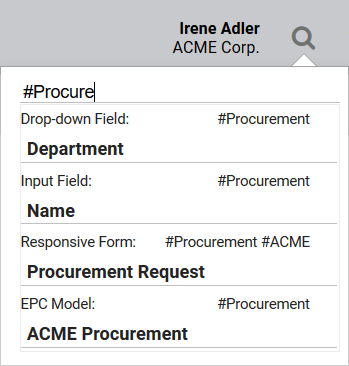
|