
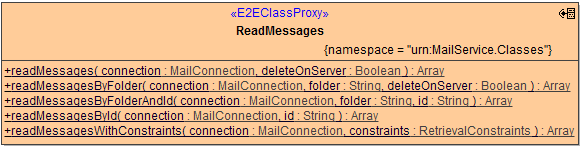
Methods for reading of email messages are provided by the ReadMessages class. You can:
-
read messages matching retrieval constraints (time window, subject line, unread, etc)
-
read all messages from the inbox folder
-
read specific messages from the inbox folder by message id
-
read messages from arbitrary folders
-
read specific messages from arbitrary folders by message id
Note that it is formally not guaranteed for message ids to be unique, not even within one folder. Therefore retrieval by id always returns an array of objects (which will most likely hold one element only).
Figure: The ReadMessages Class
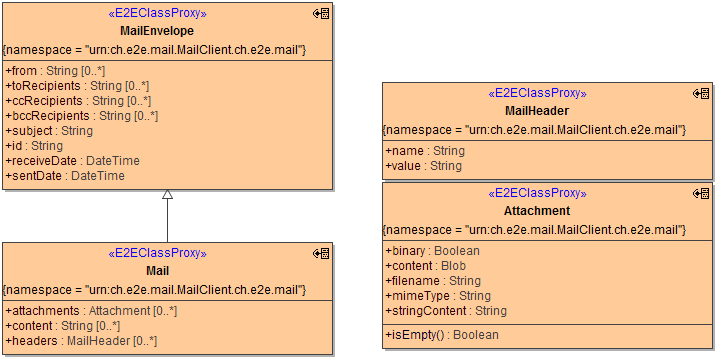
All methods of this class return an array of objects of class Mail, which extends MailEnvelope and retrieves headers, content, and (multipart) attachments in addition.
Figure: The Mail Class
Reading All Messages From the Inbox
The following diagram demonstrates how to read all emails from the inbox:
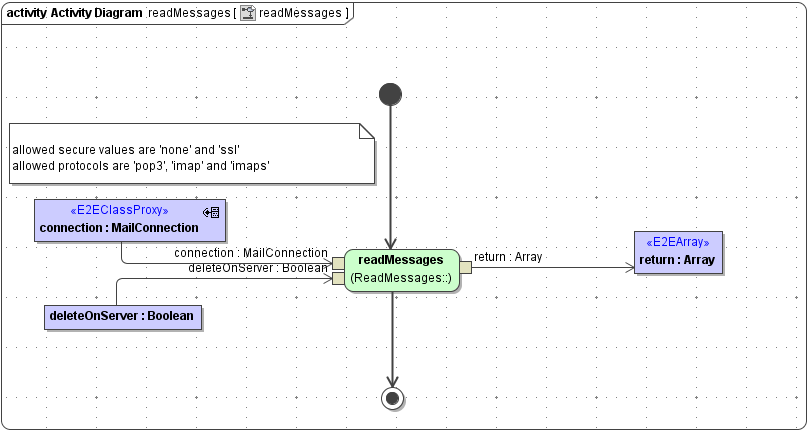
Parameters of method readMessages in detail:
|
Name |
Type |
Direction |
Description |
|---|---|---|---|
|
connection |
MailConnection |
In |
Specifies connection details such as server name, protocol etc. (see Mail Connection).
|
|
deleteOnServer |
Boolean |
In |
When true, messages will be deleted on server after reading.
|
|
return |
Array of Mail |
Return |
An array containing emails from the inbox folder with the corresponding message id, or an empty array, if no emails were found.
|
Reading Specific Messages from the Inbox Folder by Id
Email messages can be accessed by their id through the readMessagesById method:
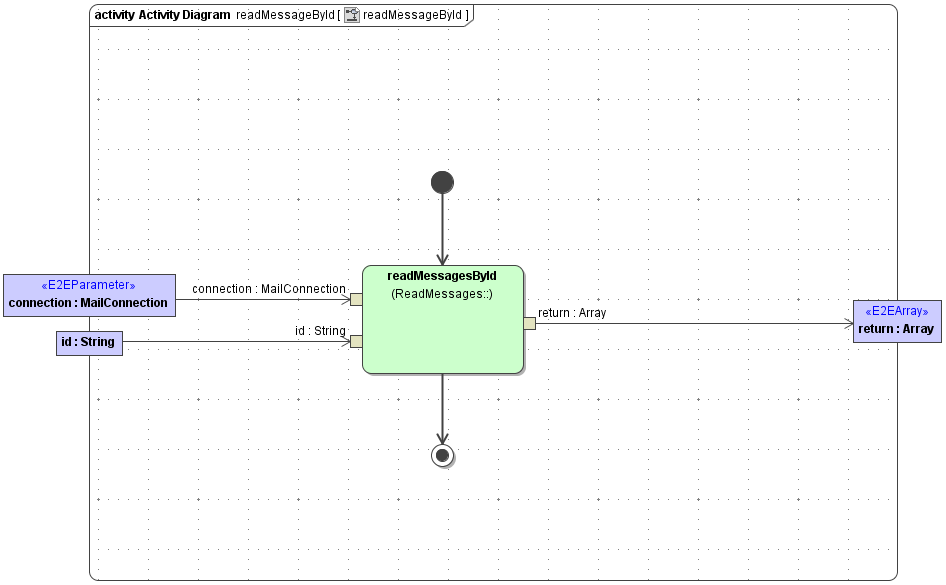
Parameters of method readMessagesById in detail:
|
Name |
Type |
Direction |
Description |
|---|---|---|---|
|
connection |
MailConnection |
In |
Specifies connection details such as server name, protocol etc. (see Mail Connection). |
|
id |
String |
In |
Id of the message. |
|
return |
Array of Mail |
Return |
An array containing emails from the inbox folder with the corresponding message id, or an empty array, if no emails were found. |
Reading Messages From Arbitrary Folders
In addition to inbox folder, arbitrary folders on the mail server can be read with the readMessagesByFolder method:
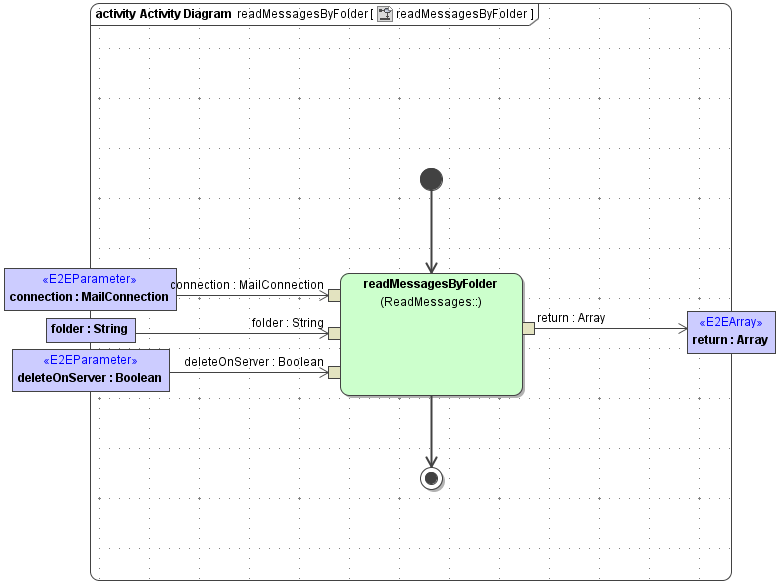
Parameters of method readMessagesByFolder in detail:
|
Name |
Type |
Direction |
Description |
|---|---|---|---|
|
connection |
MailConnection |
In |
Specifies connection details such as server name, protocol etc. (see Mail Connection). |
|
folder |
String |
In |
Name of the folder to read. |
|
deleteOnServer |
Boolean |
In |
When true, messages will be deleted on server after reading. |
|
return |
Array of Mail |
Return |
An array containing emails from the inbox folder with the corresponding message id, or an empty array, if no emails were found. |
Reading Specific Messages From Arbitrary Folders by Id
In contrast to reading all messages from a folder, you can access a specific message from a folder by specifying its id and calling the readMessagesByFolderAndId method:
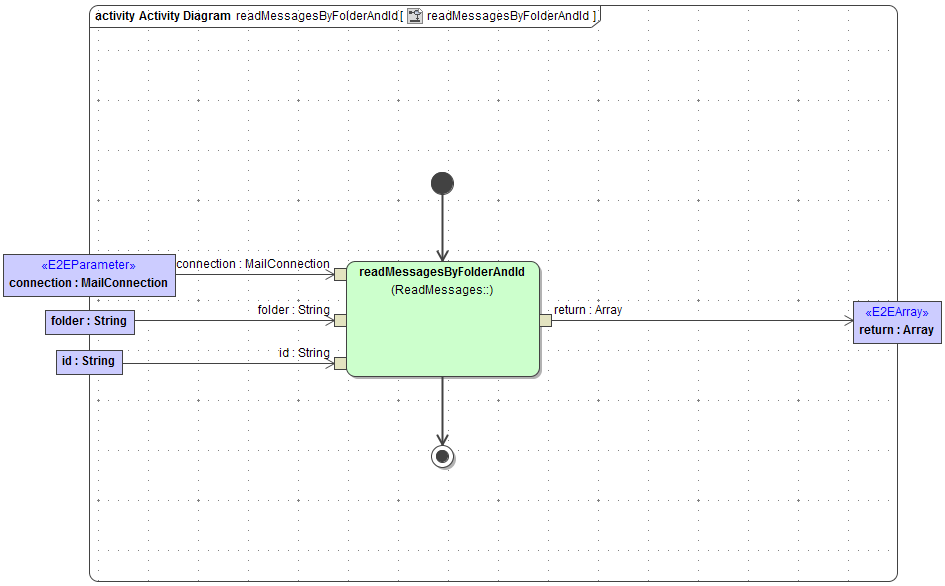
Parameters of method readMessagesByFolderAndId in detail:
|
Name |
Type |
Direction |
Description |
|---|---|---|---|
|
connection |
MailConnection |
In |
Specifies connection details such as server name, protocol etc. (see Mail Connection). |
|
id |
String |
In |
Id of the message. |
|
folder |
String |
In |
Folder, in which the message with the specified id is located. |
|
return |
Array of Mail |
Return |
An array containing emails from the inbox folder with the corresponding message id, or an empty array, if no emails were found. |
Reading Specific Messages Using Retrieval Constraints
You can specify which messages to retrieve by providing a constraints object to the readMessagesWithConstraints method:
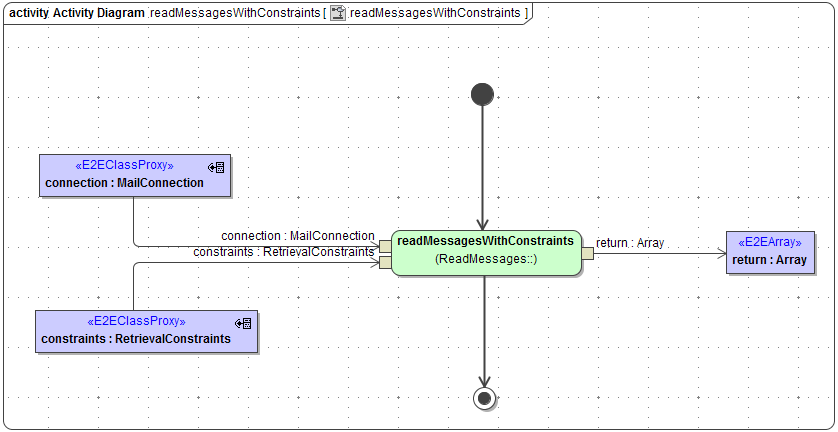
Parameters of method readMessagesWithConstraints in detail:
|
Name |
Type |
Direction |
Description |
|---|---|---|---|
|
connection |
MailConnection |
In |
Specifies connection details such as server name, protocol etc. (see Mail Connection). |
|
constraints |
RetrievalConstraints |
In |
Specifies constraints for mails to retrieve (see Mail Retrieval Constraints).
|
|
return |
Array of Mail |
Return |
An array containing emails from the inbox folder with the corresponding message id, or an empty array, if no emails were found. |