
The Element Mobile Overview
Please note that since PAS 23.2 the Scheer PAS Mobile App is no longer available in the app stores.
|
Element |
|
|
Function |
The element Mobile Overview is a special Mobile Form containing a mobile instance table. The element is used to display the app's instances on a mobile device. Mobile elements can only be executed in the Scheer PAS Mobile App. |
|
Connection |
Predecessor: none
|
|
Example |
Mobile Overview is used in an app project's Overview Model: 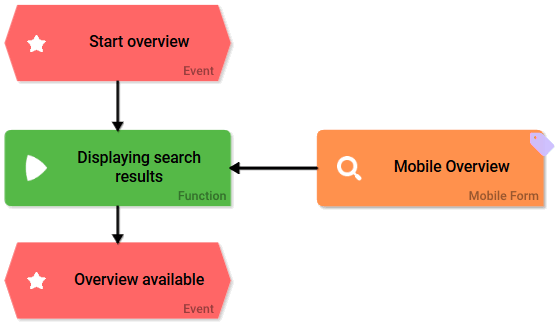
|
Configuration Options
Edit the element via the Edit Sidebar.

|
Name Name of the element within modeling. |

|
ID The read-only field contains the model ID of the element. Designers can use the ID for example in the search to link the element in other models. |
|
Description A commentary field for the modeler. Its content is invisible to users and its sole purpose is internal documentation. |

|
Hashtags Possibility to insert your own key terms . The leading hashtag sign # (hash) will be inserted automatically. Use the spacebar to insert multiple hashtags: 
One hashtag may be issued for multiple elements: 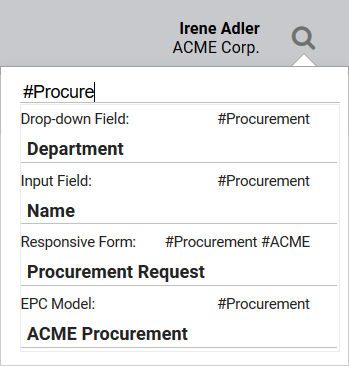
|