
You can use the information that is logged to the transaction log for performance measurements or statistical evaluations (for instance, how often the transaction has been called, in which context, etc.). There is one log file per day or one per hour – depending on what has been configured in the transaction log rotation interval of the service preferences (see Preferences of an xUML Service). The amount of data that is logged depends on the selected transaction log level (see Transaction Log Levels).
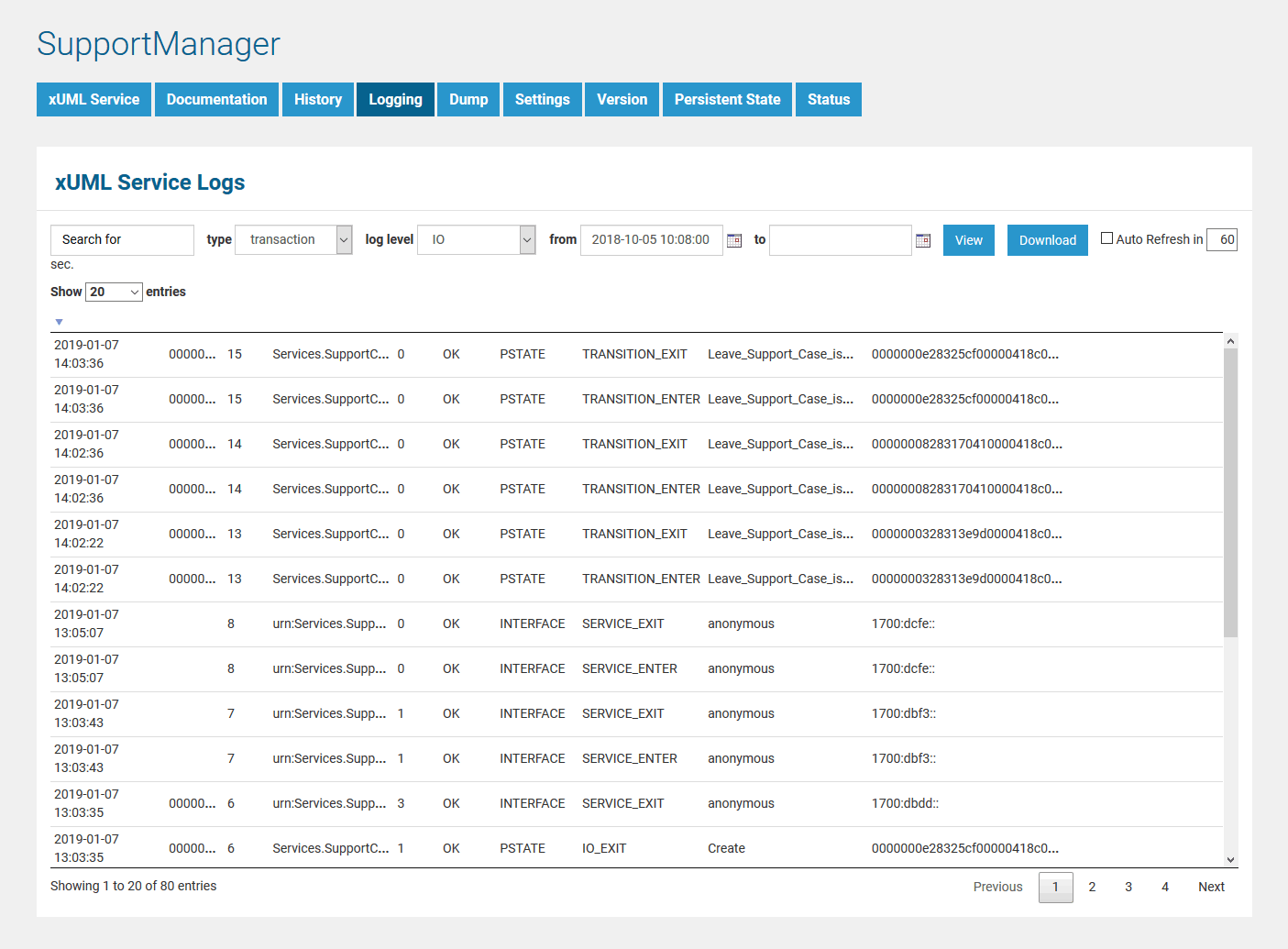
How to search the logfiles is explained in detail on Logging of xUML Services.
The transaction log contains the following information:
| Field | Description |
|
Example |
|---|---|---|---|
| Date | Date when request was received. | Fields Date and Time are set automatically for system messages.
Custom log messages written with the Log Adapter or the report() Operation can contain a custom timestamp. This may result in log messages that are not sequential. |
2018-06-06 |
| Time | Time when request was received. | 08:02:45 |
|
| Time Zone | Time zone offset | +0200 |
|
| Transaction ID | Unique ID of the transaction. It is used to trace service calls through the call stack (see Transaction ID). The transaction log contains the first 40 characters of the transaction ID. | 00000002d3b0bdc0000069ce00ff9700ea65376f |
|
| Request ID | Unique ID of request. | 101 |
|
| Component Name | Name of component that has been requested (not the name of the xUML service). | urn:Services.SupportCase.SupportAPI.supportcases.GET |
|
| Elapsed Time |
Elapsed time, for each call (service calls, external or internal calls) in milliseconds. If the elapsed time is displayed as "0", the logged step has taken below 1 millisecond of time. The value of elapsed time does not contain:
|
|
|
| State | State is either OK or ERROR. | OK |
|
| Domain |
|
|
|
| Log Type |
|
|
|
| Parameter 1 and 2 |
|
|
|
| Correlation ID |
Unique ID that relate an adapter call with the adapter response. The transaction log contains the first 40 characters of the correlation ID. A correlation ID is available for the following:
For more information refer to the adapter pages. |
00000011e33a4f8400004fc4000043ac9bc69bee |
|
Usually, you will not analyze the transaction log within the Bridge, but download the log file. Then you can have a look at it either in Excel ...

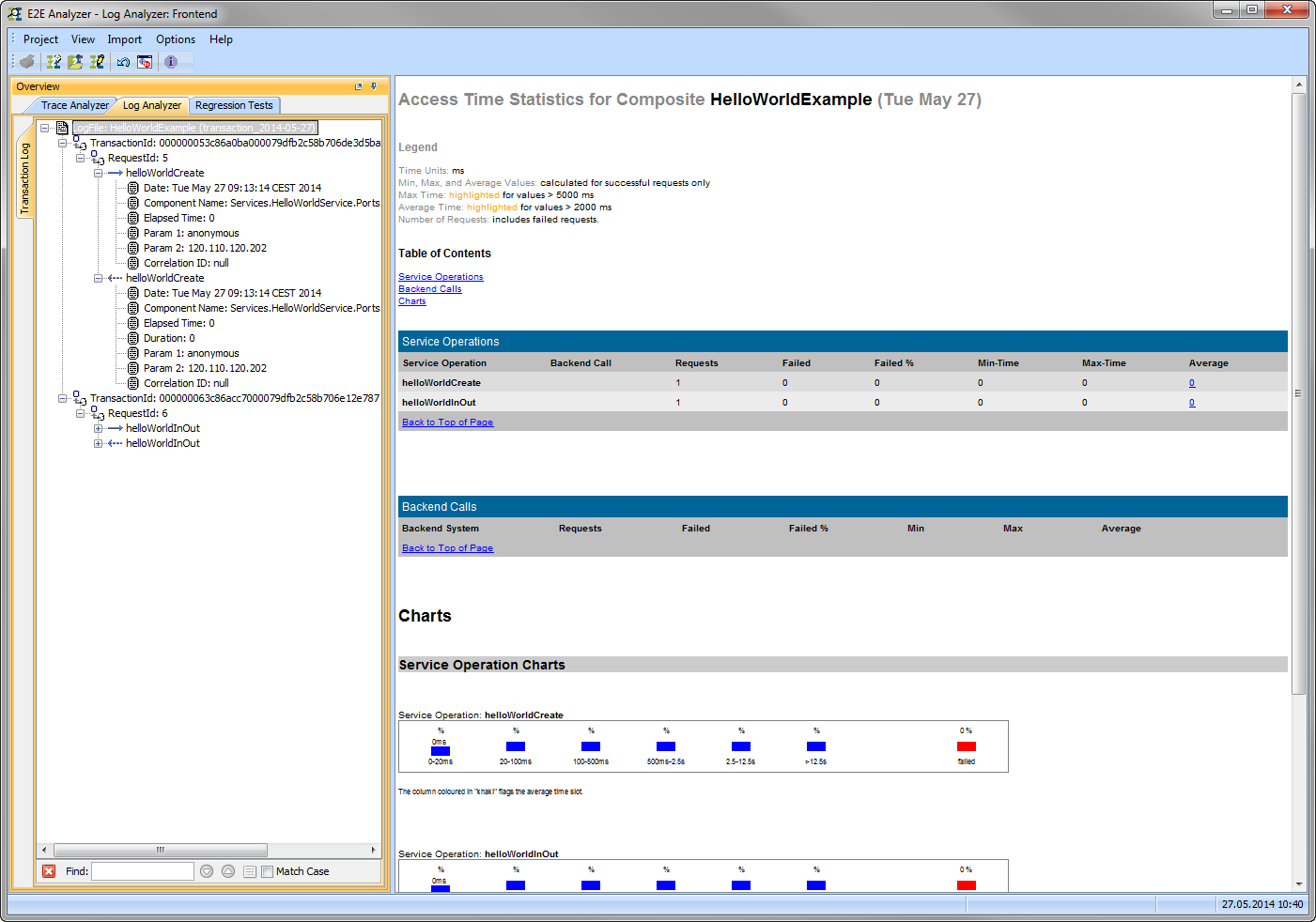
... or analyze it with the Analyzer.
Transaction ID
The Transaction ID identifies a transaction. It is a unique number used to trace service calls through the call stack of multiple service calls.
-
Runtime 2019.9 Clients calling a service running on the Bridge can provide a transaction ID in HTTP header X-Transaction-ID or xTransactionId (in JMS context).
-
SOAP clients can also use the SOAP headers to provide a transaction ID.
-
If an xUML service is called without providing a transaction ID, the xUML Runtime will generate such an ID.
This ID will be passed on through the call stack of the xUML service, so that the whole transaction can be traced. This can be useful, when analyzing the log file in case of error.
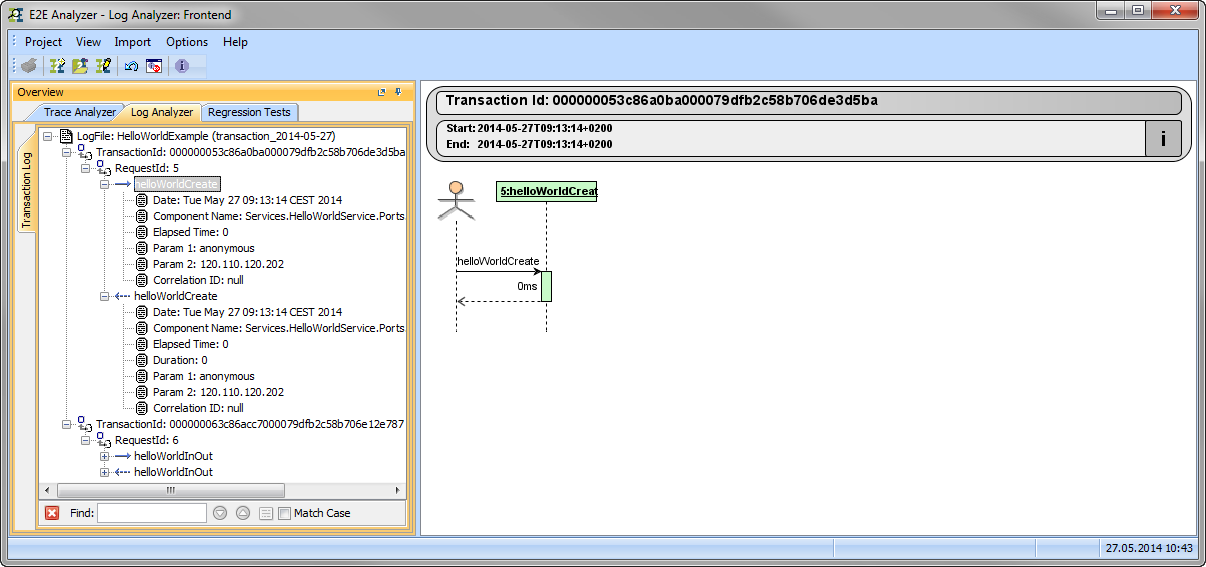
In the Analyzer, the transaction log will be sorted by transaction ID. You can expand the tree of a transaction ID to inspect the sequence diagram of this transaction in the panel on the right.
While modeling services with MagicDraw and Builder, you have access to the received transaction ID (getTransactionID() Operation) and you can pass it on in your service model.