
Errors may occur while working in Scheer PAS. To facilitate troubleshooting, corresponding error and notification messages are displayed in the application. The overview of error messages allows you to identify possible causes and possible solutions. It also refers to documentation pages that contain further details.
Overview of Log Analyzer Errors and Problems
|
Problem / Error Message |
Possible Reasons |
Troubleshooting |
Further Information |
|---|---|---|---|
|
Index patterns are missing in the Log Analyzer. |
The standard index patterns have not been created during the PAS installation. |
You can create index patterns yourself. Open the Log Analyzer main menu and navigate to Management > Stack Management > Index Patterns. |
|
|
Missing field error displayed in log list: 
|
(1) Open the main menu and select Stack Management: 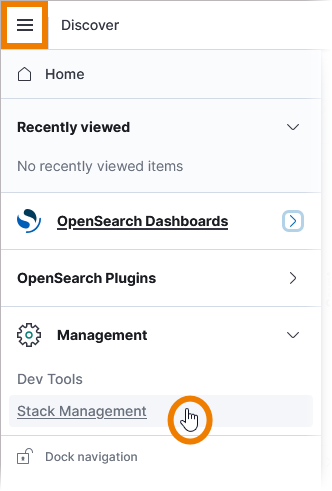
(2) Go to Index Patterns and select the index pattern that corresponds to your setup. Refer to Log Analyzer Indexes for an overview on standard index patterns on Docker and Kubernetes. On top right, click Refresh field list: 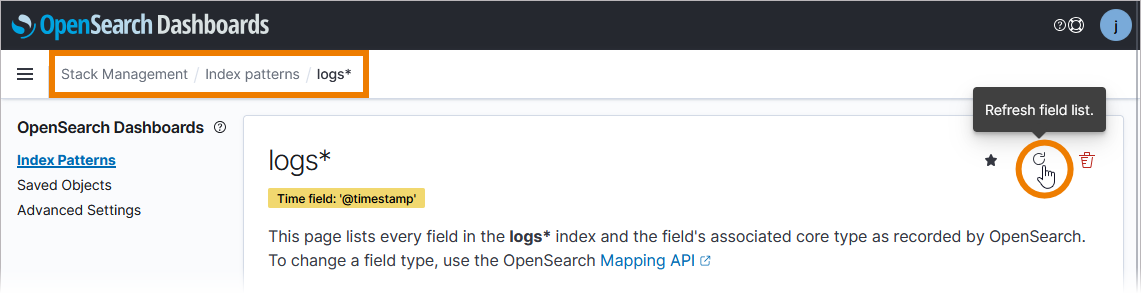
If the index pattern appears several times in the list, do this for every entry. |
||
|
Reading request failed, subsystem error: "Error parsing request: header limit exceeded". |
The service ran into a header limit. |
Upgrade to PAS 26.1, because the header limit has been increased in this version. After the update, recompile the service to apply the new limit to the service. |
|
|
Value filter options ( + ) and ( - ) are missing: 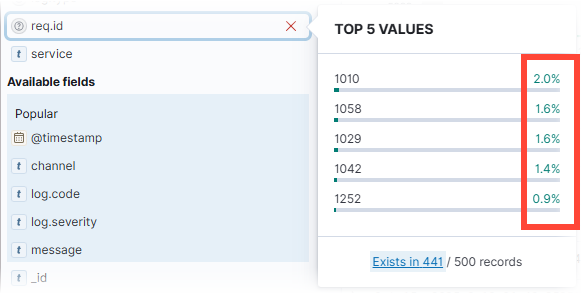
|
(1) Open the main menu and select Stack Management: 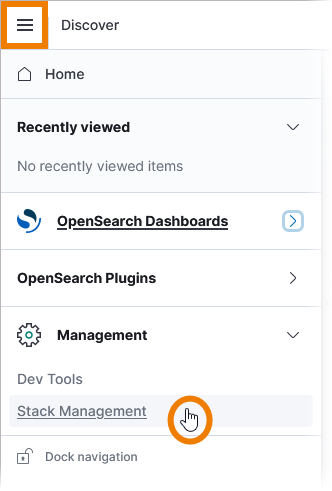
(2) Go to Index Patterns and select the index pattern that corresponds to your setup. Refer to Log Analyzer Indexes for an overview on standard index patterns on Docker and Kubernetes. On top right, click Refresh field list: 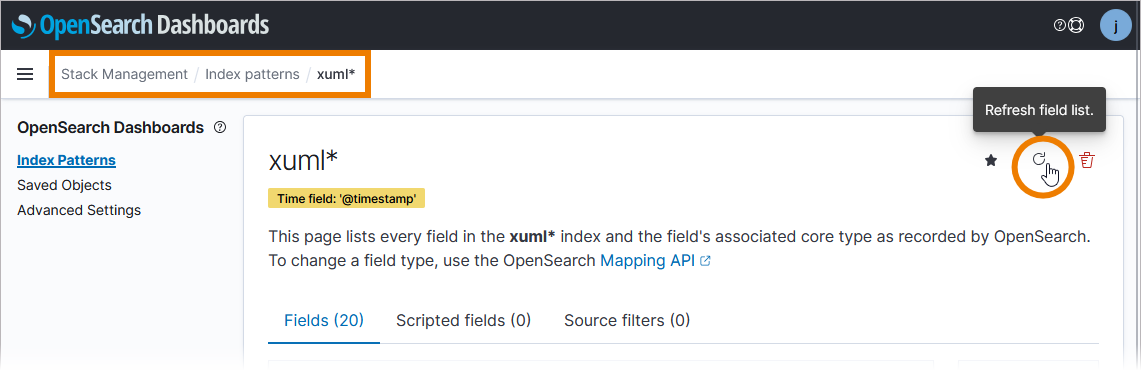
If the index pattern appears several times in the list, do this for every entry. |
||
|
Your search query does not show expected results. |
(1) You are using whitespaces in field names. (2) You want to search for a term, but your query is not formatted correctly. (3) You want to search for field content, but your query is not formatted correctly. (4) You are using unsupported operators. |
(1) DQL ignores white space characters. Use wildcards (DQL only supports (2) To search for a phrase (an ordered sequence of words), surround your text with quotation marks. (3) The field prefix refers only to the term that follows the colon. If you want to get results in which one field contains either one search term or the other, group the terms in parentheses, e.g. (4) The Boolean operators and, or and not are supported by DQL. DQL is not case sensitive, e.g. OR and or are the same. |
|