
With the Excel Generator you can create Excel documents out of complex structured data.
The Excel Generator uses the HSSF and XSSF component of Apache POI.
|
|
<your example path>\Libraries\ExcelGenerator.zip |

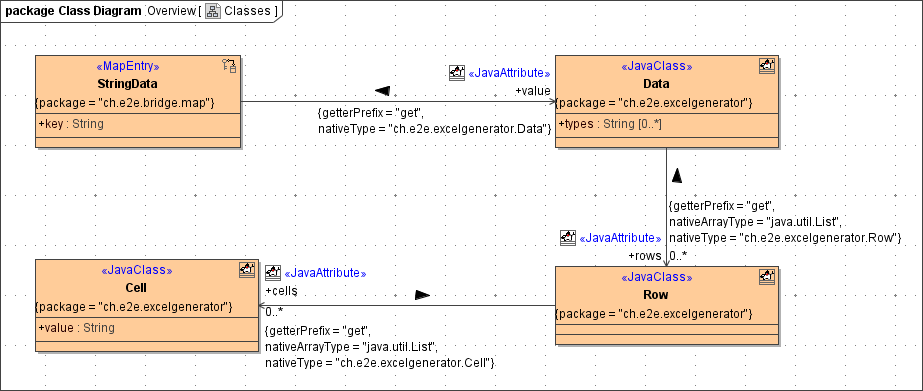
Data Model of the Excel Generator
This adapter uses a template file (Excel 97-2003 or Excel 2007 format) to create an Excel document. The data are specified by a map. The key values are used to reference their corresponding Data structure.
Procedure for Using the Excel Generator
-
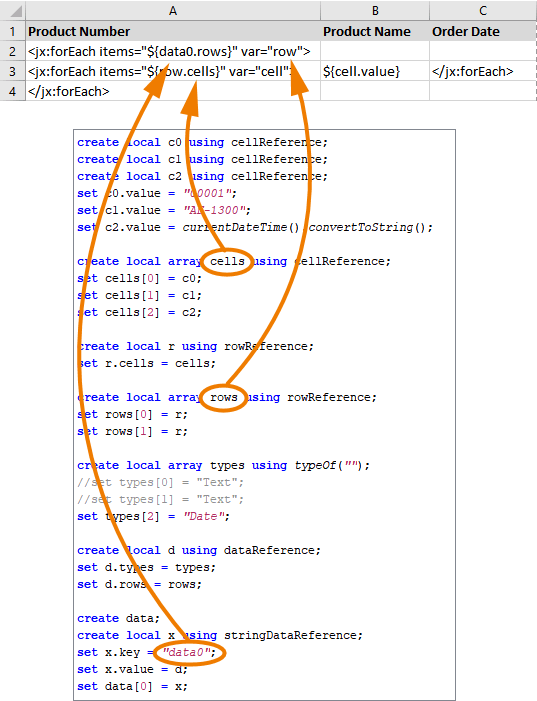
The adapter uses jXLS for configuring and building the resulting Excel documents. Create an Excel template file containing your jXLS.

To get a deeper understanding of the syntax used in the XLS templates, refer to the jXLS documentation.
-
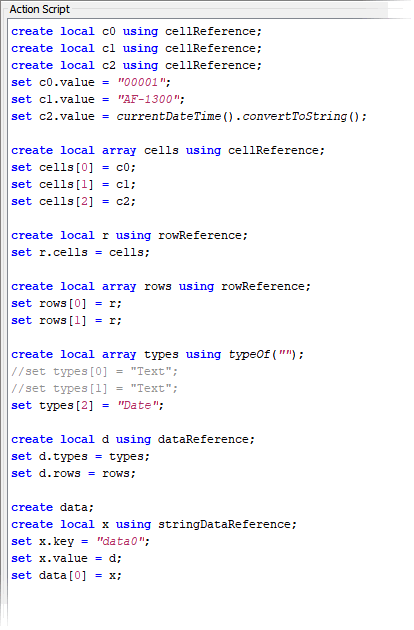
Create the needed objects in an action script in your UML model and provide the data.
-
Call the Excel generator.
Building an Excel Document
generateExcel( filename : String, data : StringData[], templateFilename : String )
|
Parameter |
Direction |
Description |
|---|---|---|
|
filename |
in |
The filename of the Excel output file. |
|
data |
in |
The map holding the data to be written to the Excel file. |
|
templateFilename |
in |
The filename of the Excel template file. |
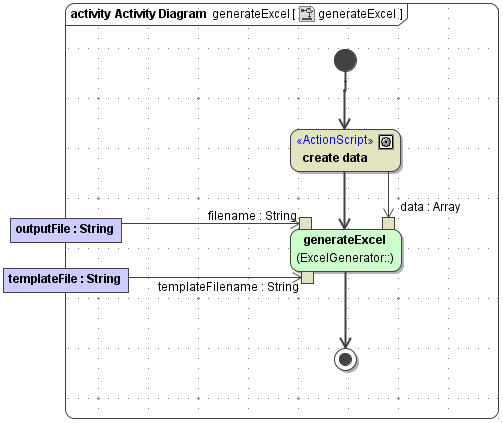
The creation of an Excel document then is as simple as shown in the activity diagram below. Action create data contains the action script.
You can extract the javadoc folder from excelgenerator.jar to get additional information on the Java methods wrapped by this adapter.