
You can use the Bridge to implement a Java callback service.
In contrast to the Java Adapter, which allows calling a static Java method out of the Bridge context, the Java callback described in this chapter works differently: On startup of the xUML service, a Java object is created, initialized and started. The Java object triggers callbacks within the xUML service that do something.
The following example illustrates this mechanism: Text entered into a simple Java application frontend is processed by a Bridge service.
|
|
<your example path>\Add-ons\JavaServices\uml\javaCallback.xml |

Service Access Sequences
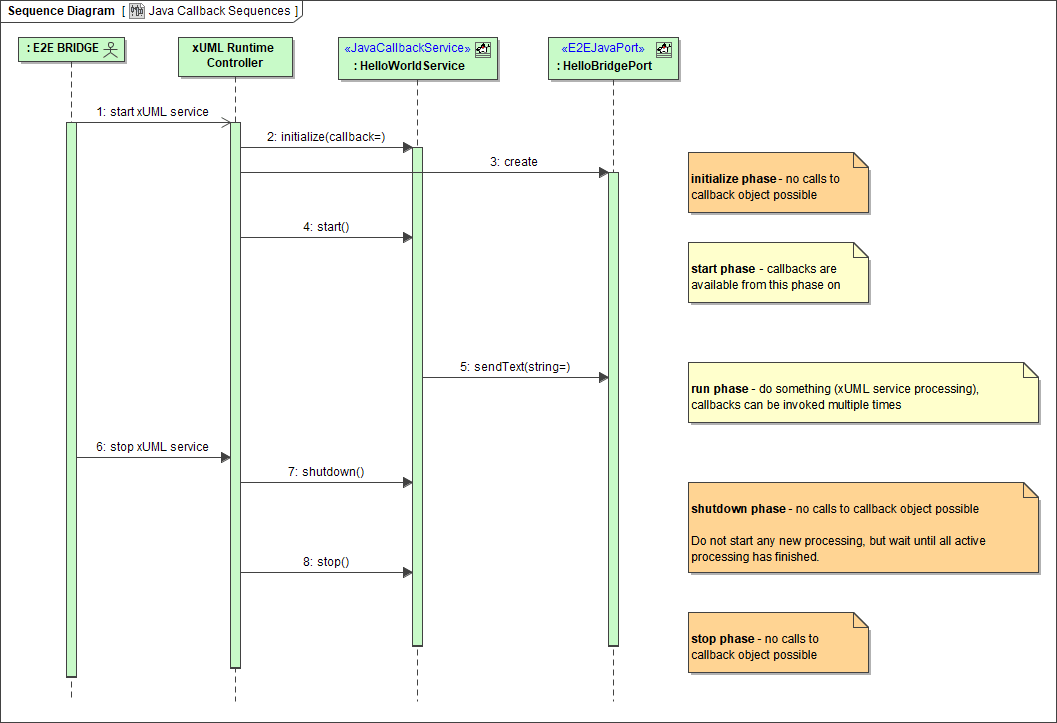
The sequence diagram below shows the execution process of a Java service callback.
Some Example Details
The above mentioned example contains the following implementation details:
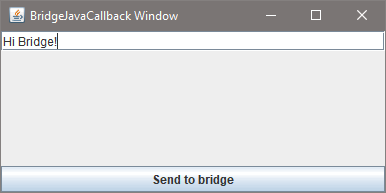
The text entered into this dialog will be given back to the Bridge service via a callback on clicking Send to Bridge.
The callback triggers the sendText operation of the xUML service.
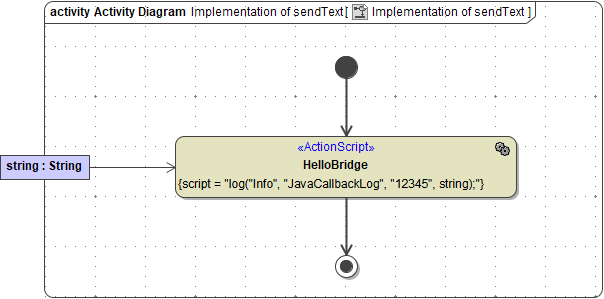
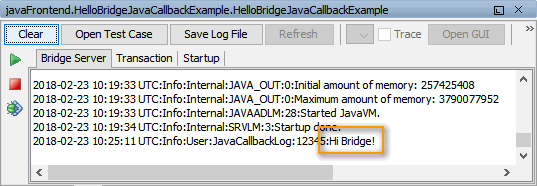
The requirements to allow this behavior are described in detail in the following chapters.
The JAR files, from which the Java classes were imported, are located in the jarfiles directory of the Builder project Add-ons/JavaService. The JAR files also contain the Java sources, which show how to write importable classes.
For a more elaborate example of an Bridge - Java communication, see the FTP service example mentioned on FTP Service.