
Follow Our Example User Story
David has added lanes in his BPMN model and assigned the necessary roles to them. Now, he is going to remodel the process accordingly.
Remodeling the BPMN
Your BPMN model currently looks like this:
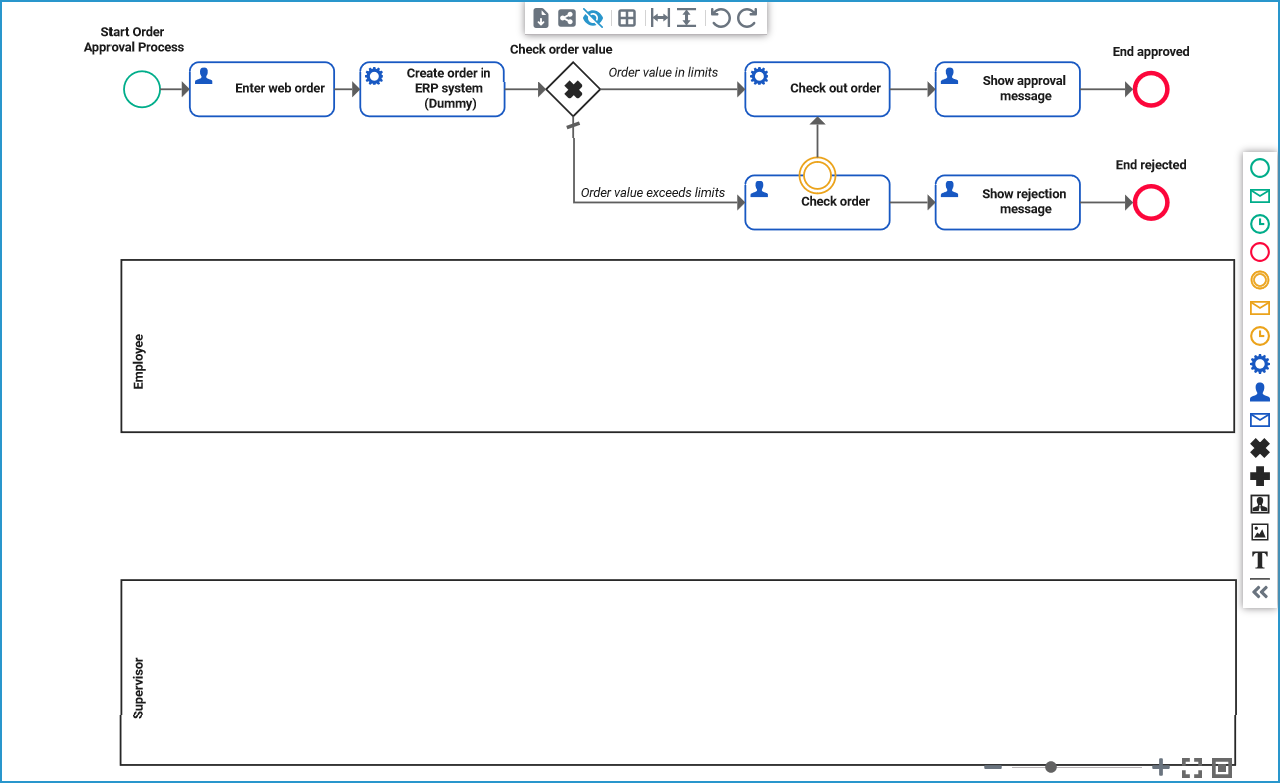
Now, you need to think about which role should be able to perform which steps: Each employee should be able to create an order, but only a supervisor should be allowed to check orders that exceed the order limits. But some process steps can be performed without human intervention, and therefore do not require a role. And employees should be able to access the approval and rejection message.
Drag the BPMN elements from your current process model to the appropriate lanes. You model may now look like this:
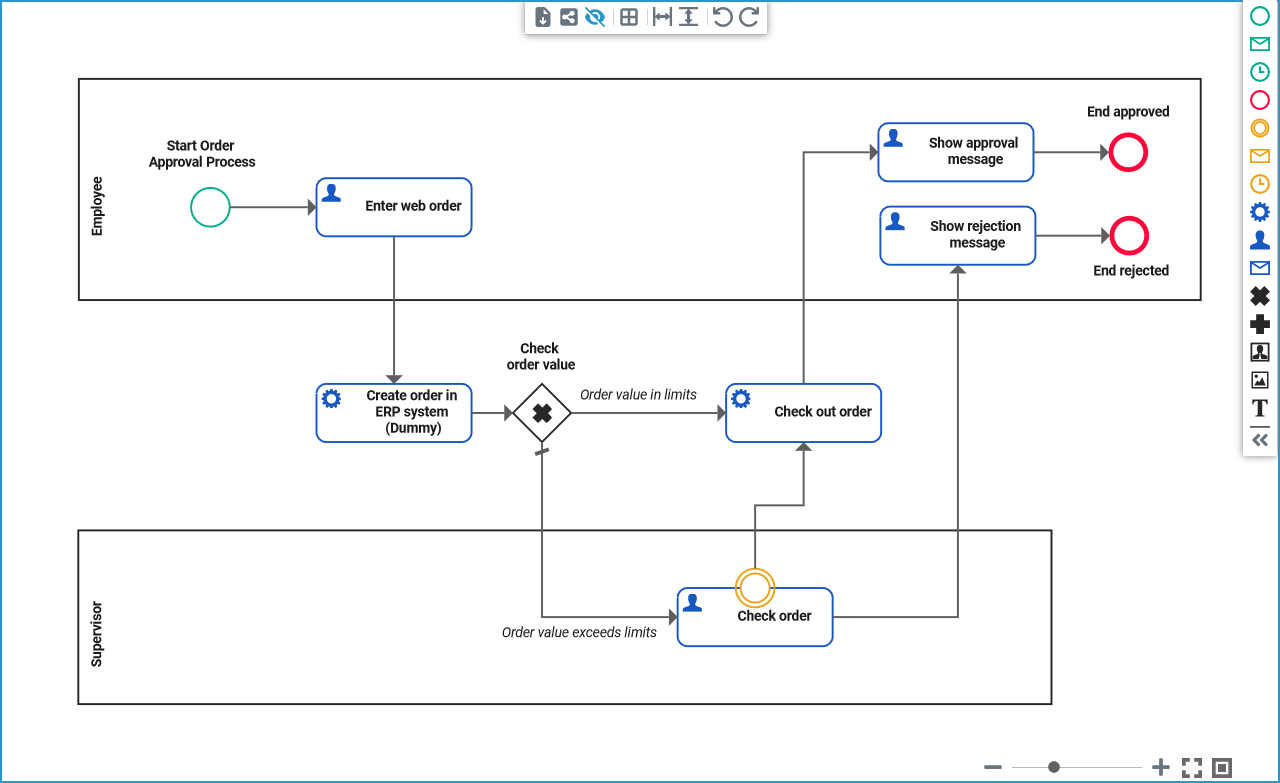
You have added lanes, assigned roles to them and defined the process steps each role should be able to execute. You are now ready to test your role-based process.
Curious about more details?
In this step you have remodeled your BPMN process and integrated roles in your service. Have a look into our Designer Guide if you are interested in more detailed information:
-
Get to know the basics of working with role-based applications on page Role-based Authorization Concept.
-
Refer to page Lane for all configuration details of the lane element.