
MagicDraw offers a selection of basic and also complex widgets and user interface objects which cover most of any screen design needs. As a matter of fact, not all MagicDraw UI elements can be used for designing screens that work with xUML service UIs.
As a reference the following catalog will describe and at the same time indicate that they can be used.
Supported UI Elements
Unsupported UI Elements
|
Name |
Element |
Remark |
|---|---|---|
|
Slider ( 
) |
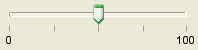
|
|
|
Progress Bar ( 
) |

|
|
|
Menu Bar ( |

|
|
|
Scroll Bar (
|

|
Scrollbars are added automatically to the container elements if necessary.
|
|
Spinner ( 
) |

|
|
|
Toolbar ( 
) |

|
|
|
Close Toolbar button ( 
) |

|
|


Usage of the UI Widgets: