
In Scheer PAS Builder, Java archives (JARs) can be imported into the UML model. You may either define to deploy them together with the composite repository via the Builder or deploy them via the Bridge preventing transferring big amounts of data.
Deploying Java archives via the Builder means that they are used only by the deployed xUML service. Deploying them via the Bridge means that they are not stored locally but globally, so that they can be used by all deployed xUML services of the current node instance.
Switch to the Java tab in the information/working area.
Only users who are member of a group, to which the role ADMIN has been assigned, can deploy and manage Java archives.
Initially, the following screen is displayed. No Java archives have been installed.
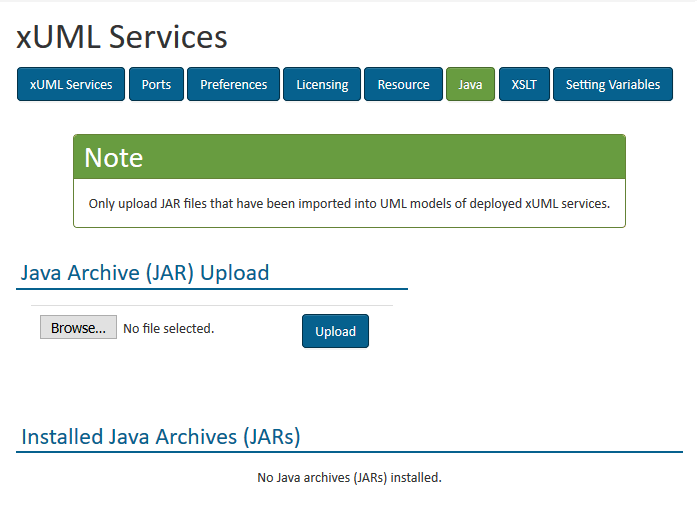
Click Browse and choose a single Java archive file you want to deploy. Then, click Upload to upload it.
For each installed Java archive, the following fields are displayed.
|
File |
File name |
|
File Date |
File upload date/time |
|
File Size |
File size in KB |
Only upload Java archive files (JARs) that have been imported into UML models of deployed xUML services. Any other file you are uploading will be ignored.
Java archives that were uploaded to the Bridge are stored in the Bridge data directory, e.g. C:\BRIDGE_DATA\java and are accessible in the Builder via the resource path ../java/<name of the java archive>.
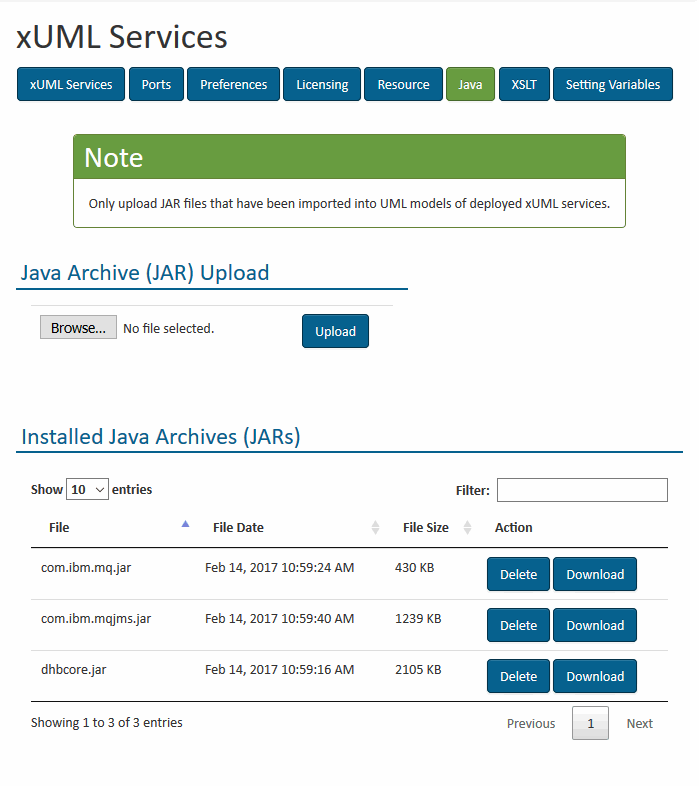
To remove a deployed Java archive, click the corresponding Delete button. Confirm the removal on the following page by clicking the button Delete Archive. You may also Cancel the transaction.
The updated list of deployed Java archives will be displayed afterwards.
Java archives can also be downloaded by clicking Download.