This page explains the SQL Adapter in Bridge context. If you were looking for the same information regarding the PAS Designer, refer to SQL Adapter in the Designer guide.
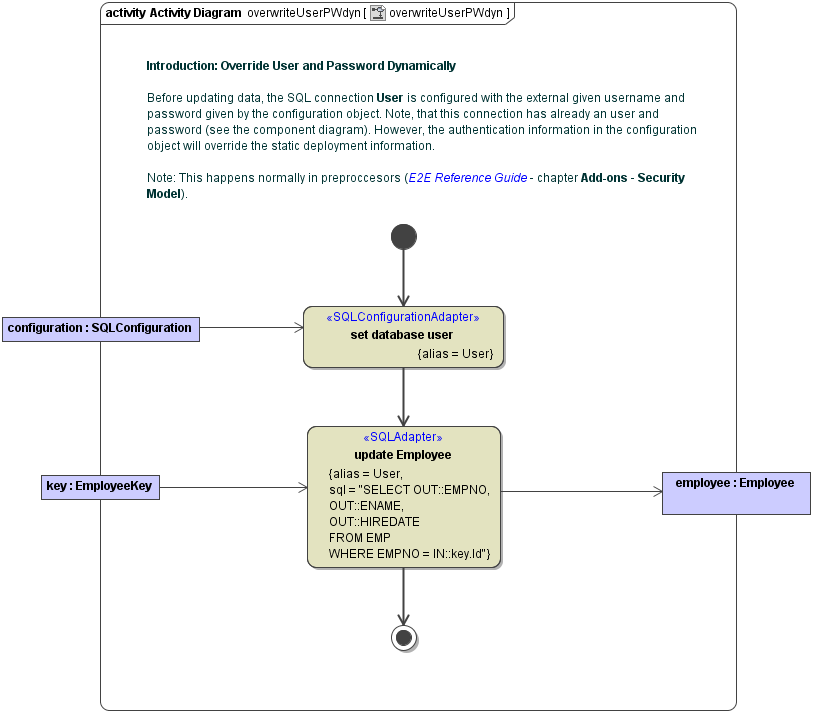
The SQL connection can be configured statically in the component diagram on the SQL alias. However, sometimes it is necessary to set user and password at runtime. This can be done using the <<SQLConfigurationAdapter>>.
|
|
<your example path>\Add-ons\SQL\uml\sqlConfiguration.xml |

The SQL Configuration Adapter can be used to set the authentication parameters only, as is explained in the following diagram:
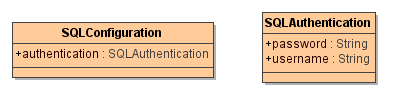
Class SQLConfiguration contains the authentication information: