This page explains the Flat File Adapter in Bridge context. If you were looking for the same information regarding the PAS Designer, refer to Flat File Adapter in the Designer guide.
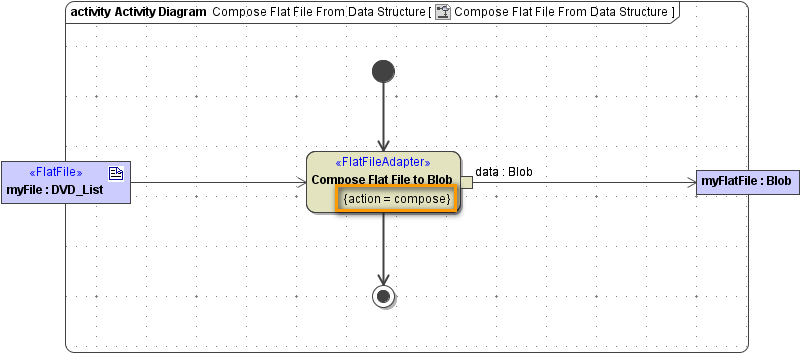
Composing a flat file is the opposite of parsing a flat file. However, both use the same classes to describe the flat file. The only difference is that you have to specify action compose (see action node Compose Flat File to Blob):
Figure: Composing a Flat File
The file name and the file location are defined in the component diagram by a file alias or a file resource. By using parameter name, you can set the target file dynamically.
Dynamic inputs override static information derived from the alias or resource.
Flat File Adapter Composition Process
The Flat File Adapter compose action processes the following rules:
|
Action |
|
Description |
|
|
|---|---|---|---|---|
|
open |
Open File and start root element of definition. |
|
|
|
|
match
|
|
Go through all associations (<<FlatFileRecord>> and <<FlatFileGroup>> classes) until first one matches depending on the tagged values lineNumber and evaluationOrder. |
|
|
|
out |
If no association matches, step out of the recursion and go to step match, abort if there's no parent. |
|
|
|
|
group |
If a <<FlatFileGroup>> object matches, go to the step match. |
|
|
|
|
record |
If a <<FlatFileRecord>> object matches, step through all attributes according to their order and create record data. |
|
|
|
|
write |
Write record data to file or blob. |
|
|
|
|
close |
If no further associations matches, the composer ends and closes the file. |
|
|
|
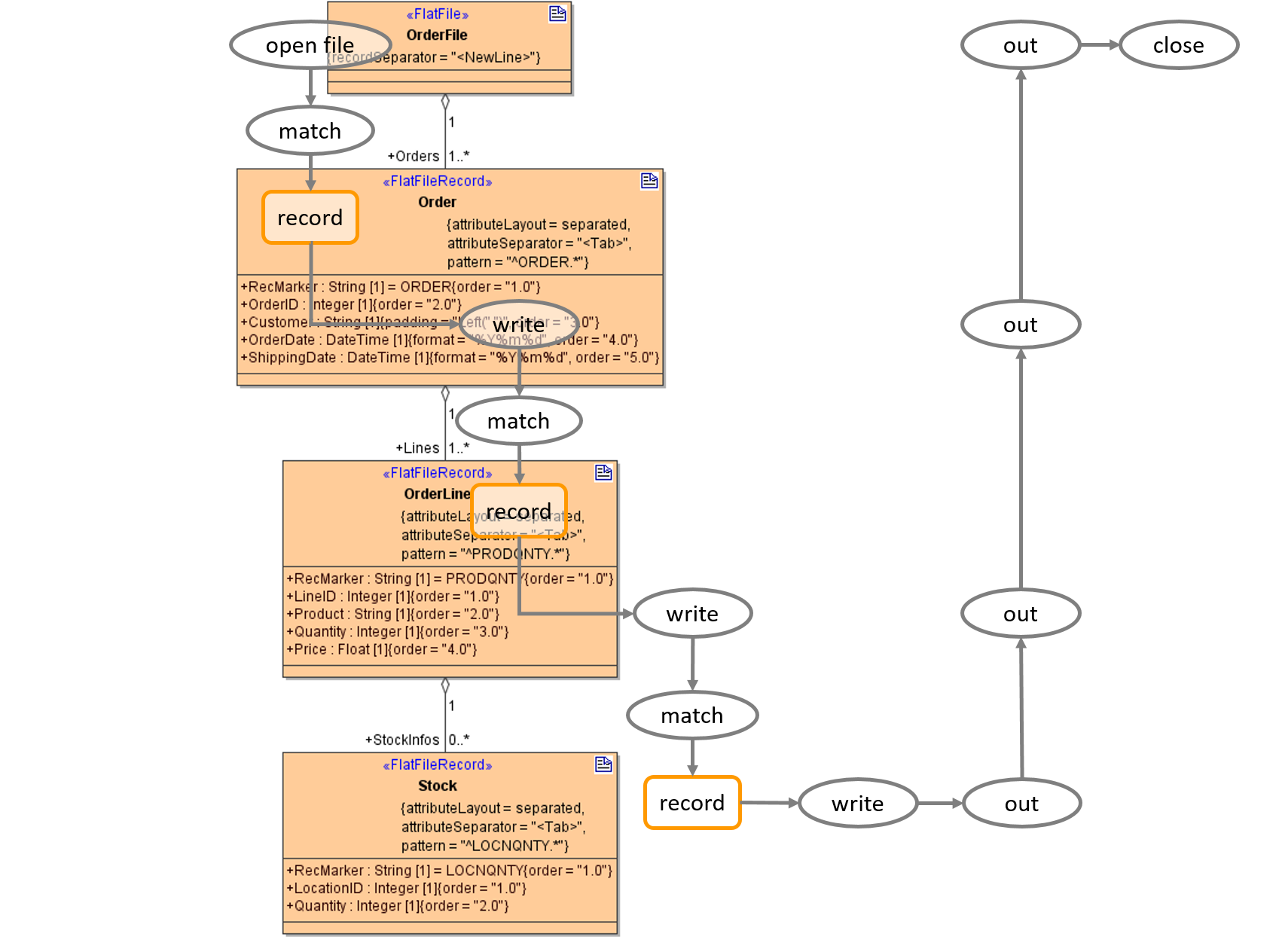
The following figure shows the composer steps when serializing an instance of a given class. The names in the figure refer to the actions in the table above.
Figure: Flat File Adapter Composer Process