
Flat files can have a hierarchical record structure, meaning that the file contains different record types.
This structure can be expressed by associations between FlatFileRecord classes.
FlatFileAdapter_Hierarchic_Example
Click here to download a simple example model that shows how to compose a hierarchic flat file with the Flat File adapter in Scheer PAS Designer.
For example, this is an order file class structure for a file containing orders, order lines and stock data:
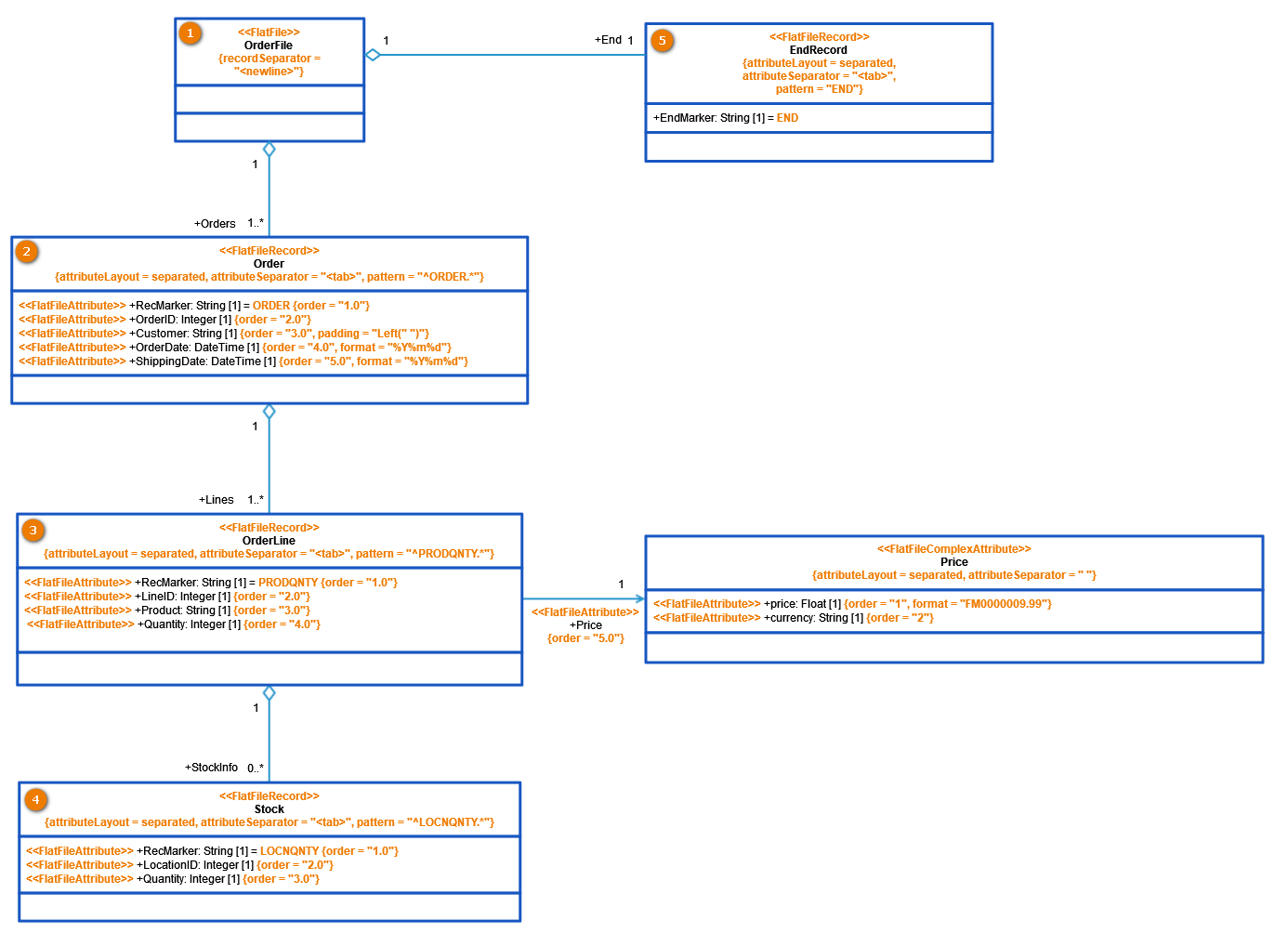
The flat file parser identifies each FlatFileRecord class by a regular expression found in the attribute pattern. This pattern applies to the complete record (data line of the file). If the classes are placed in a hierarchical order, the flat file records must follow this order to be parsed correctly. If they do not, the parser stops at the first record not matching the expected pattern.
|
Flat File Record |
Pattern |
Description |
|---|---|---|
|
(2) Order |
^ORDER.* |
All record lines starting with ORDER are Order records. |
|
(3) OrderLine |
^PRODQNTY.* |
All record lines starting with PRODQNTY are OrderLine records. |
|
(4) Stock |
^LOCNQNTY.* |
All record lines starting with LOCNQNTY are Stock records. |
|
(5) EndRecord |
END |
All records containing END are EndRecords. |
You can realize the hierarchical structure as classes in the Implementation folder:
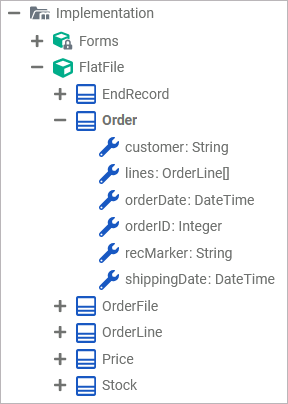
An example file for this structure could be the following:
ORDER	1234	Winter & Partners	20230531	20230601
PRODQNTY	1	AF-1300	3	0000067.5 USD
LOCNQNTY	204	10
PRODQNTY	2	RC-0003	1	0000075. USD
LOCNQNTY	202	3
LOCNQNTY	204	4
LOCNQNTY	211	3
PRODQNTY	3	MX-60	1	0000730. USD
LOCNQNTY	202	2
LOCNQNTY	207	3
ORDER	1235	Spring Corp.	20230502	20230524
PRODQNTY	1	MX-40	1	0000690. USD
LOCNQNTY	207	3
LOCNQNTY	211	4
END
Related Content
Related Pages:
Other Common Flat File Issues: