
To write log messages to the standard log of the xUML service using a custom logger configuration, use the logTo() function. It provides the same functionality as the Logger Adapter.
To use the standard logger configuration, use the log() Function.
|
Syntax |
|
|
|---|---|---|
|
Semantics |
Write a message to the standard log of the xUML service using a custom logger configuration. Valid log levels are: Fatal, Error, Warning, Info, and Debug as described in the log level guidelines on xUML Service Log Levels. |
|
|
Substitutables |
|
Log channel the message will be logged to. |
|
|
String literals Fatal, Error, Warning, Info, or Debug. |
|
|
|
String literal, usually containing the error description. |
|
|
|
(Optional) Object of complex type (class or array) that contains additional details. The contents of this object will be flattened and appended to the description. |
|
|
Examples |
Custom Logger Configuration: 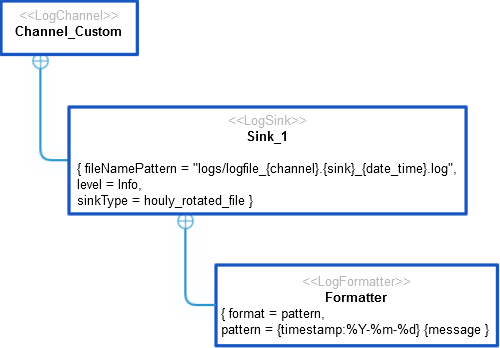
Error Detail Object: JSON
Log Statement: Content of the Log File According to Defined Formatter (Class):
Content of the Log File (Array):
|
|