
|
Element |

|
|---|---|
|
Description |
Use the Exclusive Gateway to model a decision in the process. The process will continue with the sequence flow where the defined condition is true. You can also define a default sequence flow (see Particularity).
|
|
Attributes
|
|
|
Particularity |
An exclusive gateway can have one outgoing flow that is marked as the Default sequence flow . This is the flow of the process that will be followed if all other conditions do not match. The default flow is marked with a slash on the relation: 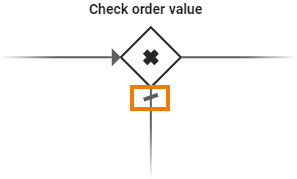
You can mark a sequence flow as to be the default in the Attributes Panel: 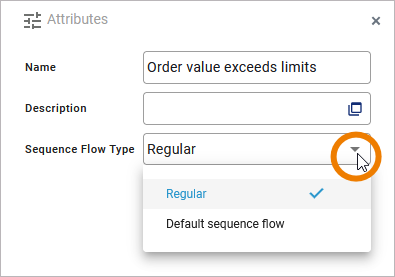
|
|
Execution |
None. |
|
Editing and Styling |
|
BPMN_Gateway_Example
Click here to download a simple example model that shows what you can do with Gateways in Scheer PAS Designer.