
Creating a User Type Attribute
The User Type attribute allows users to assign one or more system users or group to a model or object. This attribute type is typically used to reference responsibilities, owners, reviewers, or other user-related groups within a model.
When the User Type attribute is selected, a user selection field is displayed in the Attributes panel. The field provides access to the list of available users and groups.
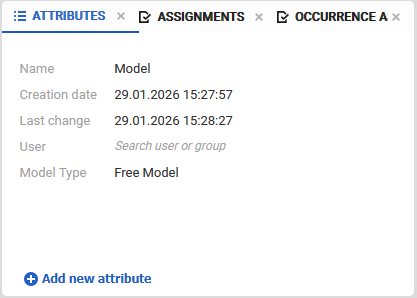
Selecting Users
Click on the User Type attribute field to open the user selection input. The list of selectable entries is displayed only after entering a search term.
The search is case-sensitive and returns matching users or groups based on the entered text. When the input field is completely cleared, a list of all available users and groups is displayed.
System users and groups are only selectable if they have explicit access to the model, including access to the database and the folder in which the model is located. The list of available users and groups therefore depends on the permissions assigned to the model and the visibility of users and groups within the system.
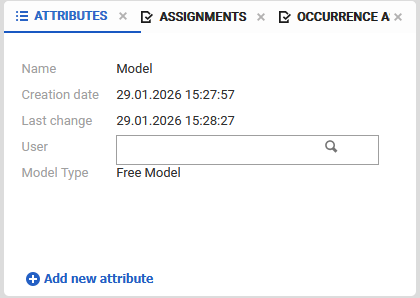
Usage of User Type Attributes
User Type attributes are commonly used to:
-
assign responsibility or ownership to model elements
-
reference involved users in processes or structures
-
support collaboration and governance use cases