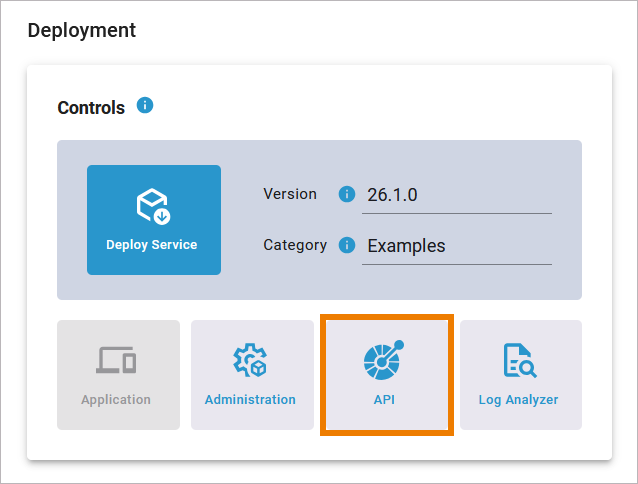
You have modeled your API in the Designer. When you deploy the service, you have direct access to the REST Test Tool via the API option in the deployment controls:
This option opens your REST service in an OpenAPI test tool within the PAS Administration:
Content of the API folder in the Designer
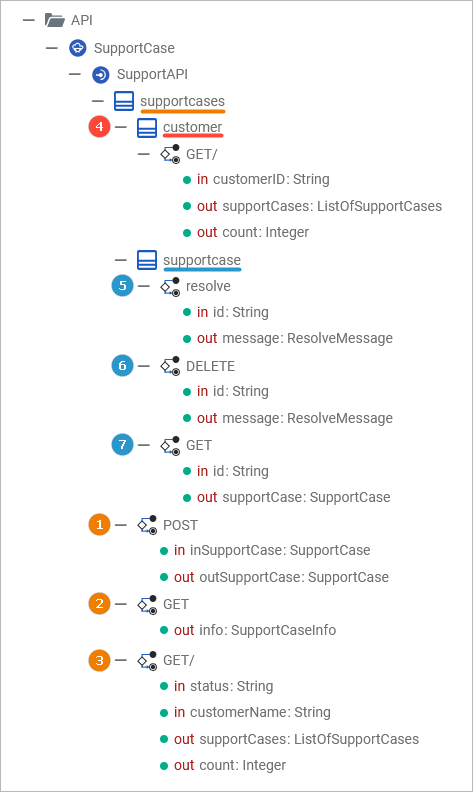
Content in the API Test Tool
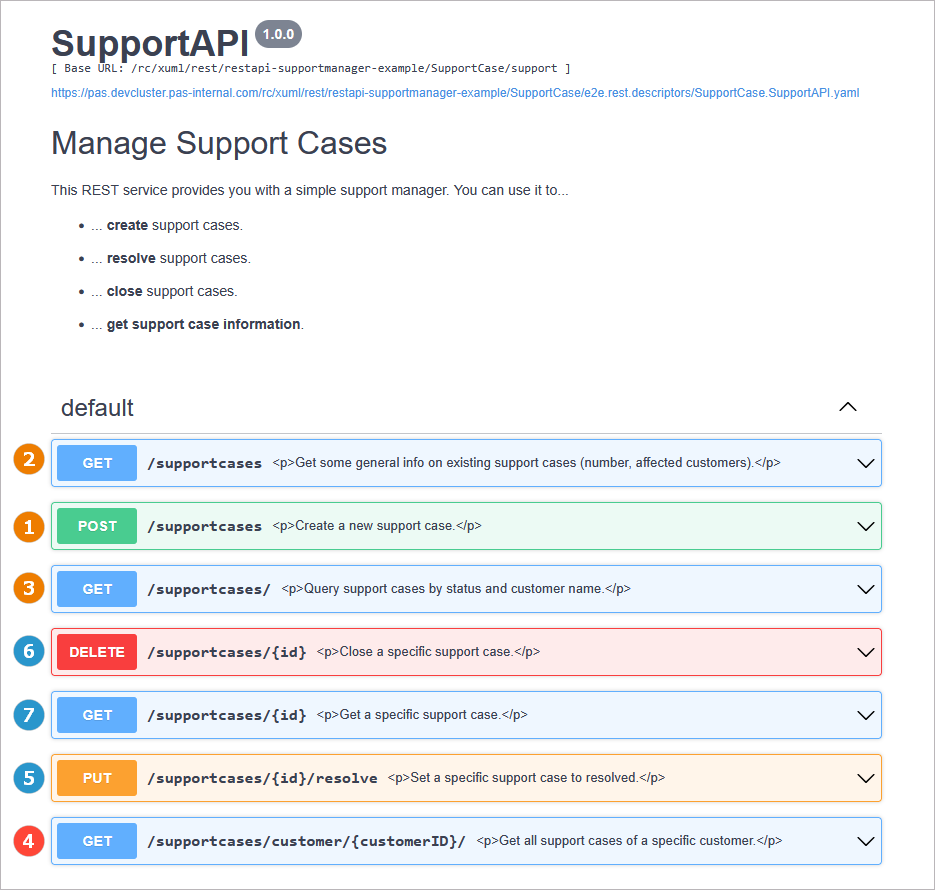
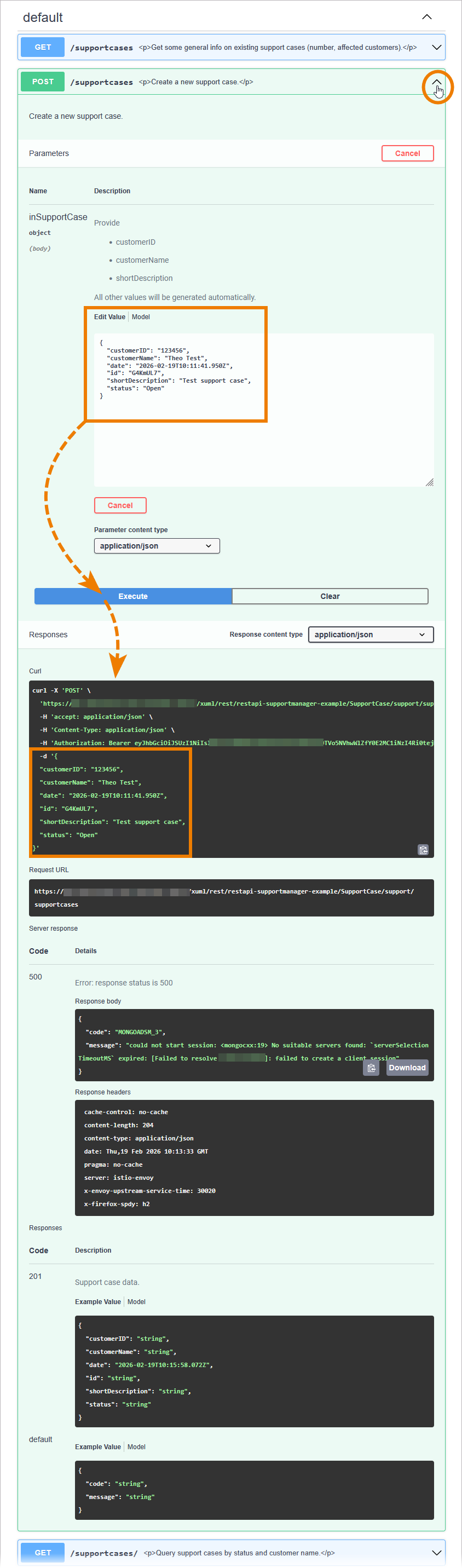
Expand an endpoint to see the necessary parameters. To start testing, enter the required data and click Execute. Scroll down to check the test responses:
Downloading the OpenAPI Descriptor File
If you want to download the OpenAPI descriptor file, use option Back on top of the test tool page:
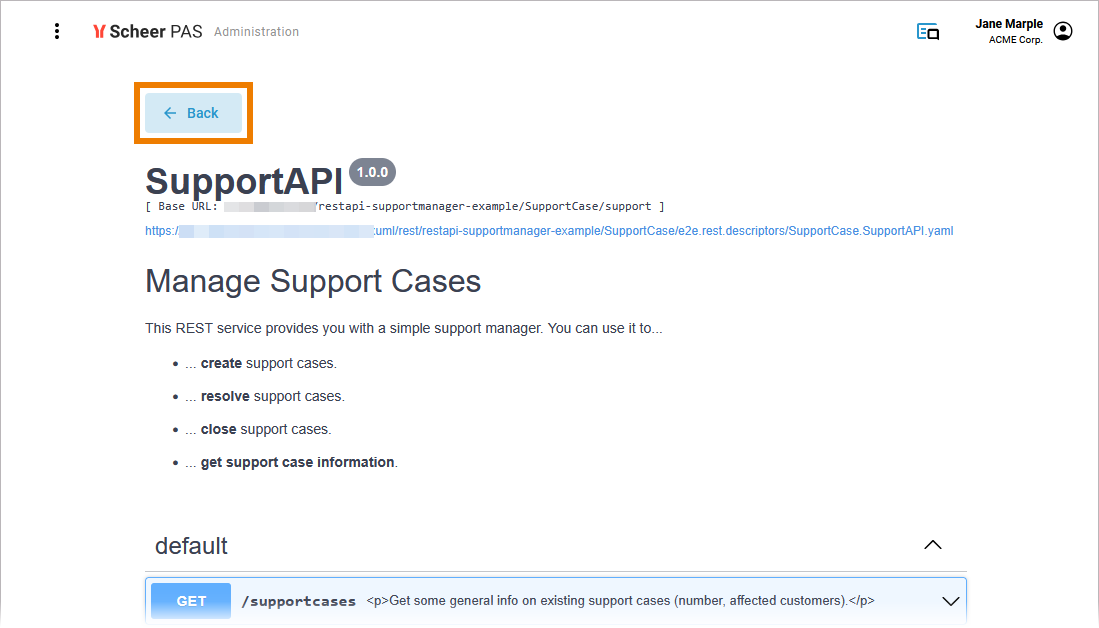
This will open the service details page in the PAS Administration:
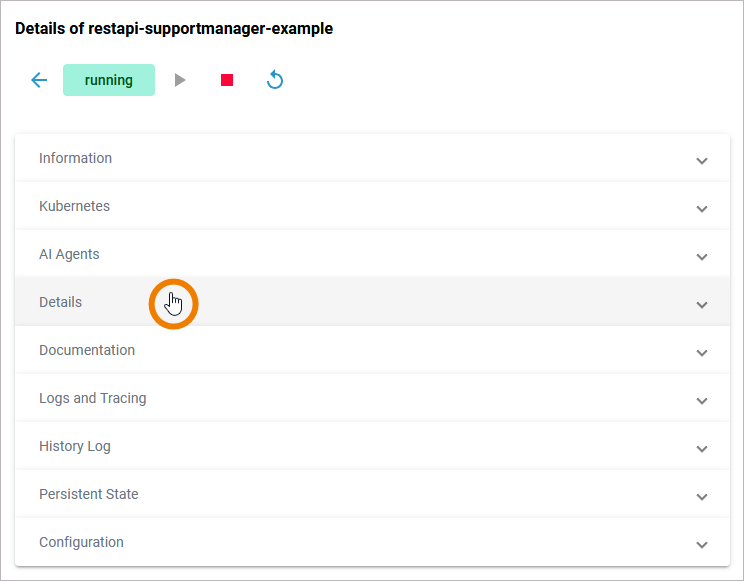
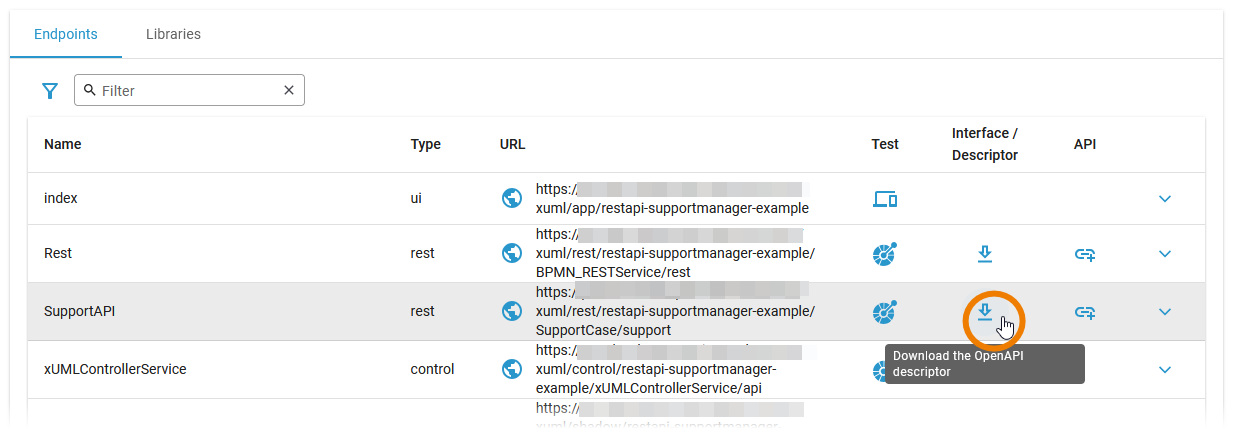
Open tab Deatils and scroll down to the Endpoints table. Use the download option in column Interface / Descriptor to download the YAML file: