
The Control Hub uses status values and badges to tell you the state of a project deployment, of a component deployment, and of a project version. This page is the reference for these values.
Deployment and Component Status
A deployment reports one of five statuses:
|
Status |
Description |
|---|---|
|
started |
All component deployments are running. |
|
starting |
The deployment is starting up. |
|
stopped |
The deployment is not running. |
|
multiple |
The component deployments are in different states, for example some started and some stopped. The multiple status applies to a project deployment as a whole. It indicates that the component deployments currently have different statuses. |
|
failed |
The deployment has failed and is in an error state. |
While a project or component deployment is starting, its indicator is animated.
You can filter the Deployments view by these status values. Refer to Working With the Control Hub for detailed information about filtering in the Control Hub.
Status Display
The status is displayed in the following places:
|
Location |
Indicator |
|---|---|
|
Status column of the Deployments view Status column of the Agents view |
A colored label with the status: 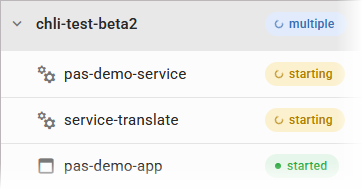
|
|
Component list of the deployment panel |
A colored dot per component deployment: 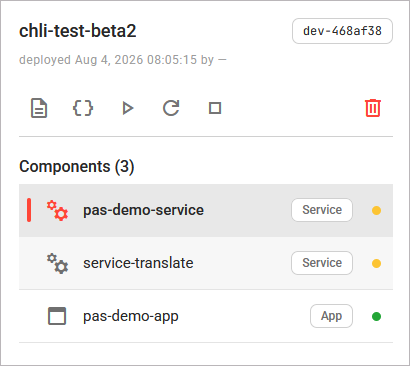
|
|
Component detail view |
Status name and colored dot for the selected component deployment: 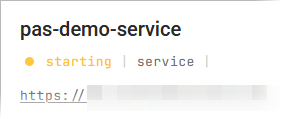
|
|
Deployments tab of the project detail view |
The status of each existing deployment of the project: 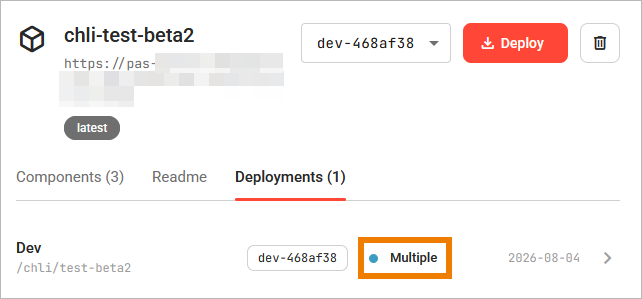
|
How a Project Status Is Derived
A project deployment has no status of its own. It derives its status from the statuses of its component deployments. When all component deployments report the same status, the project deployment reports that status. A single component deployment always reports one concrete status.
|
Status |
Description |
|---|---|
|
started |
A project deployment whose components are all running reports started. |
|
multiple |
When the component deployments report different statuses, the project deployment reports multiple. |
|
stopped |
A project deployment without components or with all component deployments stopped reports stopped. |
|
failed |
When the state of a component deployment cannot be determined, the component reports failed. |
Refer to Working With the Deployments View for details.
Status and Available Actions
Which lifecycle actions you can use depends on the current status. The mapping is the same for a project and for a component, and in every place the actions are offered.
|
Project/Component Status |
Available Actions |
|---|---|
|
started |
Restart, Stop |
|
starting |
Stop |
|
stopped |
Start |
|
multiple |
Start, Restart, Stop The multiple status applies to a project deployment as a whole. It indicates that the component deployments currently have different statuses. |
|
failed |
Start, Restart, Stop |
An action that does not apply to the current status is disabled. Delete is available in every status. Refer to Deleting a Deployment for further details.
Refer to Operating a Deployment for details on the lifecycle actions and to Deleting a Deployment for details on the delete action.
The Legacy Badge
Some deployments are deployments of standalone services that are not part of any project. They carry a Legacy badge next to their name. A legacy service has no components, so it cannot be expanded, and it shows no version and no endpoint.
It is not possible to manage legacy standalone service deployments in the Control Hub. They have no actions in the Deployments table and no detail page, so you cannot start, stop, restart, delete, or open them.