
The Control Hub allows you to control the lifecycle of a running deployment. You can start, stop, and restart a whole project deployment, or a single component deployment.
Refer to Updating a Deployment for detailed information on the update action.
The Lifecycle Actions
Three actions control the lifecycle of a deployment. When you run an action on a project deployment, it applies to all of the project's component deployments.
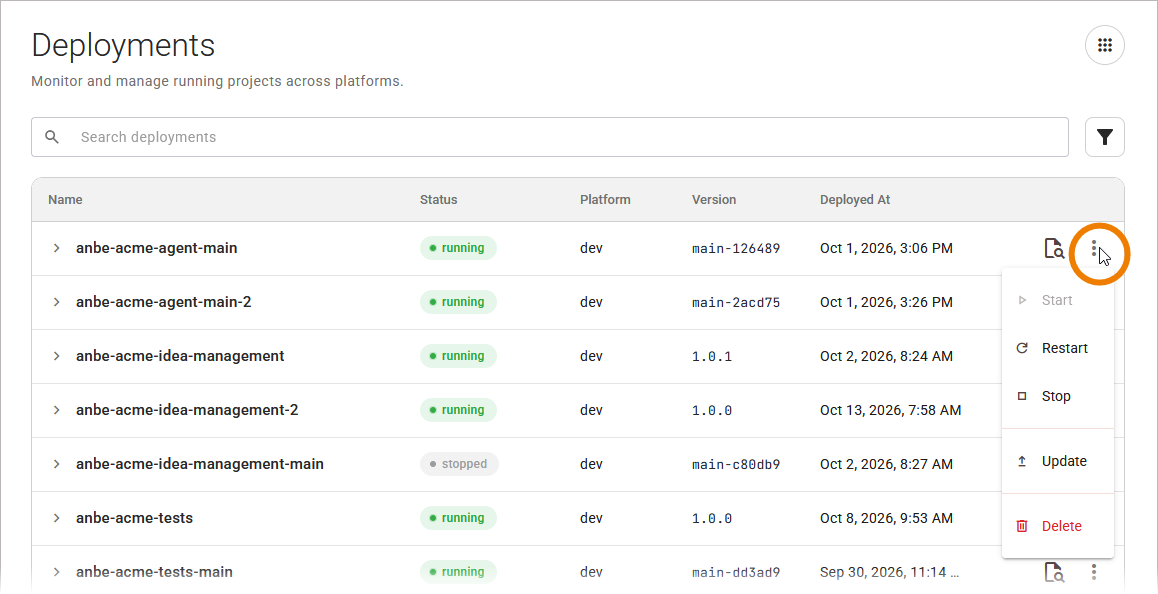
The following actions are available:
|
Action |
Description |
|---|---|
|
Start |
Starts a stopped deployment. |
|
Restart |
Restarts a running deployment. |
|
Stop |
Stops a running deployment. |
An action runs immediately, there is no confirmation step.
The control hub confirms each action with a message:
-
Starting <name> when you start it
-
Restarting <name> when you restart it
-
<name> stopped when you stop it
If an action fails, the Control Hub shows an error message. Refer to Error Handling Deployments for the error messages and how to resolve them.
The available actions depend on the current status of the deployment. The following actions are available per status:
|
Project/Component Status |
Available Actions |
|---|---|
|
started |
Restart, Stop |
|
starting |
Stop |
|
stopped |
Start |
|
multiple |
Start, Restart, Stop The multiple status applies to a project deployment as a whole. It indicates that the component deployments currently have different statuses. |
|
failed |
Start, Restart, Stop |
An action that does not apply to the current status is disabled. Delete is available in every status. Refer to Deleting a Deployment for further details.
Operating a Project
You can perform the actions available for a project deployment in two places:
-
In the Deployments view: Open the More actions menu at the end of the project deployments' row, then select the action you want to use.
For more details about the deployments table, refer to Working With the Deployments View.
-
On the deployment details page: Use the Start, Restart, and Stop buttons in the details section.
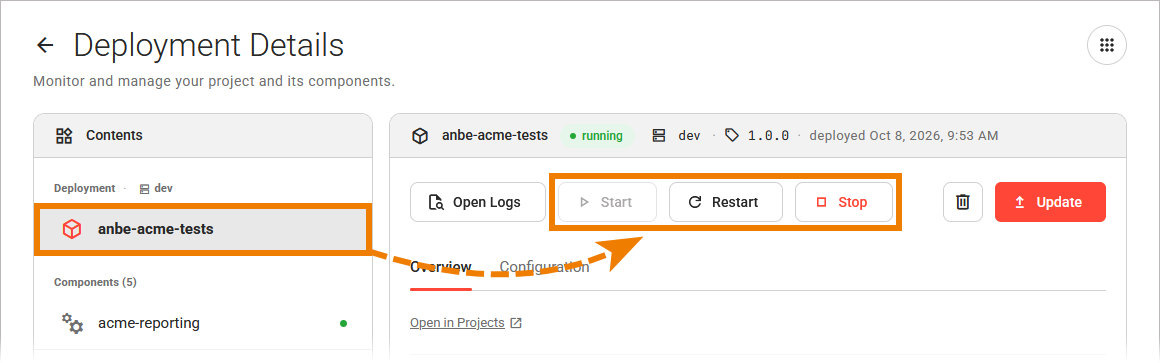
For more information on the deployment details, refer to Working With the Deployment Details Page.
Operating a Component
You can perform the actions available for a single component deployment in two places:
-
In the Deployments view: Expand a project deployment to list its component deployments, open the More actions menu at the end of the component deployments' row, then select the action you want to use.
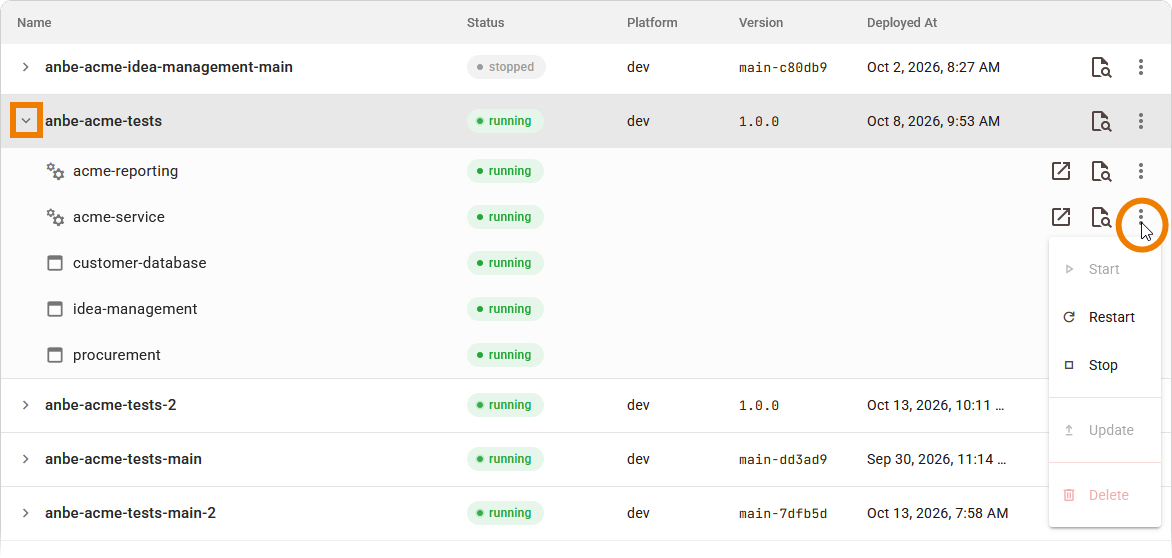
For more details about the deployments table, refer to Working With the Deployments View.
-
On the deployment details page: Select the component in the contents section, then use the Start, Restart, and Stop buttons in the details section.
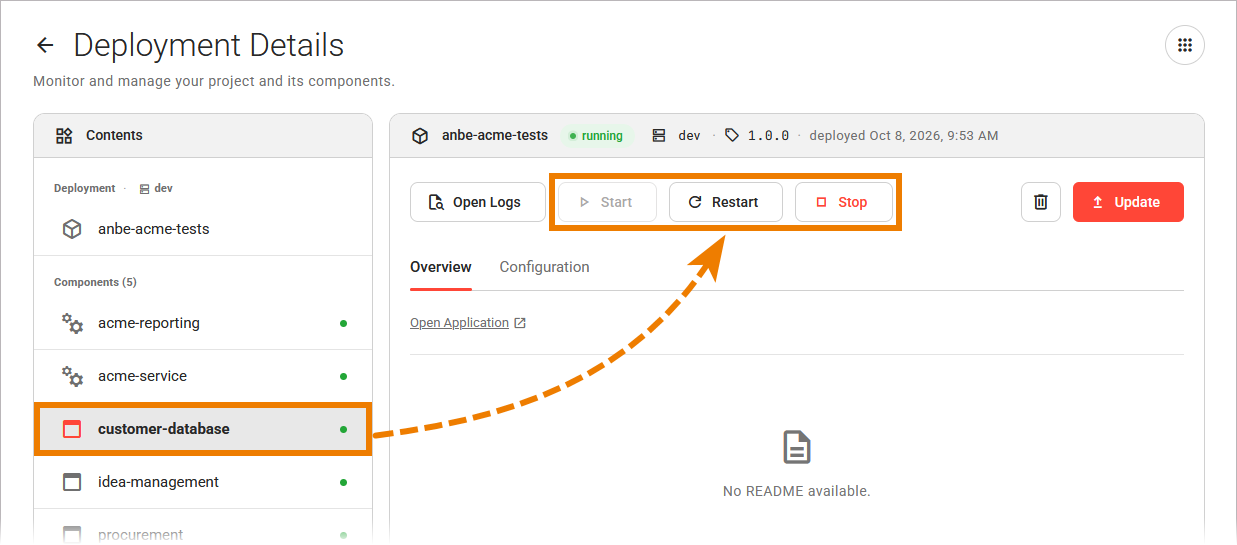
For more information on the deployment details, refer to Working With the Deployment Details Page.