Deleting a Deployment

Deleting a deployment removes it from its environment. You can delete a whole project deployment or a single component deployment. Deleting is permanent, so the Control Hub asks you to confirm your decision.

Deleting a Project Deployment

You can delete an entire project deployment in two places:

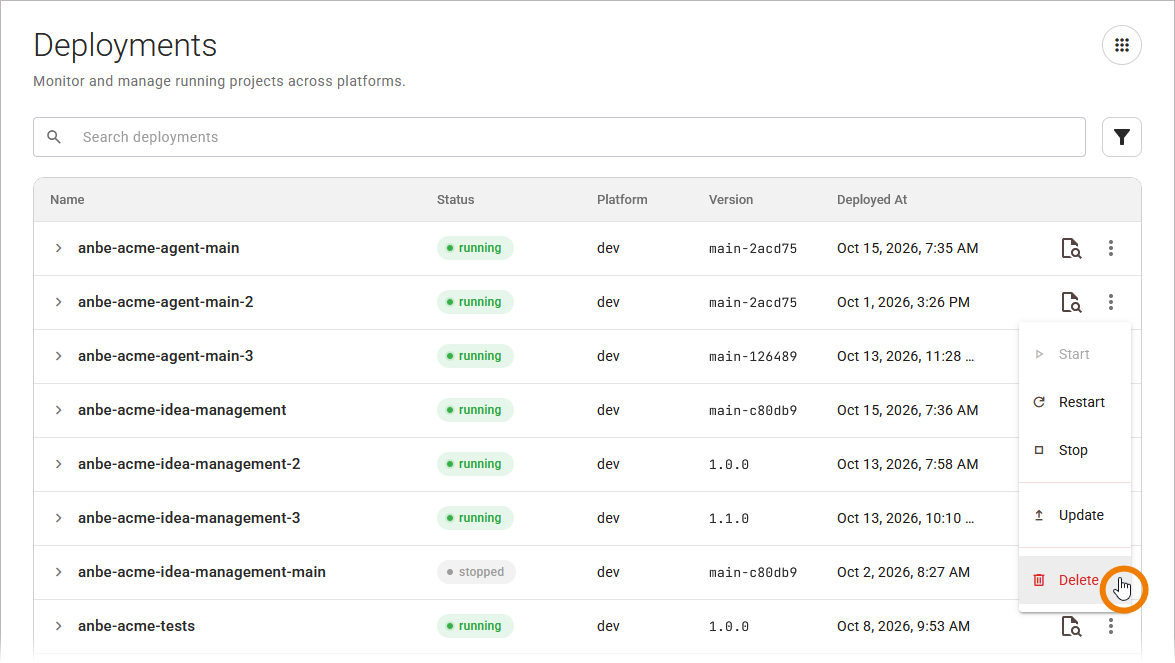
  • In the Deployments view: Open the More actions menu at the end of the project deployments' row, then select Delete.

grafik-20260731-064245.png

For more details about the deployments table, refer to Working With the Deployments View.

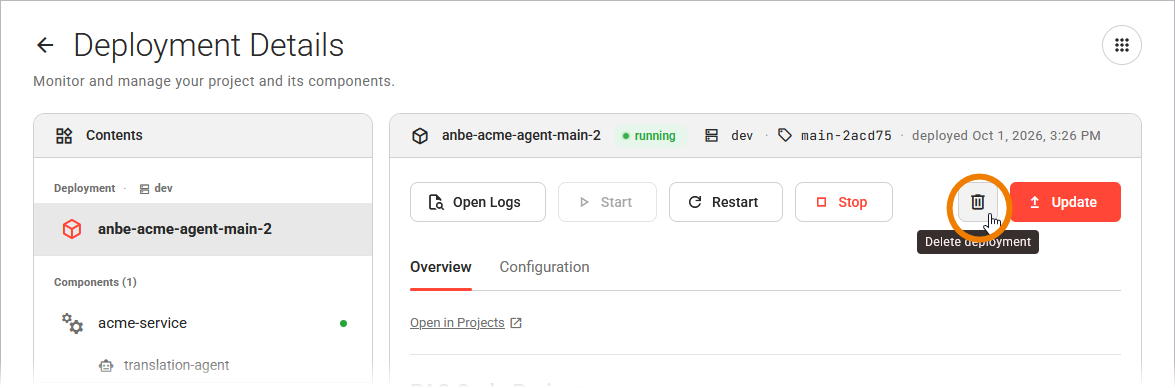
  • On the deployment detail page: Select Delete in the deployment panel. When the deletion finishes, the Control Hub returns you to the Deployments view.

grafik-20260814-073618.png

For more information on the deployment details, refer to Working With the Deployment Detail Page.

Deleting a Component Deployment

You can delete a component deployment in the Deployments view: Expand the project deployment to list all component deployments, then open the More actions menu at the end of the component deployments' row, and select Delete.

grafik-20260731-070041.png

Refer to Working With the Deployments View for details on expanding a project deployment.

Confirming the Deletion

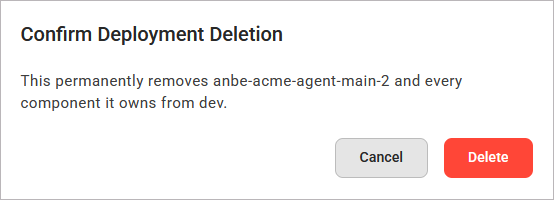
When you select Delete, a confirmation dialog opens. Its title and message depend on what you delete:

You Delete

Dialog Title

Message

A project deployment

Confirm Deletion

This permanently removes <project name> from <environment>.

A component deployment

This permanently removes component deployment <name> from project deployment <project name>.

Select Delete to confirm the deletion, or Cancel to keep the deployment:

grafik-20260814-073727.png

If the deployment cannot be deleted, the Control Hub shows the message Deletion not possible, try again. Refer to Error Handling Deployments for the causes and how to resolve them.

It is not possible to manage legacy standalone service deployments in the Control Hub. They have no actions in the Deployments table and no detail page, so you cannot start, stop, restart, delete, or open them.

📗