
The HTTP Security Policy allows to set security-related HTTP headers such as HSTS, CSP and XSS protections.
Configuration Options
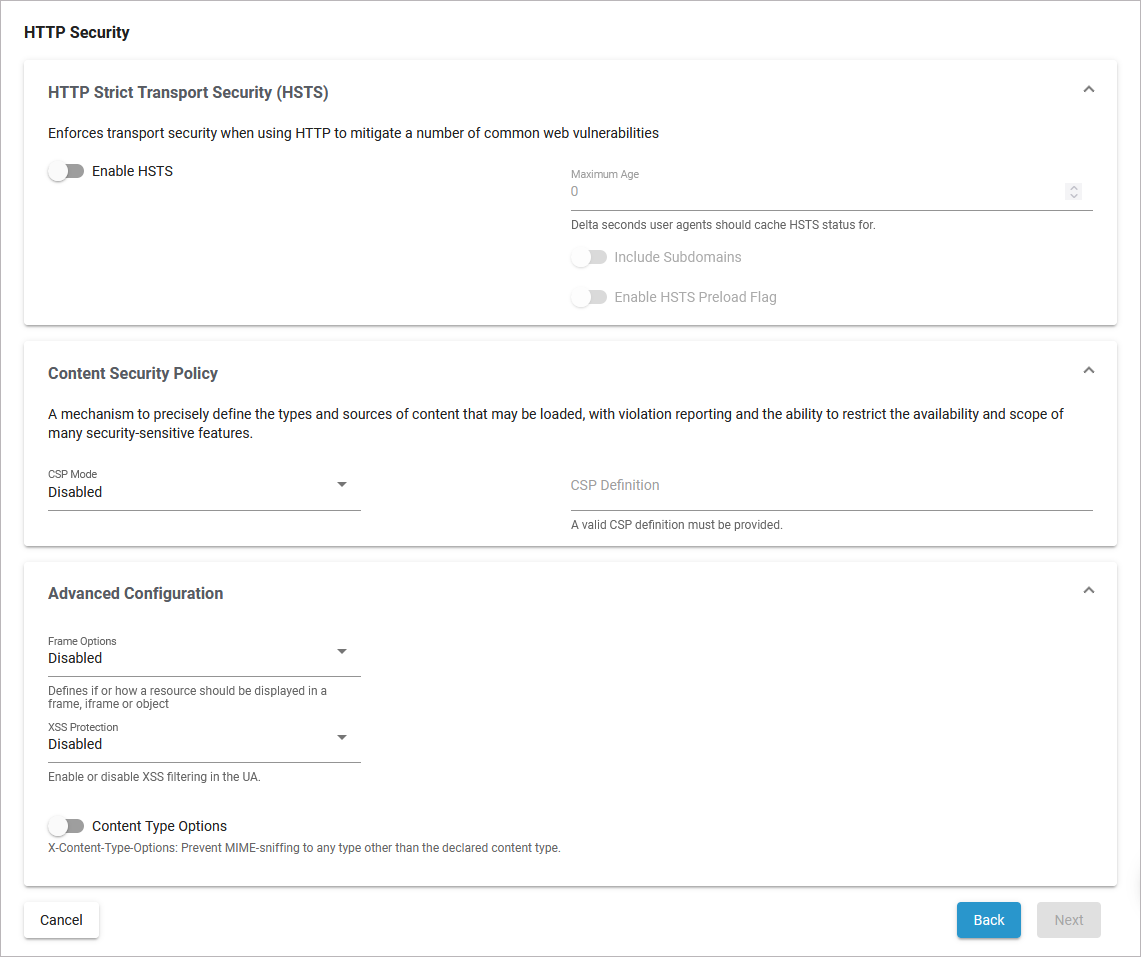
Basic Configuration
HTTP Strict Transport Security
Enforces transport security when using HTTP to mitigate a number of common web vulnerabilities
|
Option |
Description |
Possible Values |
Default |
|---|---|---|---|
|
Enable HSTS |
Enable this option if you want to use HTTP Strict Transport. |
|
disabled |
|
Maximum Age |
Enter the delta seconds user agents should cache HSTS status for. |
an integer |
0 |
|
Include Subdomains |
Enable if you want to include subdomains. |
|
disabled |
|
Enable HSTS Preload Flag |
Enable this option to verify HSTS preload status. Popular browsers contain a hard-coded (pinned) list of domains and certificates, which they always connect securely with. Users must submit a request for their domain to be included in the scheme. For more detailed information about Strict-Transport-Security go to the official Mozilla online documentation.
|
|
disabled |
Content Security Policy
A mechanism to precisely define the types and sources of content that may be loaded, with violation reporting and the ability to restrict the availability and scope of many security-sensitive features.
|
Option |
Description |
Possible Values |
Default |
|---|---|---|---|
|
CSP Mode |
Enable this option if you want to use the content security policy mode. |
|
disabled |
|
CSP Definition |
Provide a valid CSP definition in this field. For further details about the Content Security Policy go to the official Mozilla online documentation. |
a string |
- |
Advanced Configuration
|
Option |
Description |
Possible Values |
Default |
|---|---|---|---|
|
Frame Options |
Defines if or how a resource should be displayed in a frame, iframe or object. For further details about the Frame Options go to the official Mozilla online documentation. |
|
disabled |
|
XSS Protection |
Use this option to enable or disable XSS filtering in the UA. For further details about X-XSS-Protection go to the official Mozilla online documentation. |
|
disabled |
|
Content Type Options |
X-Content-Type-Options: Enable this option to prevent MIME-sniffing to any type other than the declared content type. For further details about the X-Content-Type_Options go to the official Mozilla online documentation. |
|
disabled |
Related Content
Related Pages:
Related Documentation: