
To view or edit test case properties, select Properties from the context menu of a test case or double-click it.
Switch tho the HTTP Header tab. Here, you can set the HTTP Headers of the test request:
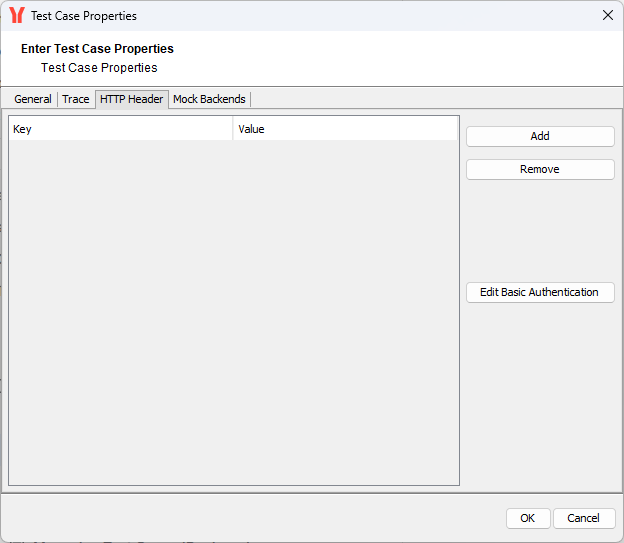
The HTTP Header Editor allows you to add any HTTP headers to your request, and assists with basic authentication. This is an important feature to emulate security settings, for instance, to authenticate a user directly by sending a Remote-User header or an API key, or to provide some header variables to simulate certificate variables like organization units, etc.
The following HTTP header variables can be added, respectively overwritten, with the Header Editor:
|
HTTP Header Field |
Default Value |
|---|---|
|
User-Agent |
|
|
X-Bridge |
|
|
Cache-Control |
|
|
Pragma |
|
|
Host |
<host:port> |
|
Accept |
|
|
Proxy-Connection |
|
The following standard HTTP header fields cannot be overwritten and will be ignored if set via the header editor:
|
HTTP Header Field |
Default Value |
|---|---|
|
Content-Type |
|
|
Content-Length |
<actual content length> |
|
SOAPAction |
<soap action> |
Adding and Removing Header Fields
Click Add and Remove to manage the HTTP header fields:
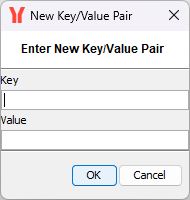
In the New Key/Value Pair dialog, enter the key, for instance, Remote-User, and the value, for instance, david.stringer. This will add a header variable Remote-User: david.stringer to the SOAP request sent with this test case emulating a user authenticated by a proxy.
Setting Authorization Headers
If you want to send an Authorization HTTP header variable with the current test case to perform basic authentication with a proxy, use the Edit Basic Authentication button and enter User Name and Password:
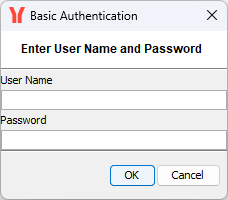
In this way the password will only be displayed in an encrypted way. If this test case is run, the SOAP request will contain the Authorization HTTP header with encoded user name and password (see line 2):
POST /doc/xuml/shadow/restapi-supportmanager-example/SupportCase/support HTTP/1.1
Authorization: Basic ZGF2aWQuc3RyaW5nZXI6c2VjcmV0
X-Bridge: NoErrorReturn
Request-ID: create_support_case_1769690858762
SOAPAction:
User-Agent: SOAPTestTool/1.0 (Java HotSpot(TM) Client VM/16.0-b13)
Host: acme.saas.pas-cloud.com
Content-Length: 869

<env:Envelope xmlns:env="http://schemas.xmlsoap.org/soap/envelope/"

[...]

</env:Envelope>
Related Content
Related Pages: