
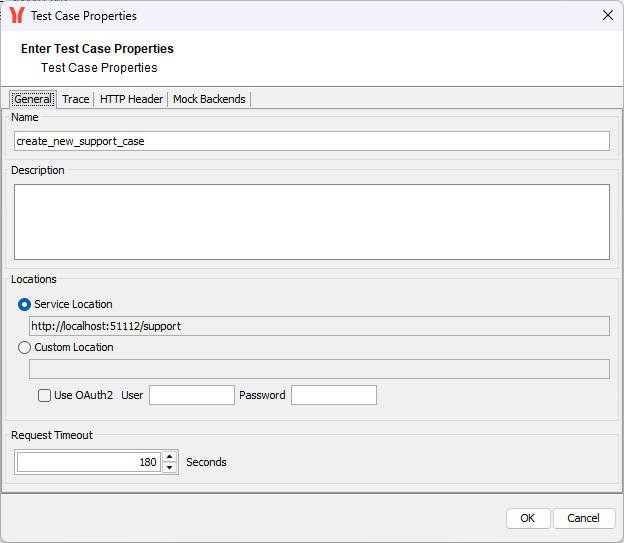
After having created a test case, you need to configure the service location for the test. To view or edit test case properties, select Properties from the context menu of a test case or double-click it:
General Test Case Information
Name and Description
On the General tab of the test case properties dialog you can change the Name of the test case. Optionally, you may enter a test case Description. This useful to provide some information about what the test case actually tests.
Service Locations
The Service Location specifies the path to the deployed xUML service instance, which was read from the WSDL file during import. SOAP requests will be sent to this URL.
Services that have been deployed to a PAS system are REST services - but they have a shadow SOAP port that can be used for testing.
You need to change the service location to a Custom Location, and specify the path to shadow SOAP port of the service as visible in the administration.
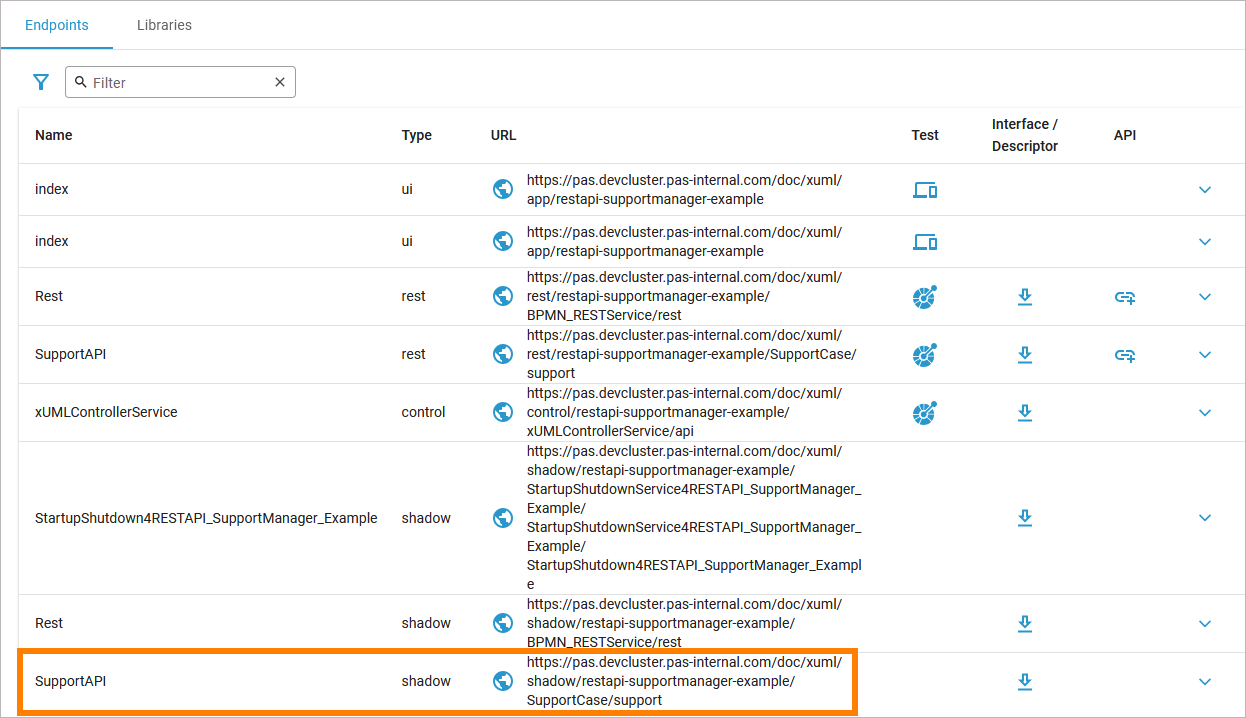
Click on the link in the URL column to copy it. Refer to Controlling Containerized xUML Services (Controlling Containerized xUML Services (Docker) if you are on Docker) for more information on this view and where to find it.
Also, you need to check the OAuth2 option and specify valid credentials to be able to access the service.
WSDL locations are defined per test case. You can set them separately for every test case.
You can also use this for testing a same xUML service running on multiple systems (e.g. a development system and a testing system). Create one test for each system, then.
Request Timeout
Specify a Request Timeout in seconds (default is 180 seconds). The Analyzer will abort requests running longer than the value specified.
Related Content
Related Pages: