
You can remove a published project from the Projects view. The view offers two deletion possibilities:
Each deletion affects the entry in the projects view. You can no longer deploy a project or version that you delete. To make it available again, republish it to the platform: You can do that by triggering the CI/CD pipeline (push a tag or a branch to the PAS Git).
A deletion removes the project from the projects view only.
Deployments that were created from the project will continue to run.
Refer to Deleting a Deployment if you want to remove a running deployment instead.
Deleting a Whole Project
Use this deletion option if you no longer need any version of a project.
Open the Projects view. Find the project in the Available Projects list. Use the search field to narrow down the list, refer to Working With the Projects View for details.
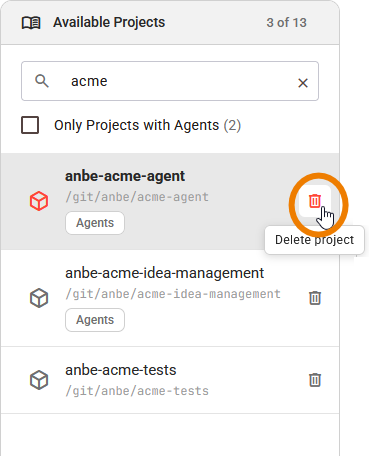
Click the Delete icon at the end of the project entry:
Deleting is permanent, so you need to confirm your decision:
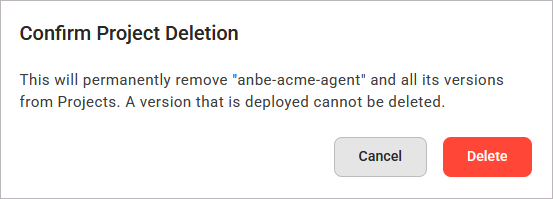
When the deletion is completed, the Control Hub displays a success message: <project name> deleted with all its versions. The list of available projects is reloaded and the details view shows the first project of the updated list.
Deleting a Single Version
Use this deletion option if you want to remove one version of a project but keep its other versions.
Open the Projects view. Click the project in the Available Projects list to open it in the details view. Select the version you want to delete in the version selector of the project header:
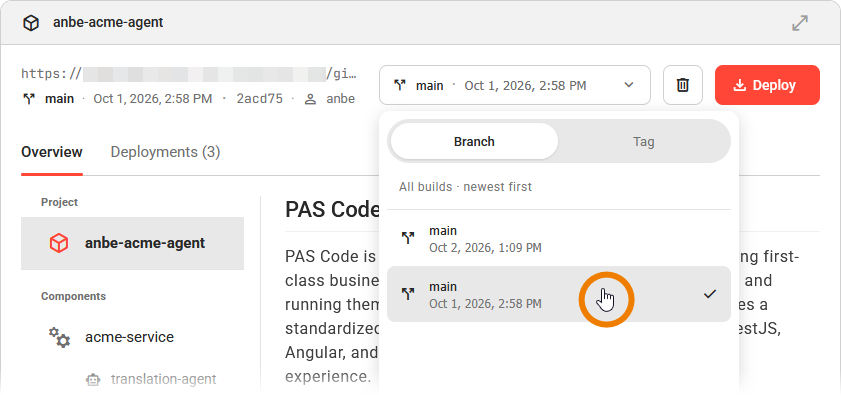
Refer to Inspecting the Project Details for details on the version selector.
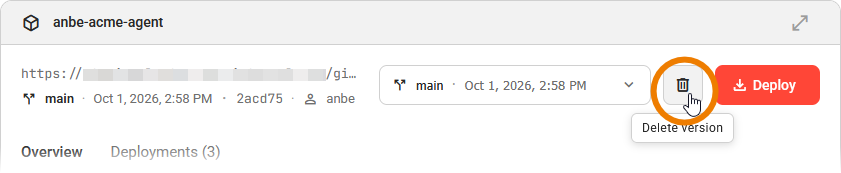
Use option Delete version in the project header, next to the Deploy button:
Deleting is permanent, so you need to confirm your decision:
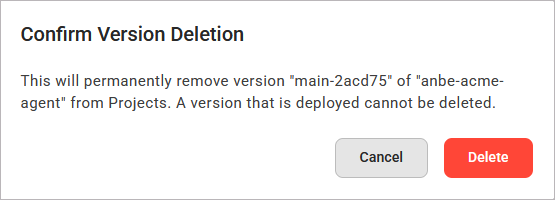
The deletion always applies to the version that is currently selected in the header. Option Delete version is inactive until the Control Hub has loaded all versions of the project.
When the deletion is completed, the Control Hub displays a success message: Version <version> of <project name> deleted. The version list of the project is loaded again. The detail view switches to the latest remaining version and shows its components.
If the selected version is the only version of the project, deleting it also removes the project from the projects view. The confirmation dialog states this before you delete:
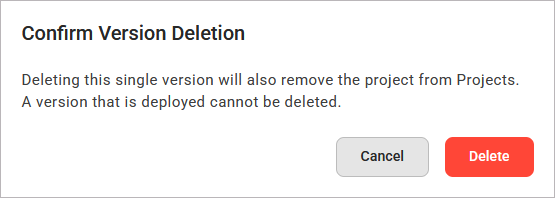
When the deletion is completed, the Control Hub displays a success message: <project name> deleted with its last version <version>. The list of available projects is loaded again. The detail view shows the first project of the updated list.
Deletion and Existing Deployments
A deletion in the projects view does not change anything in the Deployments view:
-
Deployments that were created from the deleted project or version continue to run.
-
You still operate, configure, and delete these deployments as before.
-
But: You cannot create a new deployment from a project or version that you deleted.
Check the Deployments tab in the project details before you delete a project, so that you know where the project is in use. Refer to Inspecting the Project Details for information on the Deployments tab, and to Managing Deployments for more information on how to handle the deployments of a project.