
JsonPath offers a query notation for JSON documents.The following example and reference are copied from the Github project this library is based on: https://github.com/json-path/JsonPath
Some JSON is coming from sources that serialize polymorphic class structures, which are not handled by the built-in jsonToClass() primitive. In these cases, there is no way to get the class presentations of these JSON data structures. However, often you can identify the parts of the structure that are unambiguous, and would like to feed these parts to jsonToClass().
The below class diagram shows all available functionality:
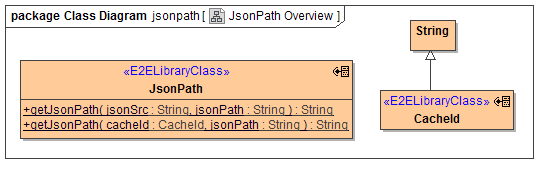
There is one polymorphic operation that allows evaluation of a JsonPath expression against a document provided as a JSON String.
JsonPath Examples

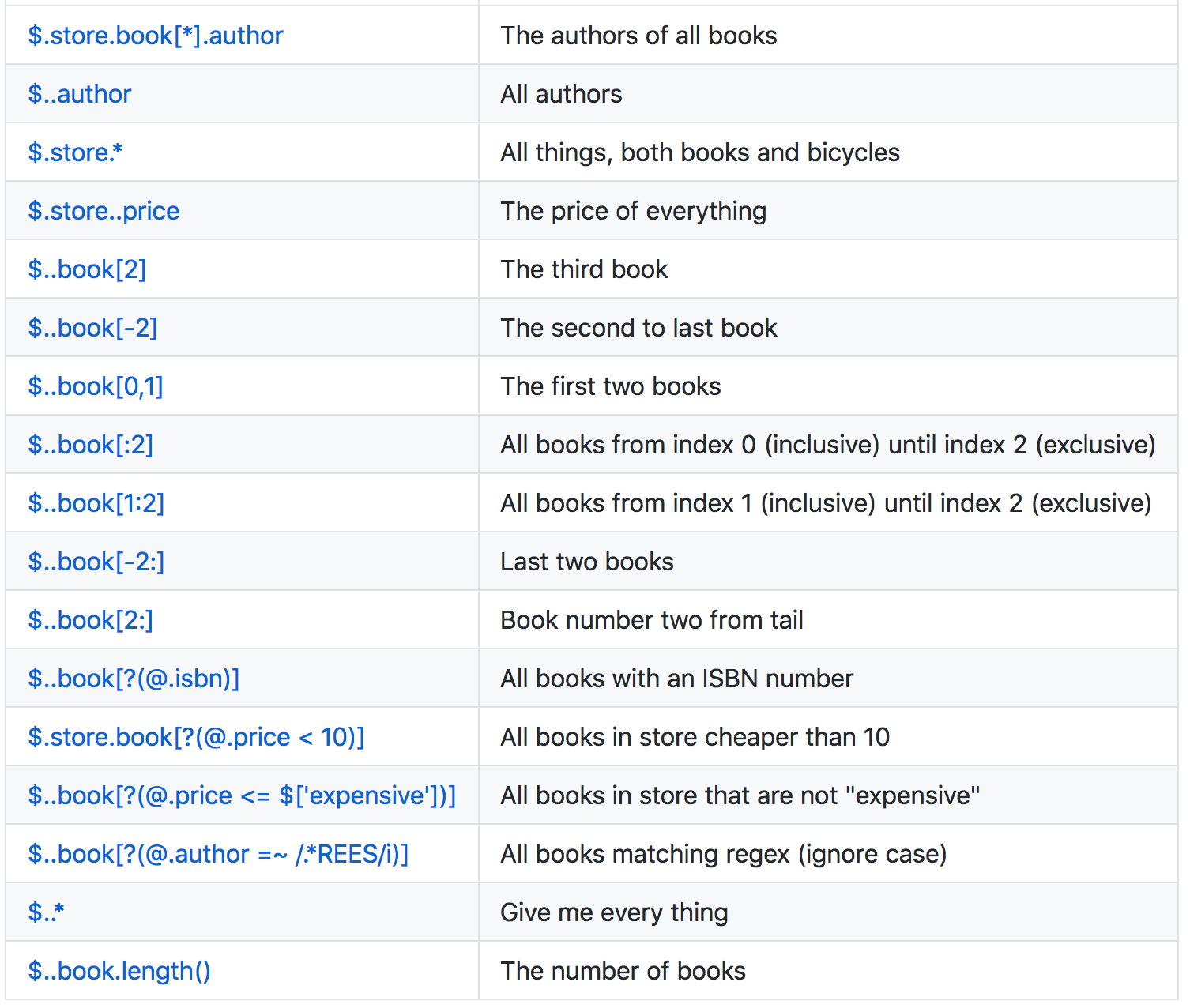
Json Path Reference


Online Evaluator
You should test your JsonPath expressions first, e.g. using this online JsonPath evaluator: https://jsonpath.herokuapp.com, which uses the same underlying Java code.
Definite vs Indefinite JsonPath queries
When working with JsonPath expressions, it is important to know what kind of result to expect. Queries can be definite or indefinite. Definite queries will return a structured element (starting with '{'), or an array (starting with '[') when the query identifies an array. Indefinite queries will always return an array, even if contains only one element. Please see the GitHub page of the underlying Java code for an introduction to JsonPath expression.
Example Usage
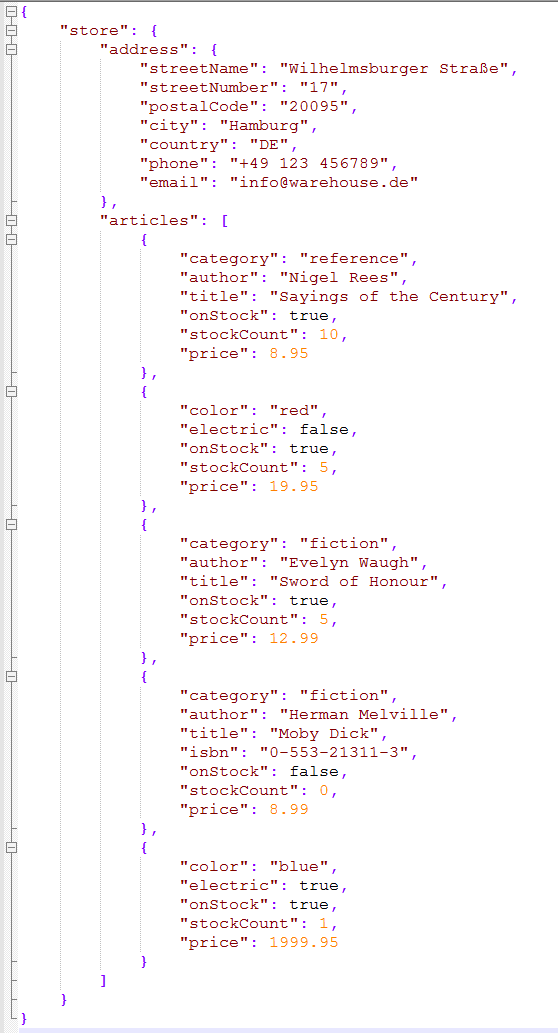
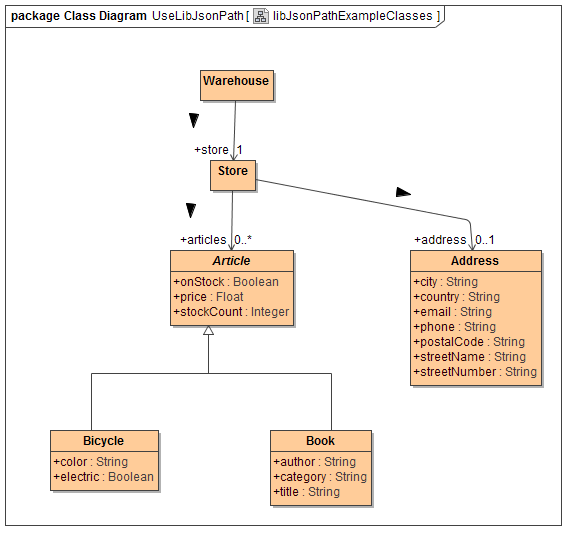
The library source model contains a usage example based on the JSON data structure in the left column. Notice that there are two different classes inheriting from Article, namely Bicycle and Book.
Using the built-in classToJson() creates the below result. Notice that while being able to parse it, the "articles" array elements are parsed on the abstract Article level only. (It should not be possible to instantiate abstract classes, but thank god it works this way).
JSON Source
Class Structure
jsonToClass() Result
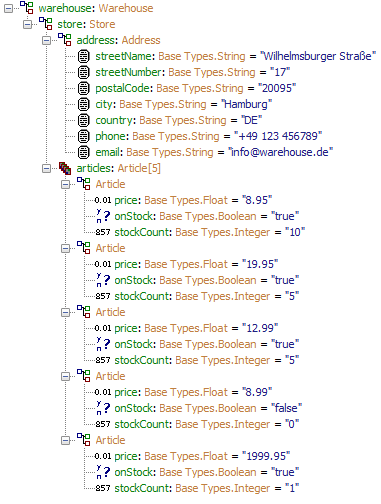
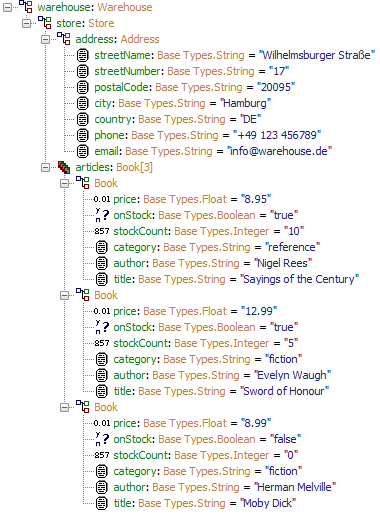
Suppose we want to parse the JSON structure and are only interested in articles that are books. The JsonPath expression
$.store.articles[?(@.category)]
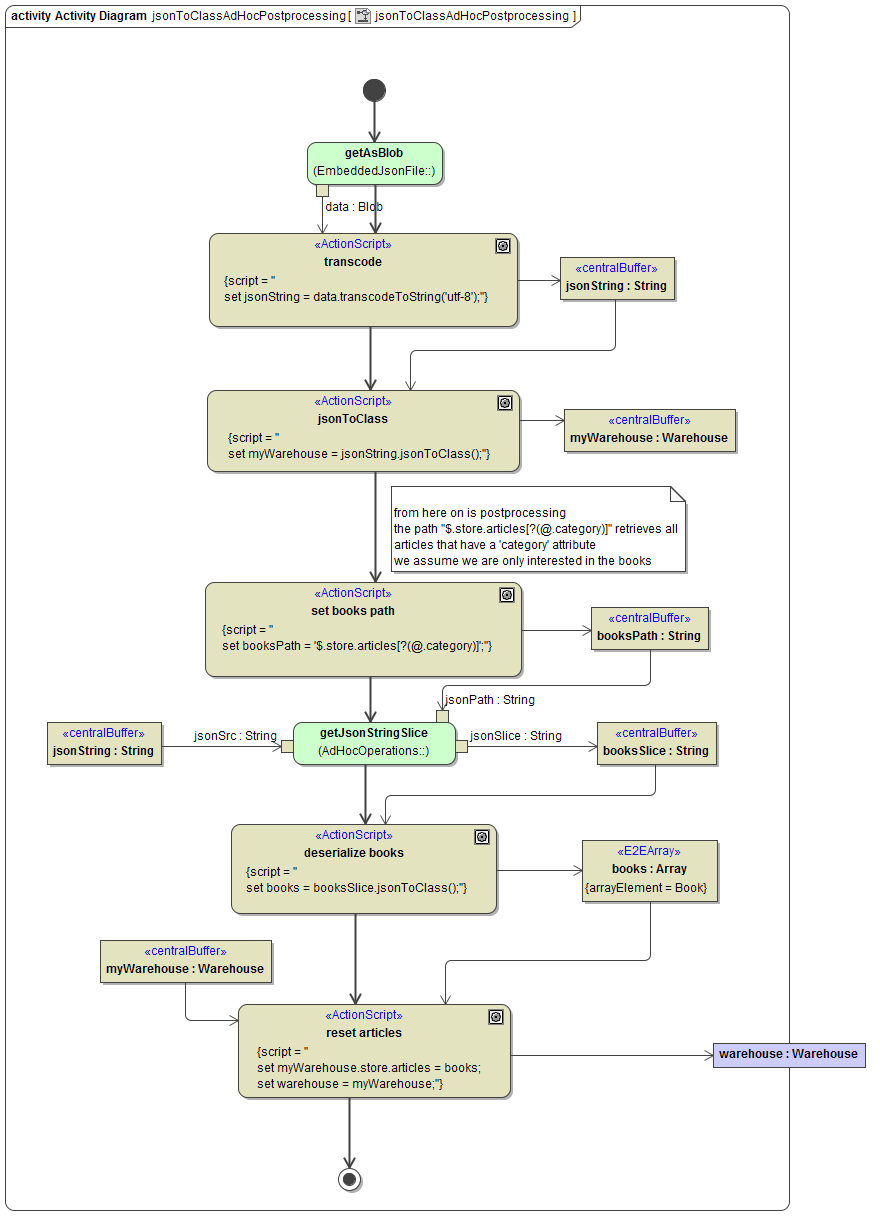
will return an Array of all elements in the JSON articles array that have an attribute 'category'. So we are lucky, there is a JsonPath expression that selectively retrieves all elements we want in one go. The below Activity diagram returns the Warehouse instance after post-processing it.
Activity
Result
Related Content
Related Pages:
-
JsonDiff
Calculate JSON patch from two JSONdocuments, or apply a patch to a document. -
JsonMatch
Testing JSON strings or object instances for matching against a condition expressed in a DSL (Domain Specific Language) similar toWHEREclauses in SQL. -
JsonNode
Parse and manipulate arbitrary JSON strings, without the need to create a class representation for it. -
JsonPointer
Extract part of JSON object using a JsonPointer (such as returned as part of a patch from JsonDiff). -
Json Schema
Convert a JSON schema file to an XSD, ready to be imported into the PAS Builder. -
JsonSQL
Generate SQL statements from JSON objects.
Related Documentation:
-
-
jsonToClass()
Maps a JSON string to an object.
-