A maintainable service can be changed with low risk. In the Designer, maintainability depends on the process model and data structures being easy to follow, custom code staying disciplined and small, and the people who didn't build the service being able to safely support or extend it later.
This page covers practical best practices for documentation, naming, and team handover.
Make Services Maintainable for Teams
Robustness is not only about runtime behavior. It also depends on whether another developer can safely support or extend the service later.
-
Review models with both business and technical stakeholders when logic is critical.
-
Use naming conventions consistently across processes, forms, services, variables, and interfaces.
-
Keep documentation close to the implementation and update it when behavior changes.
-
Describe service purpose, inputs, outputs, dependencies, and known limitations.
-
Highlight reusable assets and shared libraries clearly.
-
Keep service documentation linked to the relevant ticket in your bug tracking system, so implementation and documentation stay traceable together over time.
Adding Documentation to a Service
Each Designer service has a section in the service details where general documentation can be added, see Service Configuration Details > Description.
➡️ After service deployment, this description is visible in the service Documentation tab in the Administration as described on Controlling Containerized xUML Services (Kubernetes) > Documentation (Docker: Controlling Containerized xUML Services (Docker)).
Also, most Designer elements — classes, attributes, operations, processes, forms, and so on — have a Description attribute, editable in the Attributes Panel, with a built-in rich-text editor (formatting, not just plain text). Here, you would provide documentation on critical model elements while you are actually working on the service. This is the way to keep the documentation close to the implementation.
➡️ This description is not displayed anywhere but every developer working on the service can have a look into the description field for more information on critical model elements.
This is particularly true for libraries. Providing documentation for the library interface makes it easy to use.
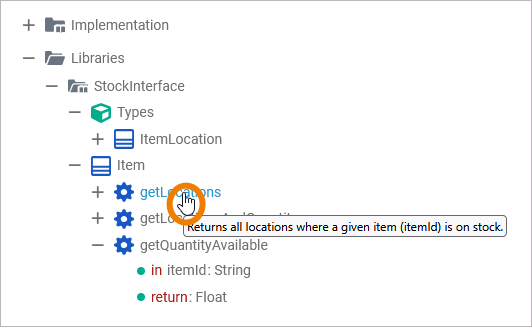
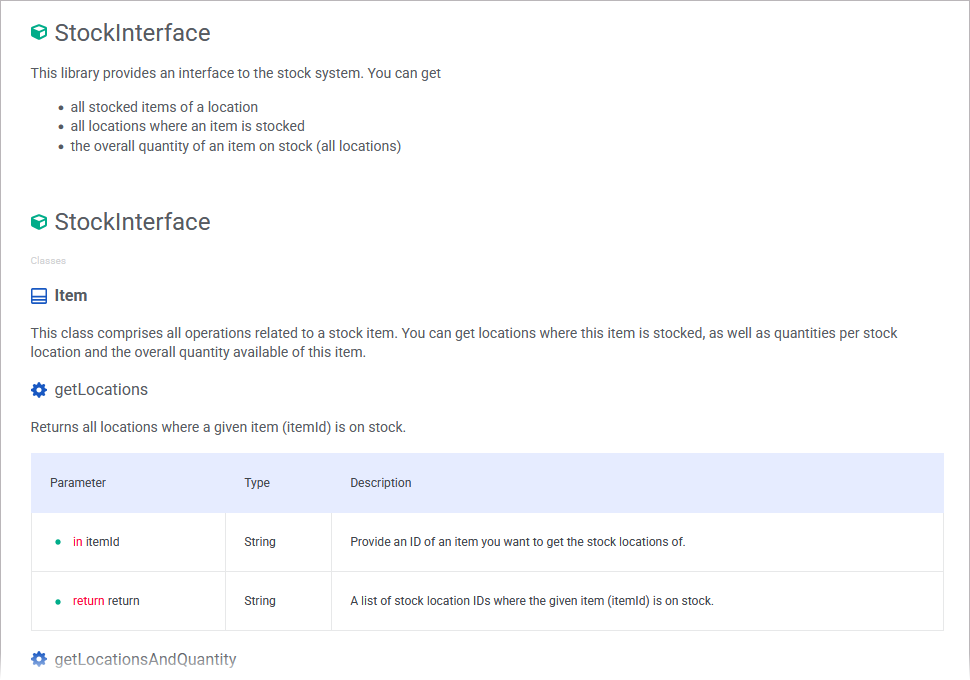
➡️ This documentation is displayed in several places (see Documenting Assets for more):
-
From the Asset Drawer you can see the complete documentation of each asset on a dedicated documentation page (see Accessing the Library's Documentation for more):
-
In the Designer, when hovering over an element of the library (see Working With Libraries for more):