
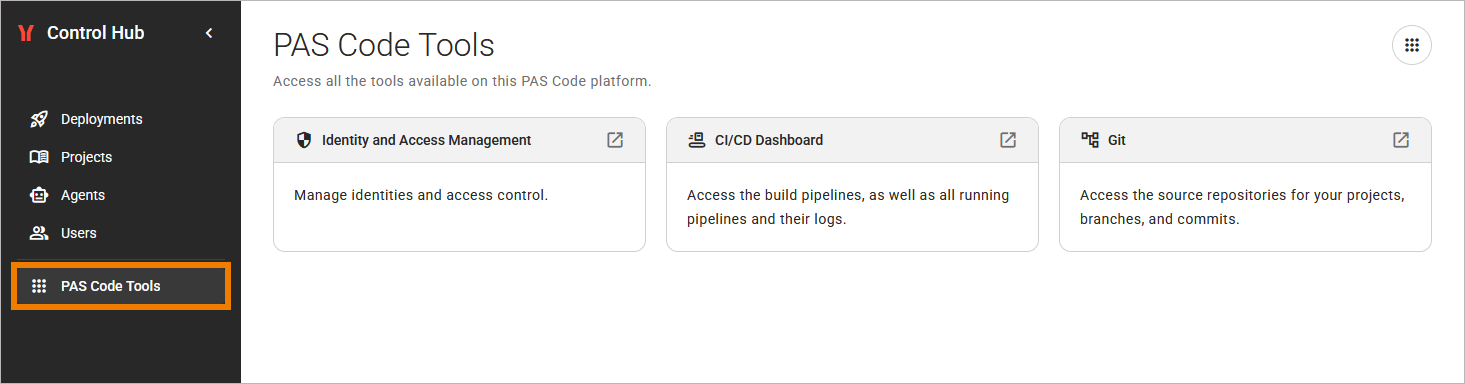
The PAS Code Tools menu of the Control Hub leads you to the tools that run on your PAS Code platform next to the Control Hub:
The Control Hub starts where the build pipeline ends, so you use these tools to follow your work through the steps before: The Git service holds your source code. The build pipeline turns the source code into a published project version. The identity provider decides who can sign in and what a user can do.
Tool Permissions
Each tool applies its own access rules. If you see a tool but are unable to open it, contact your administrator.
The PAS Code Tools View
To open the view, click PAS Code Tools in the sidebar. Every signed-in user has access to the tools menu, as long as your installation provides at least one of the tools. The view shows one clickable tile for each available tool including a short description:
Git
The Git service stores the source code of your projects and gives you access to a lot more functionality then the PAS CLI. For example, you can use it to:
-
Manage your SSH key.
-
Browse the repositories of your projects, their branches, and their commits.
-
Check that your push arrived and which commit a branch or tag points to.
-
Check the branches and tags of a repository or create a tag or new branch.
CI/CD Dashboard
The build pipeline packages each project and publishes it as a version. A version appears in the Projects view after the pipeline has published it. Use the CI/CD dashboard to:
-
Follow a pipeline run that your push triggered.
-
Read the logs of a pipeline run to find out why a build failed.
-
Find out why a new version of your project does not appear in the Projects view.
The CI/CD Dashboard shows the logs of builds.
The logs of a running deployment are not part of the CI/CD dashboard. You open them with the Open logs action, refer to Inspecting Logs for details.
Identity and Access Management
Identity and Access Management opens the identity provider of your PAS Code installation. The Control Hub, the PAS CLI, and the other tools use the identity provider for the sign-in. Use of this tool is primarily reserved for administrators, who can use it to perform the following tasks:
-
Assign permissions. The permissions decide, for example, whether a user sees the Users menu of the Control Hub.
-
Reach the component that is responsible when a sign-in or a permission does not work as you expect.
You create users and manage their groups in the Users menu of the Control Hub, not in the identity provider. Refer to Users for details.
Related Content
Related Pages: