
After successful installation, you need to install a Bridge license key as described below. You always need to install a Bridge license key. Otherwise, xUML, Node.js, or Java services cannot be started.
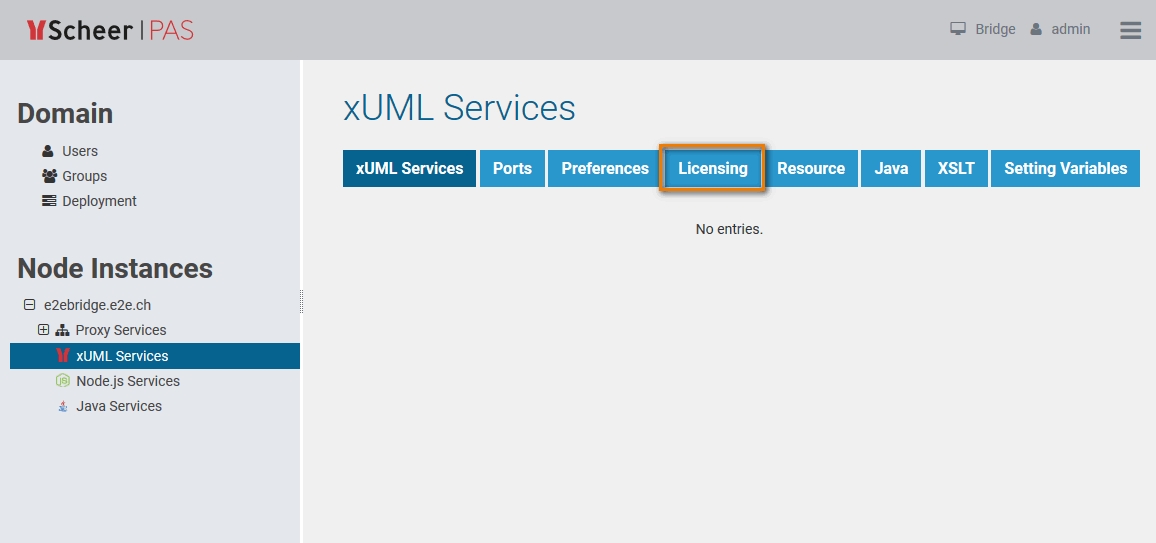
First, you need to select the node instance the Bridge is running on (here e2ebridge.e2e.ch). If the appropriate node instance is not yet selected in the Node Instances section of the navigation, click it to open its sub-navigation. Then, click the sub-navigation item xUML Services and switch to the Licensing tab in the information/working area:
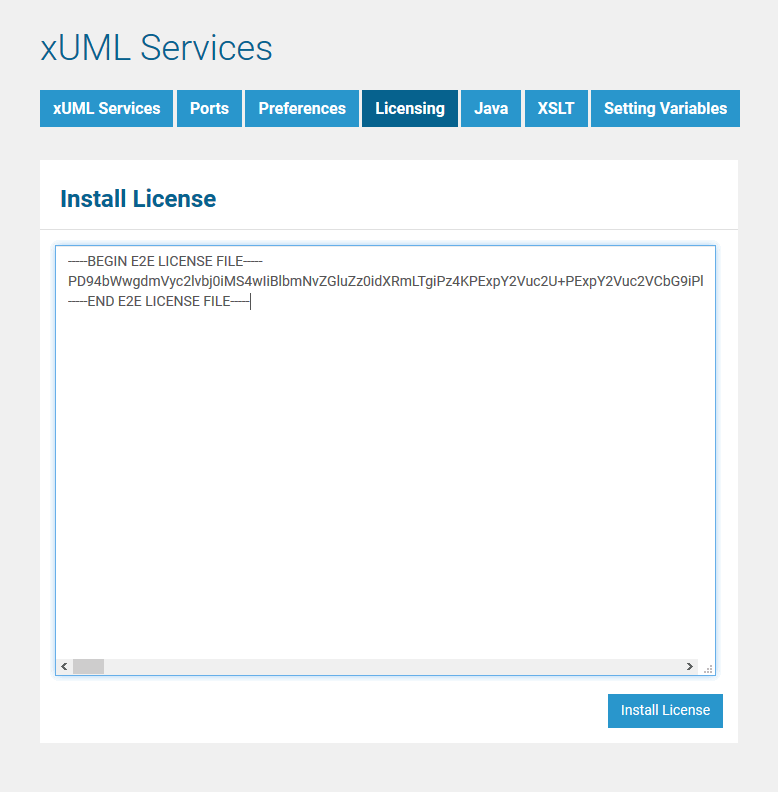
Open the Bridge license key file in an editor and copy all content. Paste the key into the field Install License and click the button Install License:
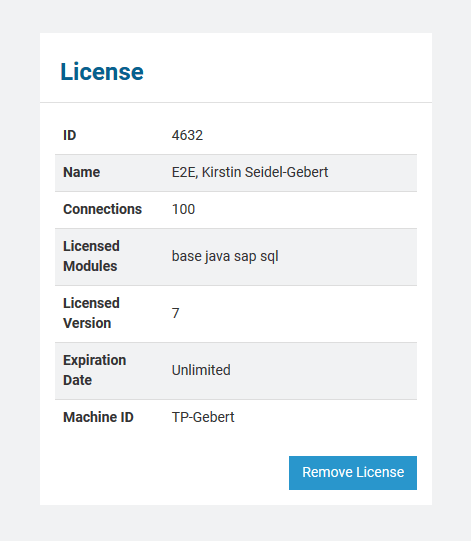
After the installation of the license, the license details are displayed:
Repeat this for each newly installed Bridge instance.