
Using this option you can overwrite the preferences of all start or stop tests in a test suite.
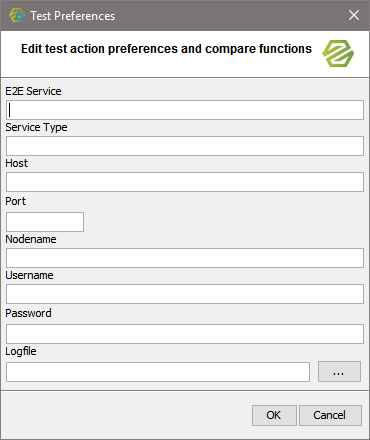
In general, all options can be overwritten. Clear all fields whom you want to keep the value defined in the test action, and enter values in the fields only that you want to overwrite.
|
Preferences |
Description |
|---|---|
|
Service |
Overwrite the name of the Bridge service you want to start or stop. |
|
Host |
Overwrite the host, the service has been deployed to. |
|
Port |
Overwrite the port of the Bridge. |
|
Nodename |
Overwrite the name of the node instance the service has been deployed to. |
|
Username / Password |
Overwrite a valid username and password to access the Bridge. |
|
Logfile |
Overwrite name and path of the start log the Bridge will write on starting the service. This logfile will be compared to a reference log. |
Typically these options are used to specify the Bridge, if the tests come e.g. from a library.