
If you have timing issues between a sequence of test cases you can delay the execution with a Wait task. To add a Wait task select Wait for a specific time interval from the list of tests actions (see Creating Additional Tests).
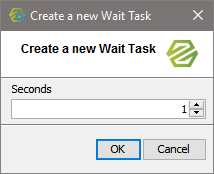
Specify the number of seconds to wait:
Specify the Preferences of the Test Action
Specify the preferences of the test action. The preferences on the General tabs are adjusted accordingly. For more information on the test preferences refer to Modifying the Test Preferences.

|
Field |
Description |
|---|---|
|
Name |
Specify the name of the test. As a default, WaitTask is suggested. |
|
Seconds |
Specify the number of seconds to wait. |
Prepare the Reference Data
A Wait task is no test and, thus, does not need any reference data. The test will be green from in the beginning.