
If you have technical problems with API Management and need to do some deeper research, you can have a look at the logs.
Inspecting API Management Logs
With the Log Analyzer, Scheer PAS contains an application that allows you to view, filter and search the platform log s for all services.
|
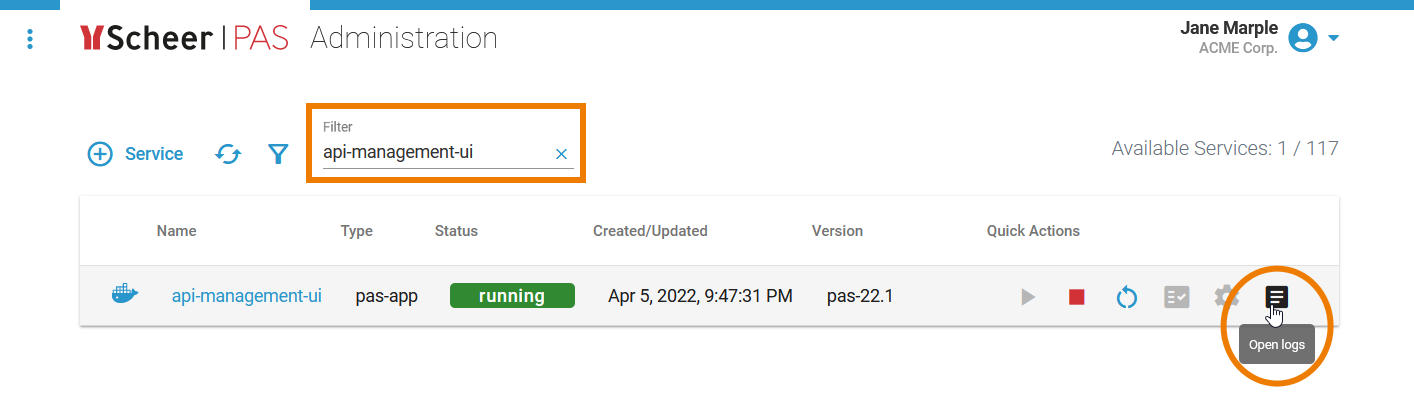
The easiest way to access the API Management logs is, to open the Scheer PAS Administration. |
|
In the Administration, you can filter for
To open the corresponding logs, click option Open Logs. |
|
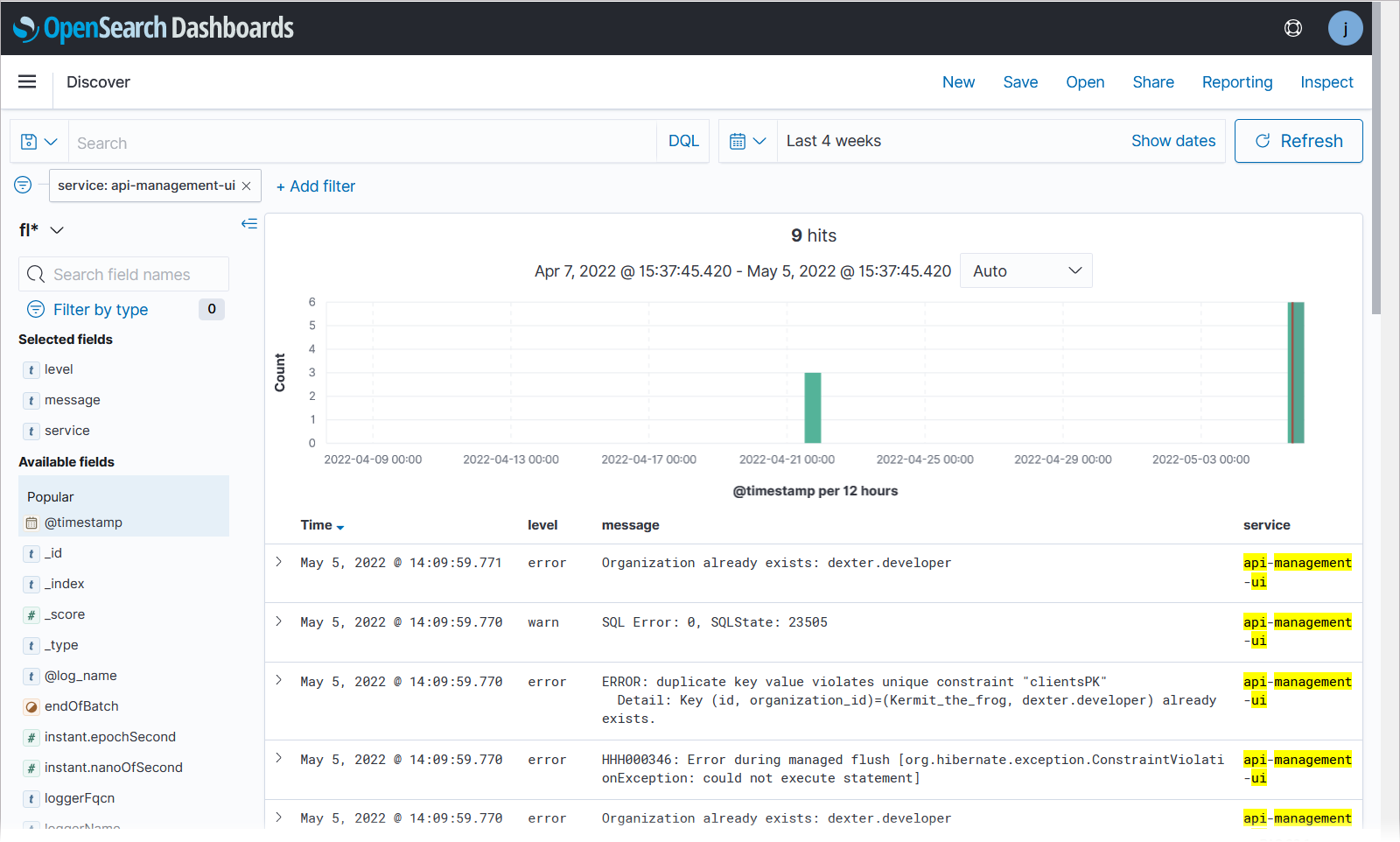
The logs are opened within the Log Analyzer. |
|
You can also open the Log Analyzer directly in the Scheer PAS Portal. In the Log Analyzer, you can also find some pre-configured dashboards for API Management metrics. Go to page Metrics for more information. |
Logging up to PAS 21.1
Click here to read more about the logging up to PAS 21.1
API Management uses containers. If you have technical problems with API Management and need to do some deeper research, you can have a look at the container logs.
Overview on the Docker Setup of API Management
Deprecated since PAS 21.1
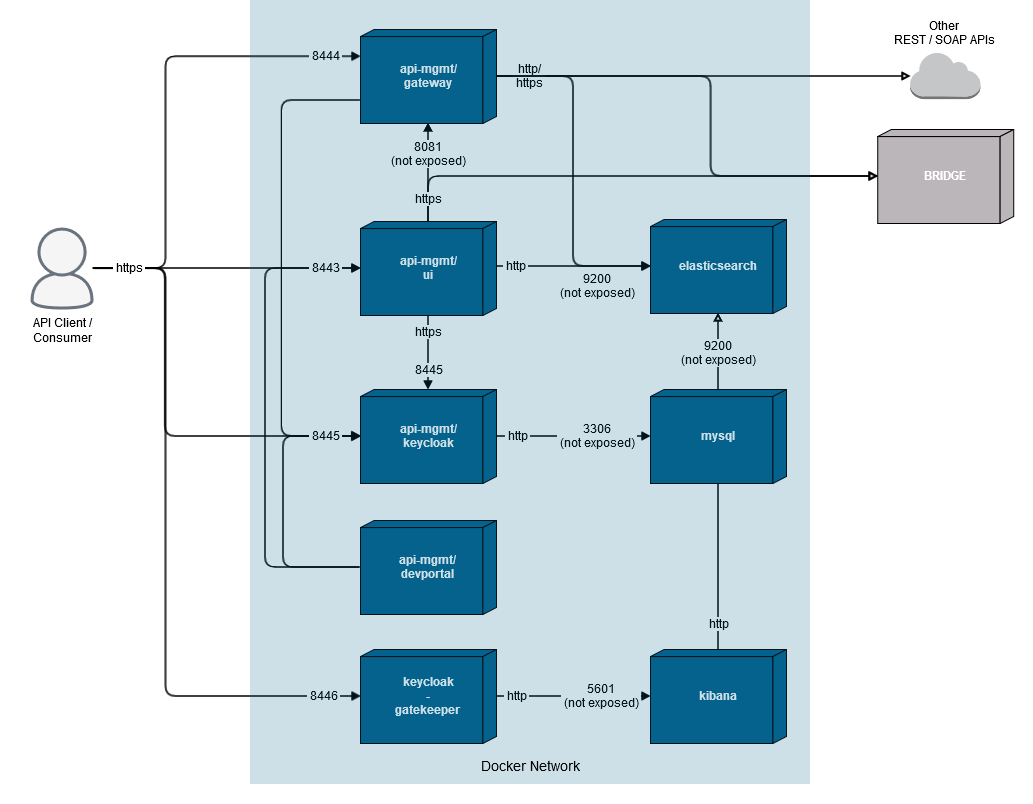
An installation of API Management consists of five Docker containers. For a more detailed description of the containers, refer to the API Management Installation Guide.
Content of the Logs
-
Each Docker container of an API Management installation writes its own logs. To view these dedicated logs, you need to go inside each container with
docker exec -it <container name> shThe docker-compose logs contain information on starting API Management, operating services, and errors, like e.g.
-
invalid and expired token
-
unauthorized login attempts
-
Elasticsearch availability
-
stacktraces of exceptions
-
-
docker-compose collects the logs of all containers that are written to stdout and stderr. To view these logs, use
docker-compose logsTo dig deeper into problems with these components, you need to have a look at the application specific logs (see below).
The docker-compose logs are rotating with 10 MB per file and a maximum of 10 files per component. Given this, the maximum size of the logs should not exceed 500 MB.
-
All other logs are container specific and managed by the application running in the container. For more information on the Docker logs, refer to the Docker documentation (docker-compose logs and docker logs).
Container
Log Directory
Remark
gateway
/usr/src/apiman/apiman-distro-vertx/logs
ui (Tomcat)
/usr/local/tomcat/logs
elasticsearch
Log messages are handled by the configured Docker logging driver. By default you can access logs with
docker logs, see also the Elasticsearch documentation.
keycloak
/opt/jboss/keycloak/standalone/log
mysql
/var/log/mysql
For further information on the topic see also: